Chapterize 2: a new generation
I'm happy to announce that Chapterize 2 is out today, and I think it is an essential tool for anyone who has a podcast. The app is free to try and has a one-time $20 unlock for unlimited use. If you've previously purchased the app, this is a free upgrade. Chaperize is available for Mac, iPad, and iPhone.
Your podcast home base
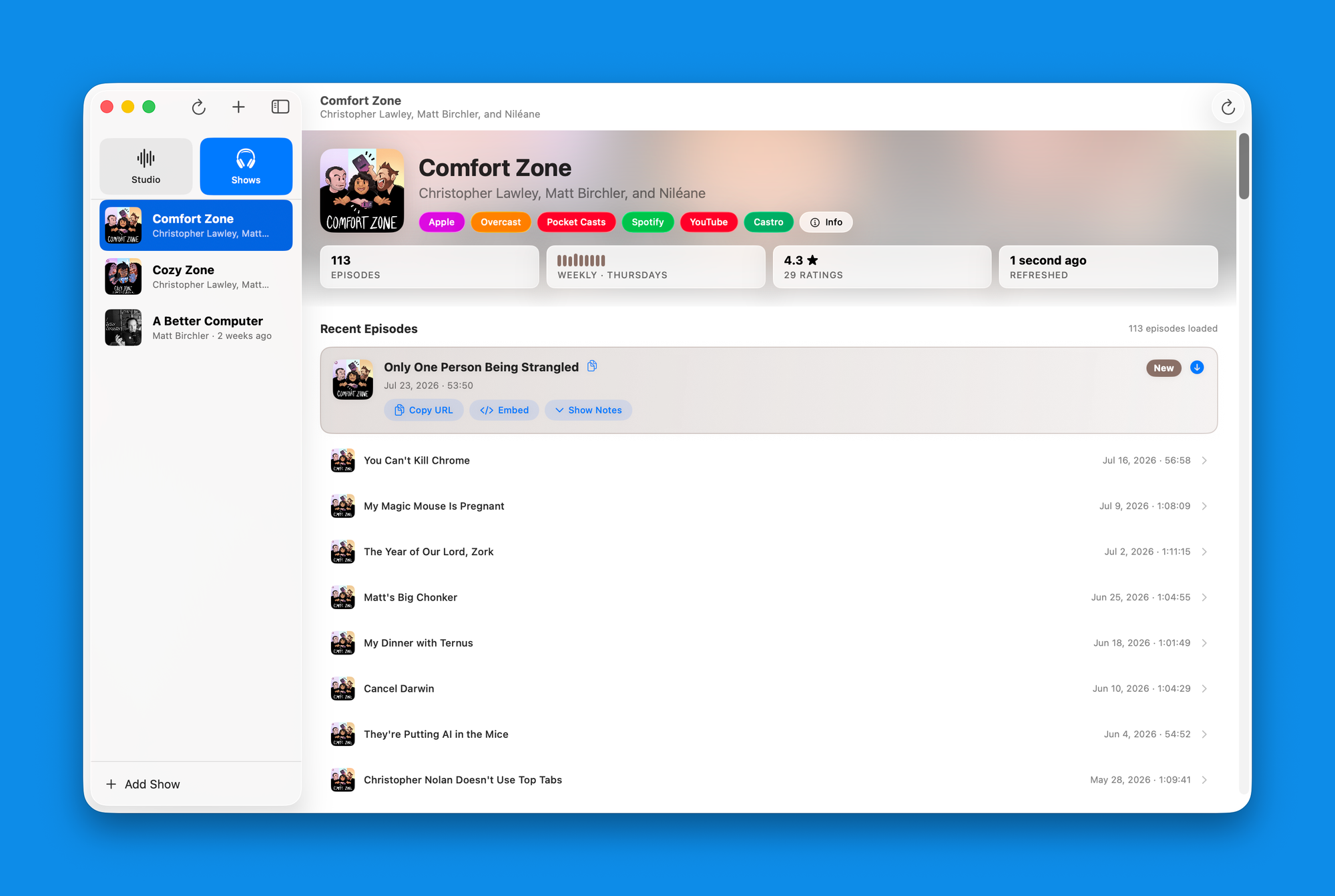
Version 2 adds an entirely new section to the app, which provides podcast hosts to more easily access important data about their show with ease. Switch over to the new "shows" tab and you can add as many podcasts as you'd like. I've added my three podcasts, and what this allows me to do is at a moment's notice, review my show information and see my recent episodes.
- Copy URLs to the show on Apple Podcasts and other services like Overcast, Spotify, and more.
- Get the HTML embed code for Apple Podcasts.
- Copy show notes as HTML or Markdown.
- See current Apple Podcasts rating (you can even dig in to see what your overall score is across all countries).
- Download old episodes.
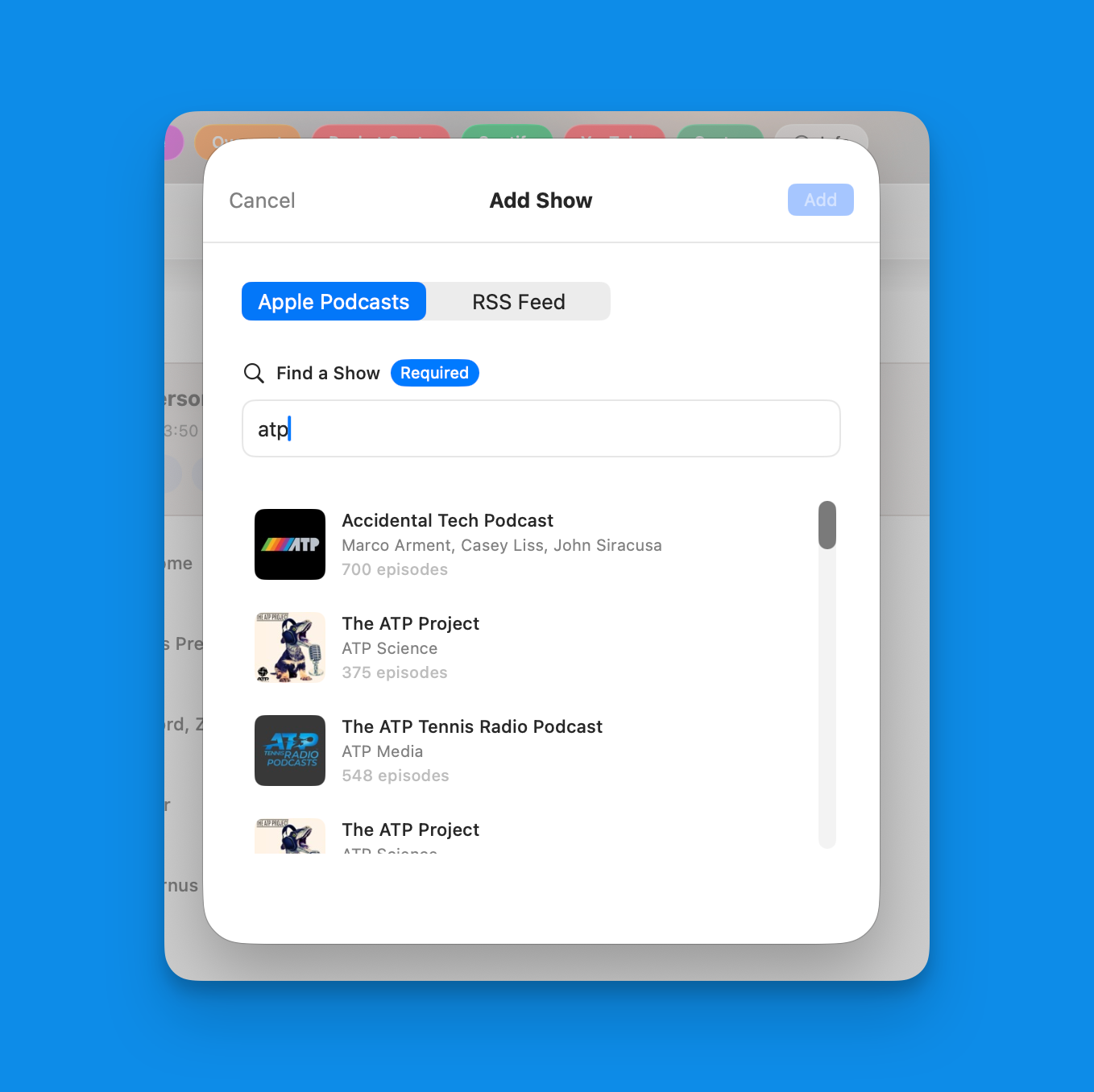
Adding a show is dead simple. You can search the Apple Podcasts directory, paste in the Apple Podcasts show link, or add the RSS feed, whichever is most convenient for you. When you go the Apple Podcasts route, the app will automatically find your Overcast and Pocket Casts sites, and if you want quick access to the YouTube channel, Spotify, or Castro, you can manually add those links as well. If you don't have them immediately, no worries, you can add them later.
One of the things I have to do every week for MacStories is to get the episode links, show notes, and embed code for our latest Comfort Zone episode. This was a bit of a pain before, but I've been using this app for a few months to do this and it's completely changed the game for me. What took like 5 minutes before takes less than a minute now.
A new editing interface
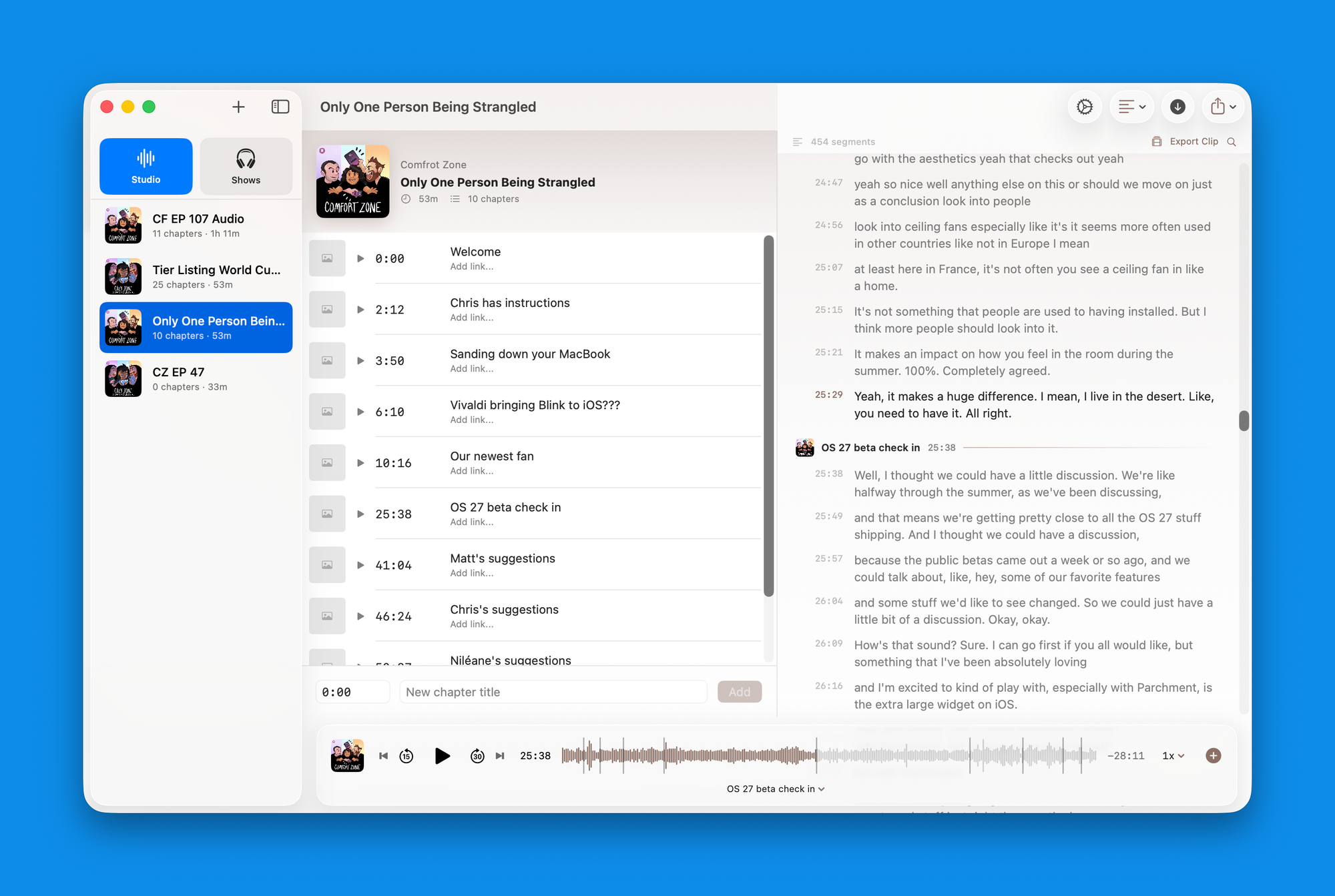
I think the killer feature in Chapterize is its ability to let you add and edit your chapter timings from the transcript. This has enabled me to hugely accelerate how quickly I can get my chapters into episodes over the past year.
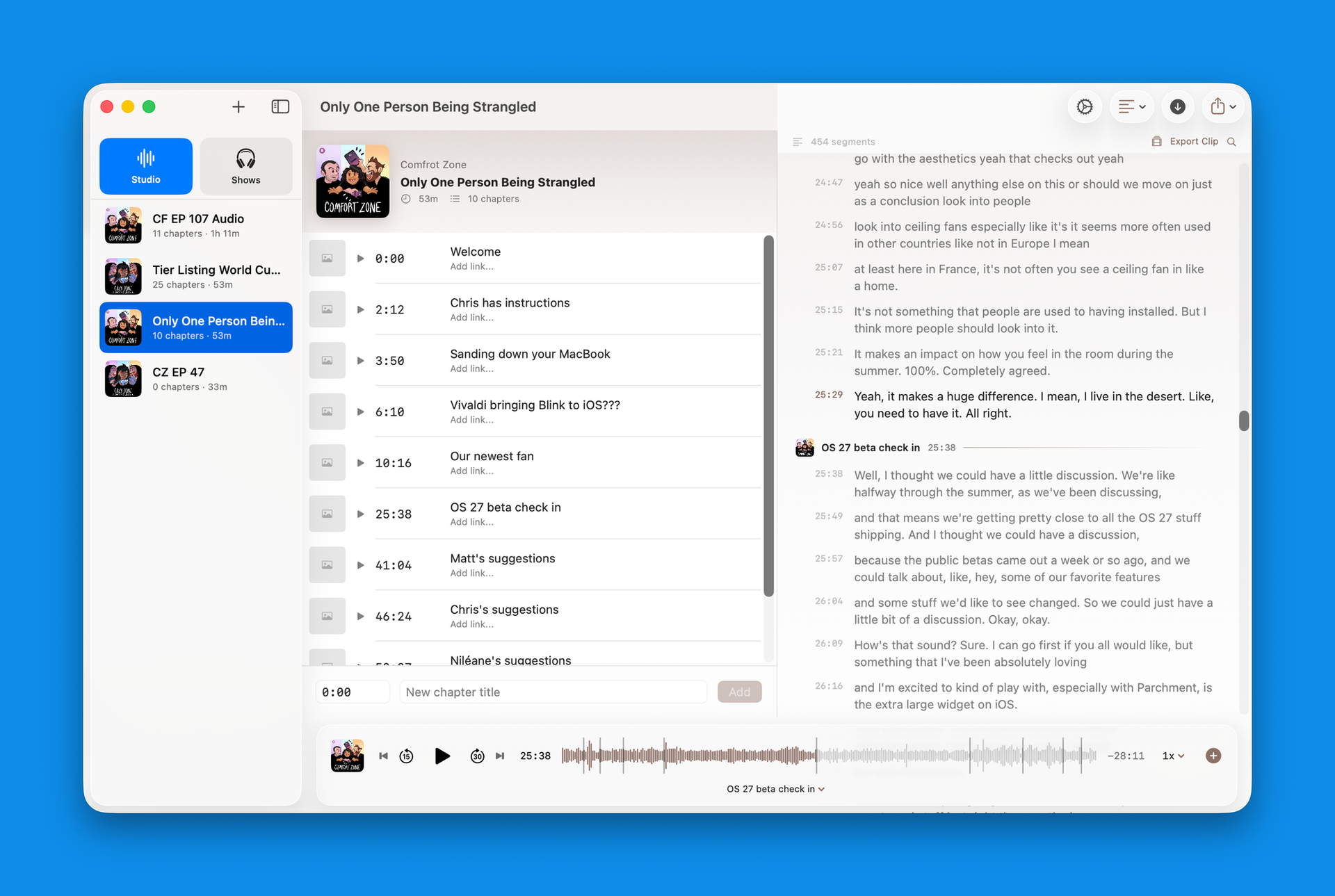
In version 2, I'm not messing with the formula too much, but there is a critical change that I think levels up this experience even further. The previous UI had a toggle that lets you switch between the chapter list and the transcript view (if you're on an iPhone or a narrower window on an iPad or Mac, you'll still get that). But if you're on an iPad or Mac with enough space, you'll get both views side by side. It just makes it much easier to do everything. All the quality of life things around keyboard navigation and shortcuts work the same as they did before, but having this dual pane view really makes the experience easier.
I should say that if this isn't your thing, then your experience doesn't change at all. If you're not using transcripts in the app, then the UI is going to remain exactly how it was previously, and you can keep using it how you always have.
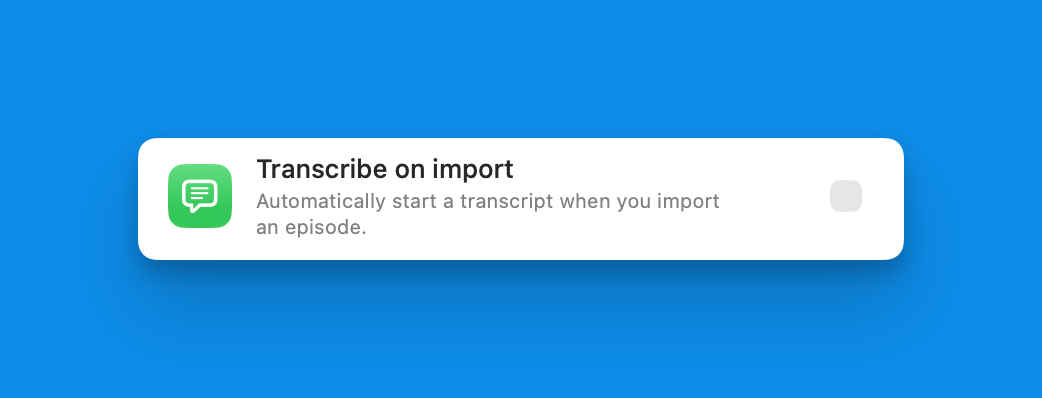
To encourage use of this feature, I've also added a setting that is off by default, but you can enable to automatically start transcribing files when you drag them into the app. I've also made it so that if you already have a transcript for an episode in the app, you can now override it with your own. So, for example, if you tend to use the automatic transcription I just talked about, but this time you have your own SRT or VTT file you'd like to use instead, you can drag it into the window, and it will replace what was there before.
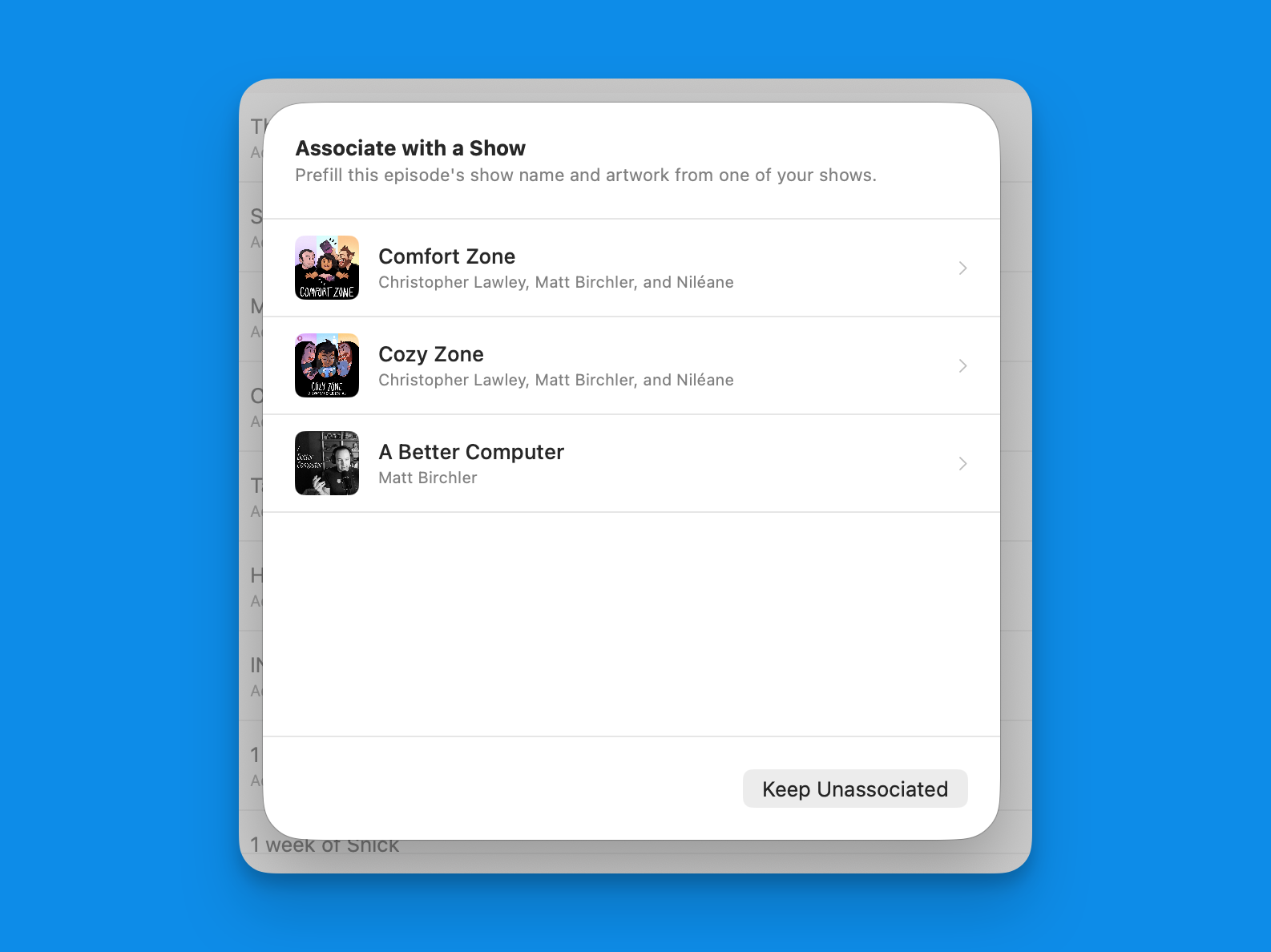
And because the app now knows what podcasts you work on, when you drag a new episode in, you'll be prompted with which show it belongs to, and all the appropriate metadata, including the Hallmark, will automatically be added. Alternatively, if you're on the shows view and you drag a new audio file onto one of the shows in the list, it will assign it to that show.
The Chapterize CLI
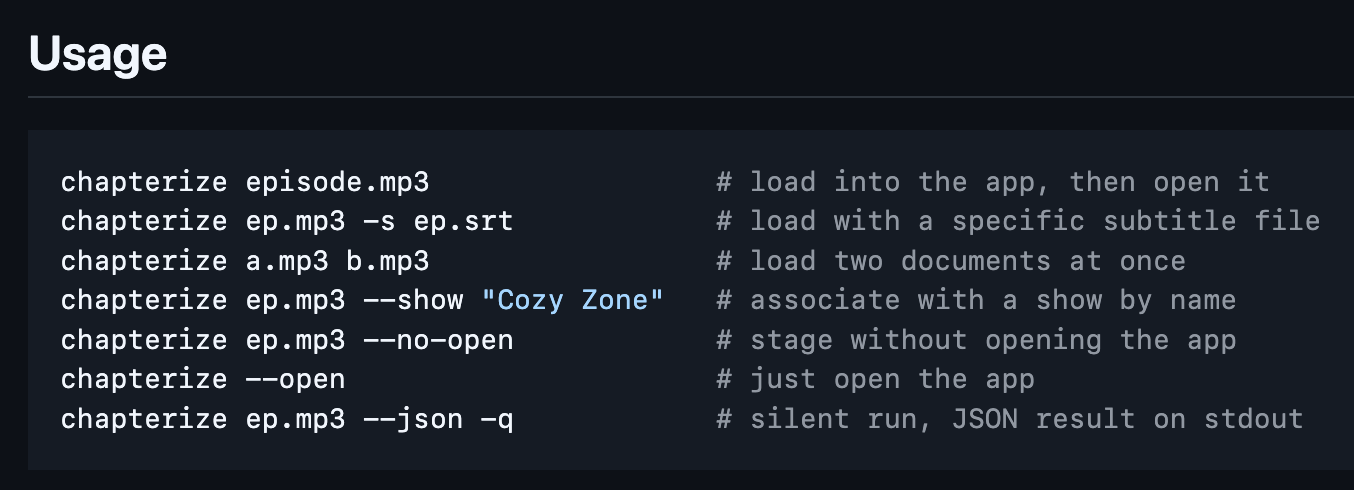
I recently created a CLI for Quick Subtitles, and that was a great unlock for me personally in automating my podcast workflow. I was able to watch a folder that Chris would put a new Comfort Zone episode in and then kick off a job that generated a transcription and cleaned up that transcription. However, then I just had a couple of files at that point. What I really wanted to do was get that episode into Chapterize at the end.
Well, with the Chapterize CLI, you can now do that. The most basic use case would be to use this to pass in an audio file into the app, but you can do a bit more.
You can have the app launch once this job is completed or not, you can simultaneously pass in a subtitles file, and you have the ability to indicate which show this episode is associated with.
There isn't a command line interface to start adding your chapters or working in the app, the UI is definitely still the place to go for that, but this was the last step in the work that I felt I could automate quite well.
This has let me round out my script for Comfort Zone so that once the transcript is created and cleaned up, it automatically adds those to Chapterize, associates it with the correct show, and I can get to adding chapters from there.
Run brew install mattbirchler/tap/chapterize to install Chapterize on your Mac. Please be aware this CLI does nothing if you don't also have the Mac app installed.
Check it out!
If you host a podcast and you put chapters in your episodes, and let's be real, that should be most of us, you really should check out Chapterize. It's a tool I built for myself and it is the tool I would be using even if I didn't make it.