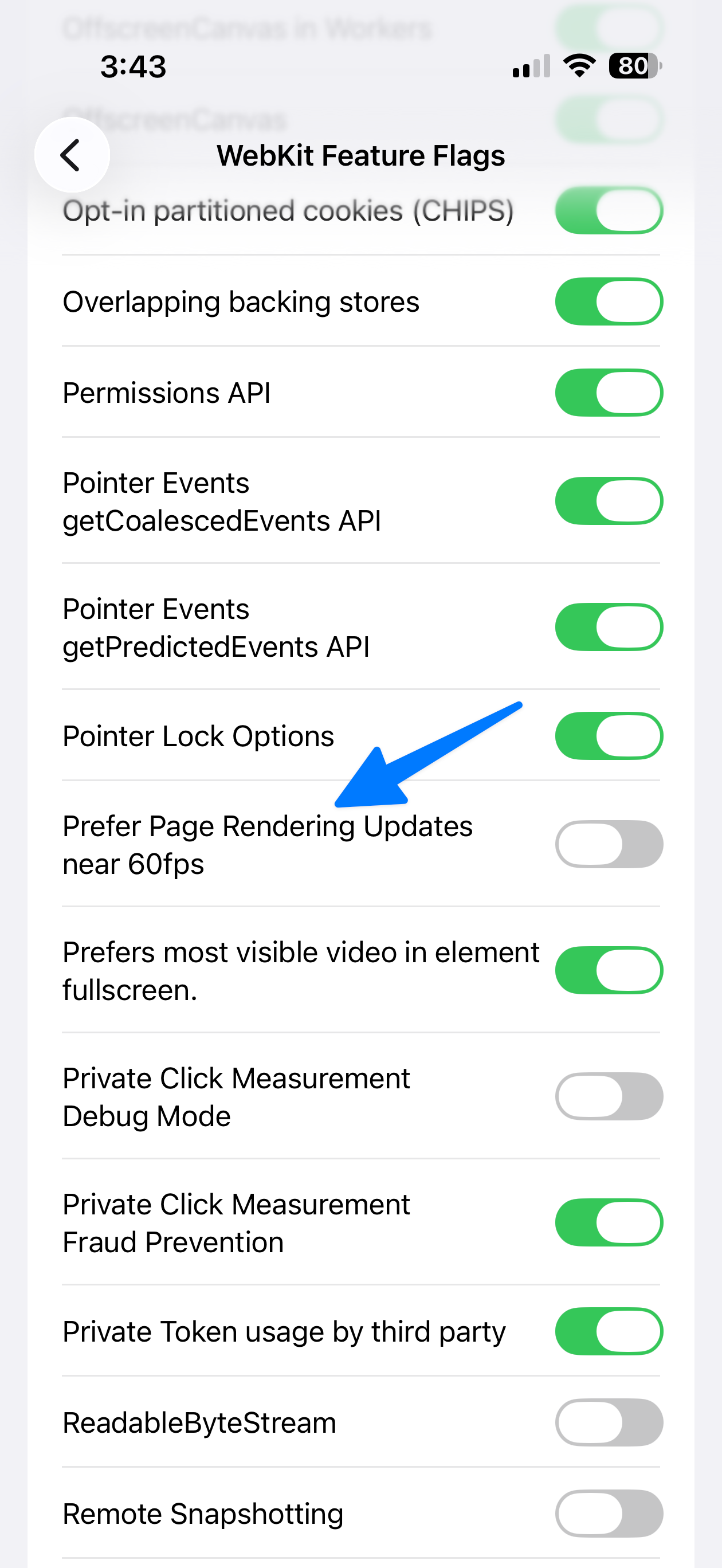
How to enable ProMotion 120Hz mode in Safari (Mac, iPhone, and iPad)
Today I learned something amazing: Safari supports higher than 60Hz refresh. It's the only mainstream web browser that doesn't, and I have never understood why, but apparently as of the end of 2025 in Safari version 26.3 (and maybe earlier) you can enable it. Here's how to do it.
Disclaimer that this may cause issues, but I can't imagine what. The entire web has already run at higher refresh rates for years, so unless this breaks something in Safari specifically, you should be fine.
Mac
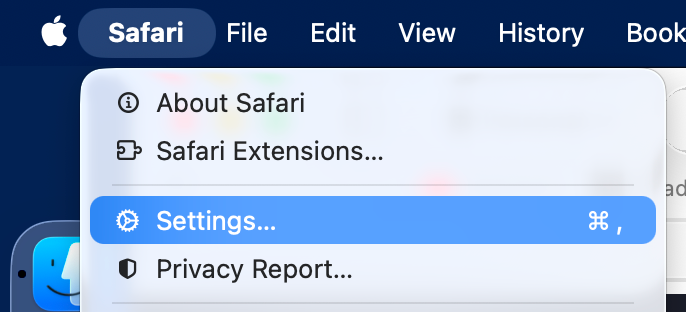
Go to Safari's Settings (via the menu or with Command + ,.
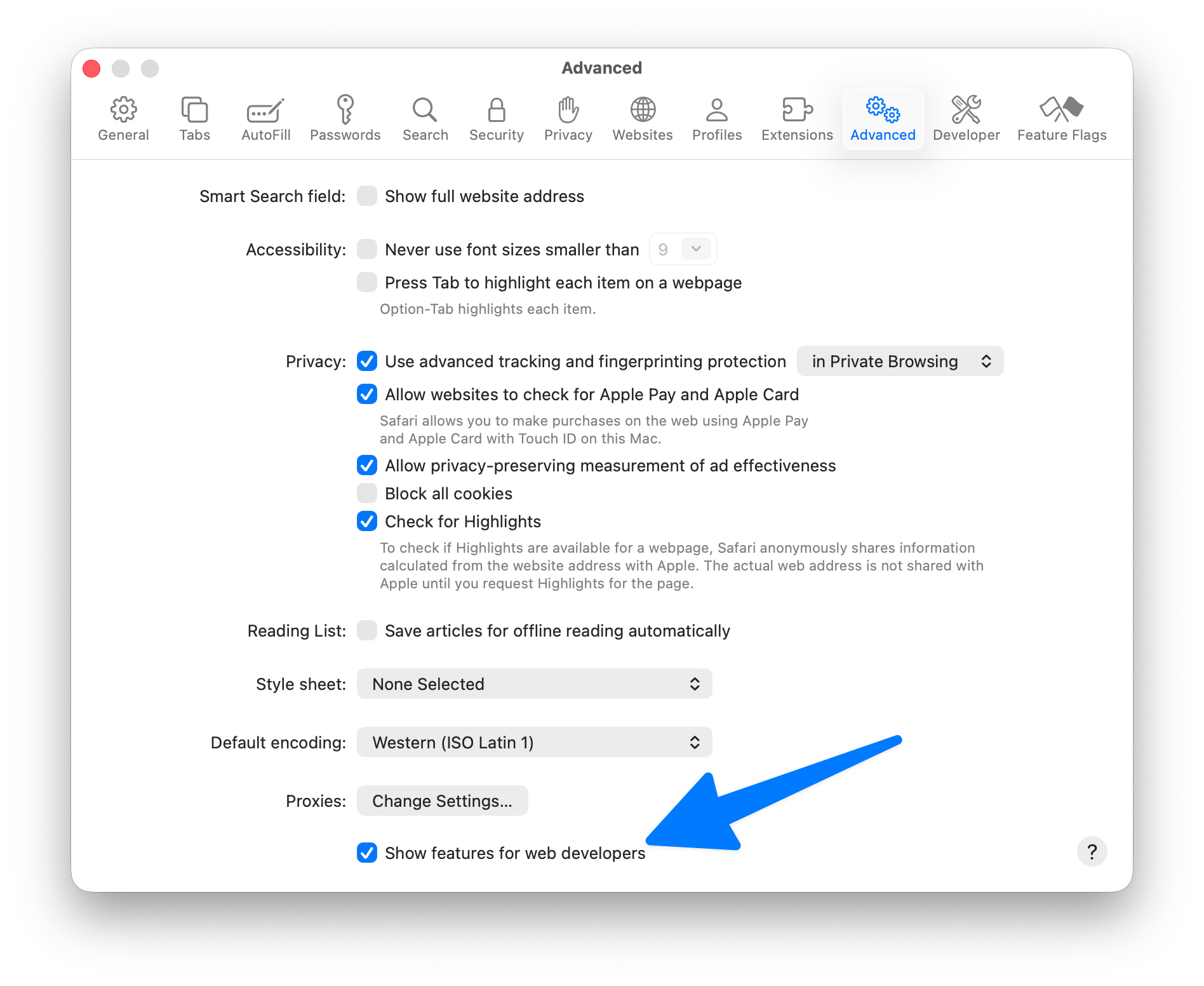
Make sure developer mode is enabled (this won't break things, it just exposes some more UI, such as the very basic ability to inspect HTML, like every other browser).
Go to Feature Flags on the far right.
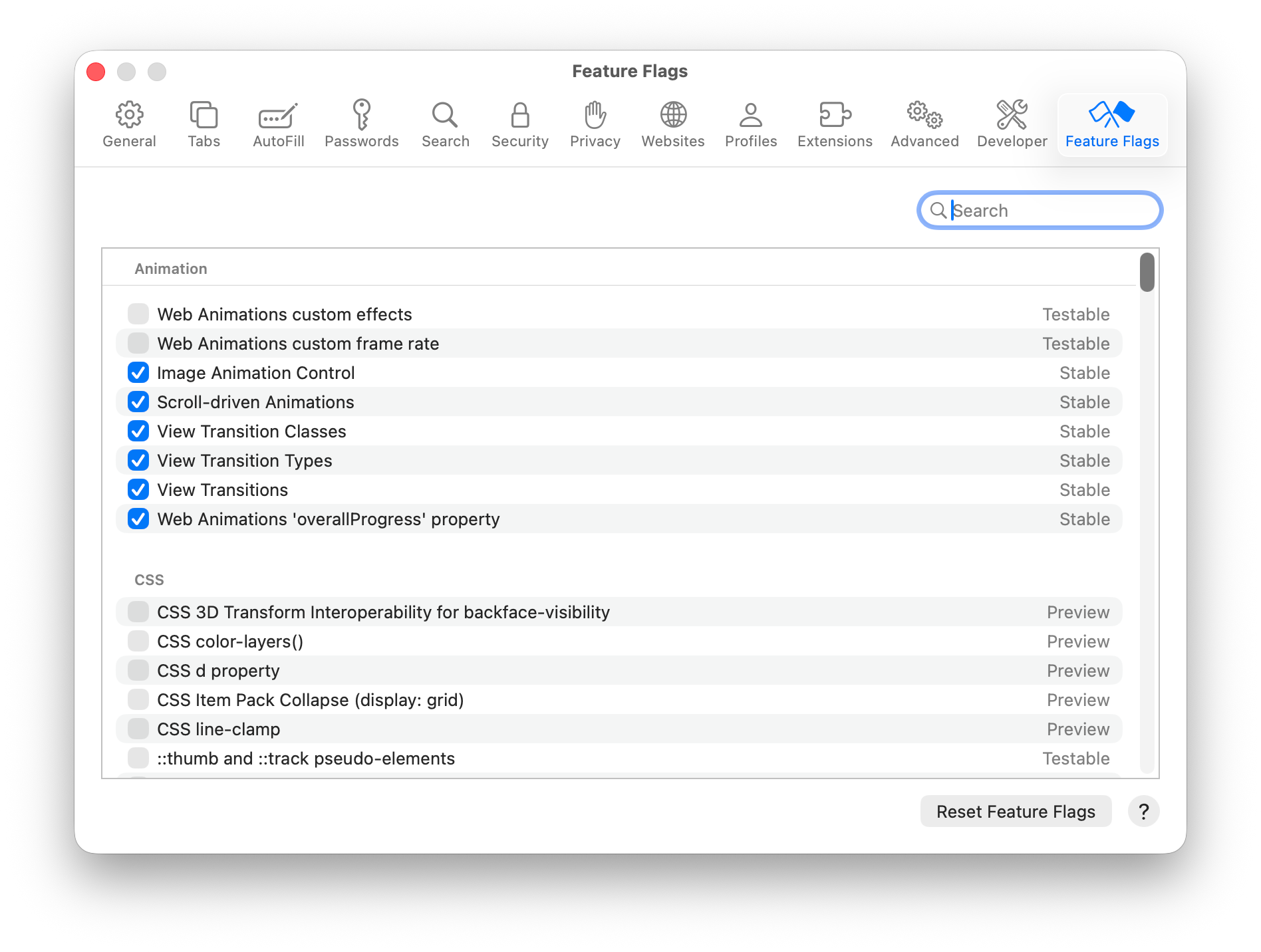
Search for "60fps"
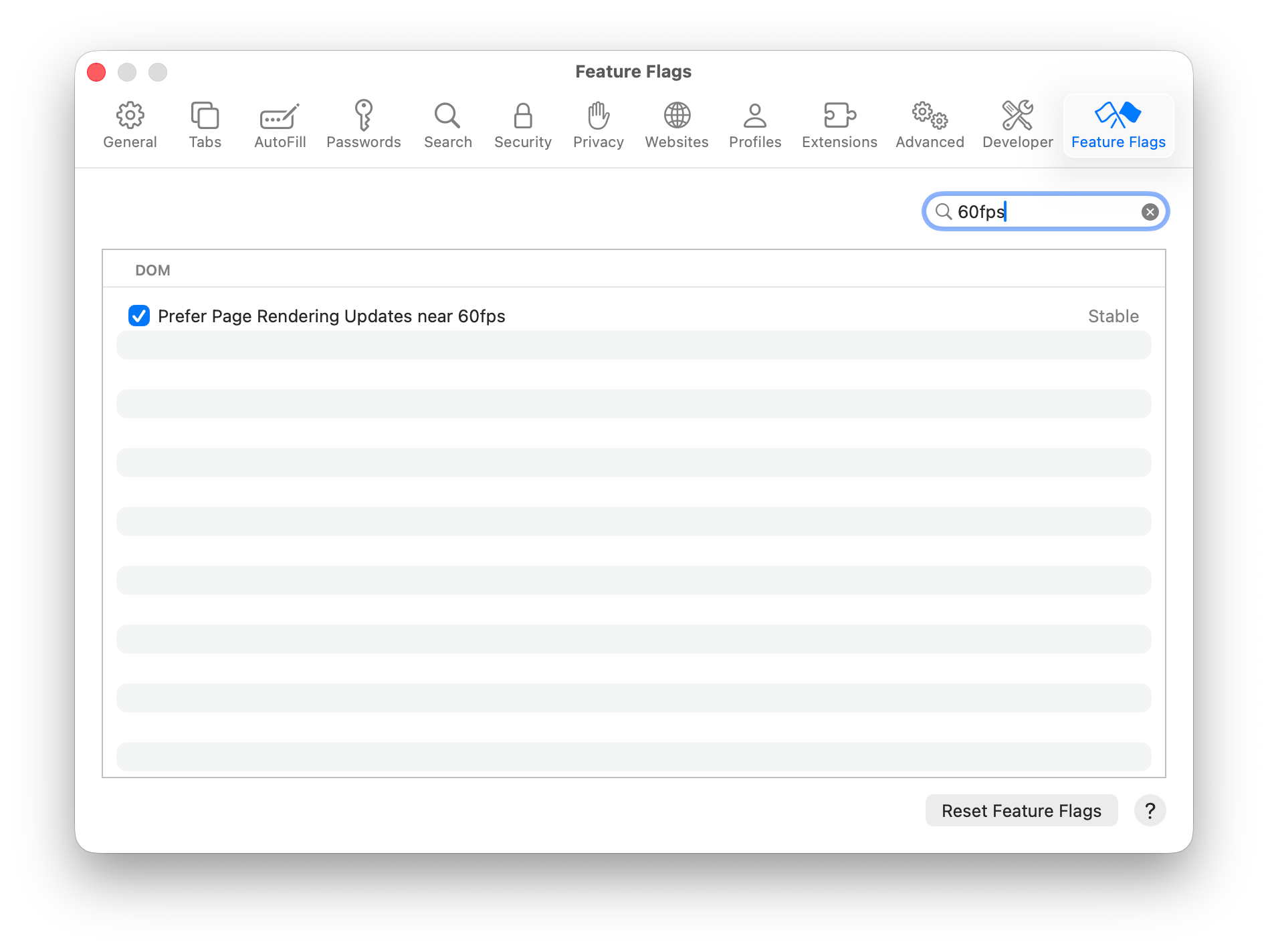
Turn off the "Prefer Page Rendering Updates near 60fps" feature.
Restart Safari. When you reopen it, website should render at up to your display's max refresh rate.
iPhone and iPad
This is very similar to the Mac flow, except you don't need to enable developer mode.
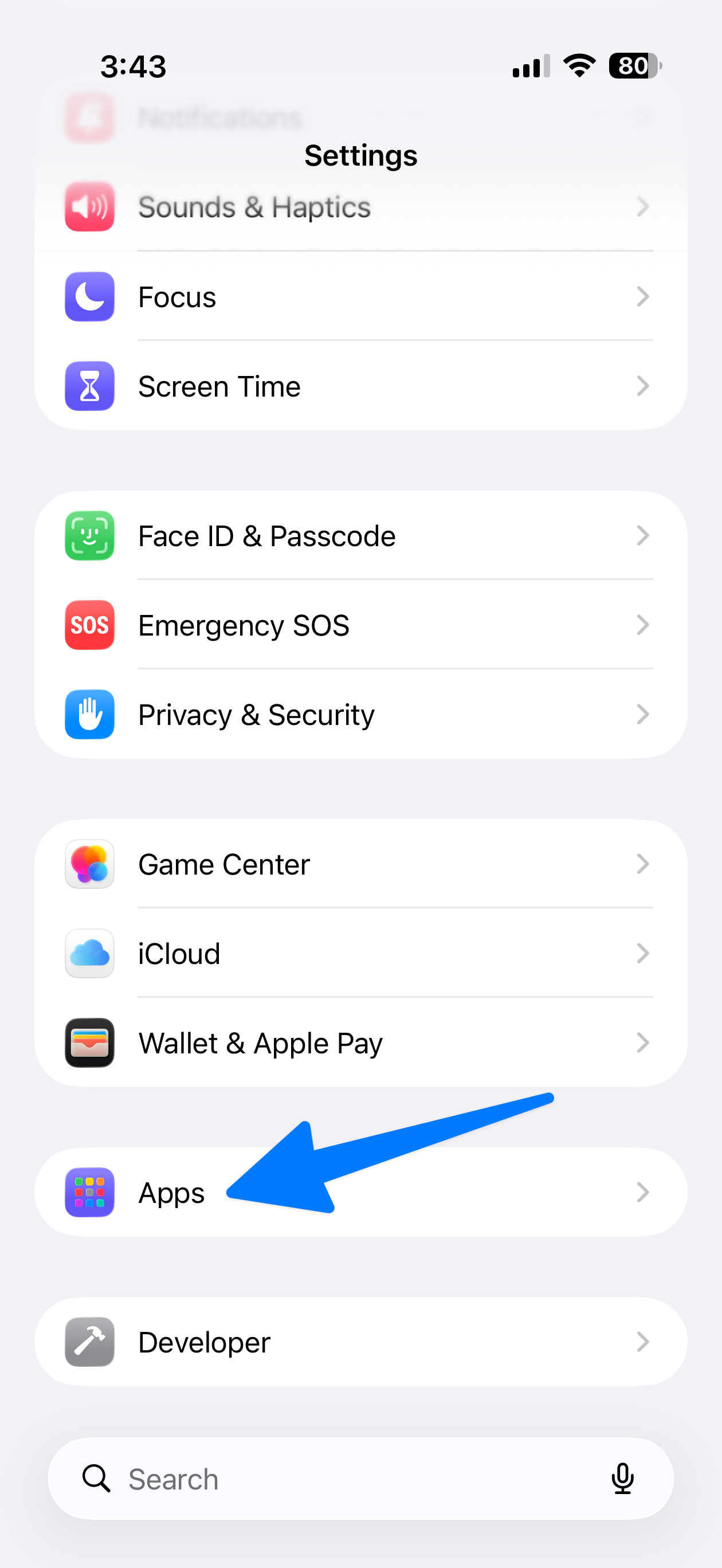
- Open the Settings app
- Tap "Apps" (hear the bottom)
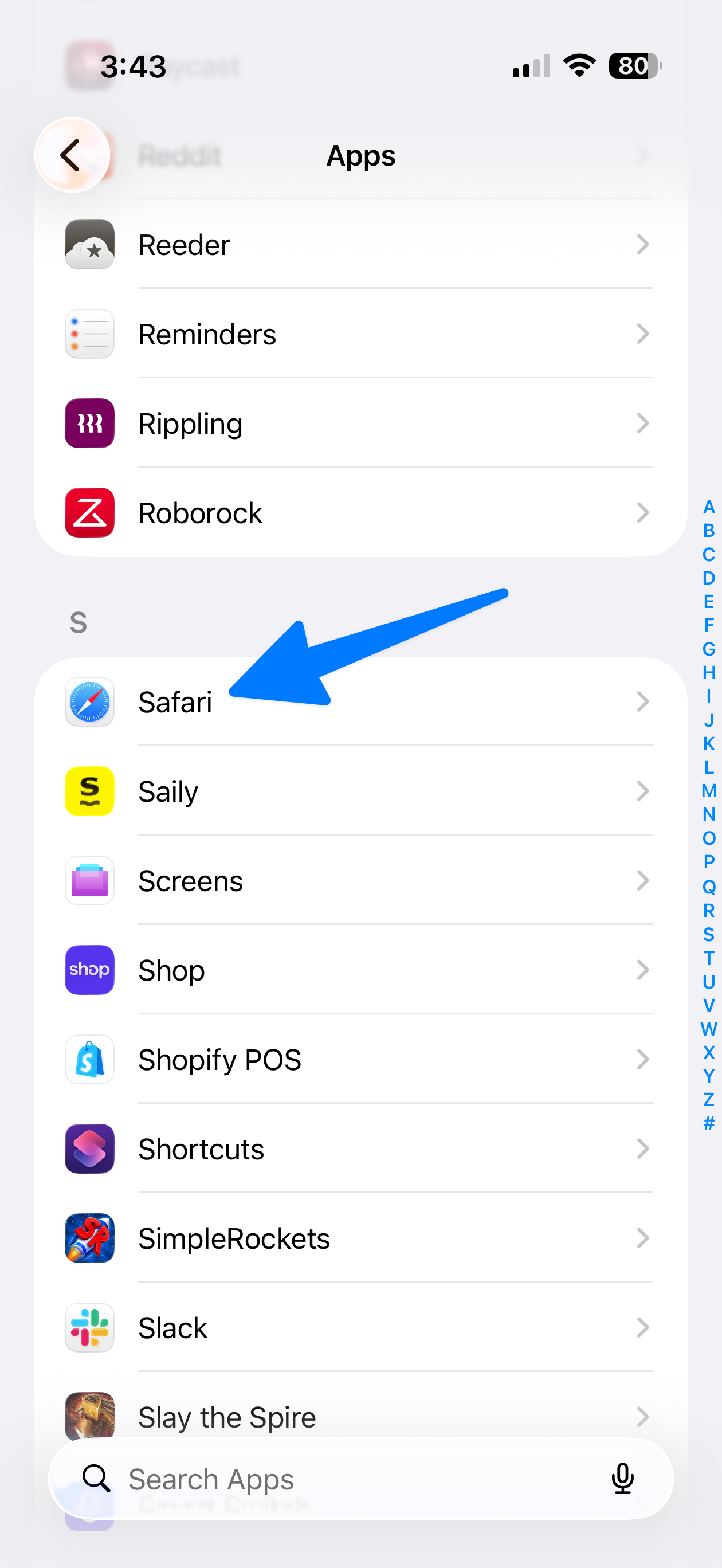
- Tap Safari
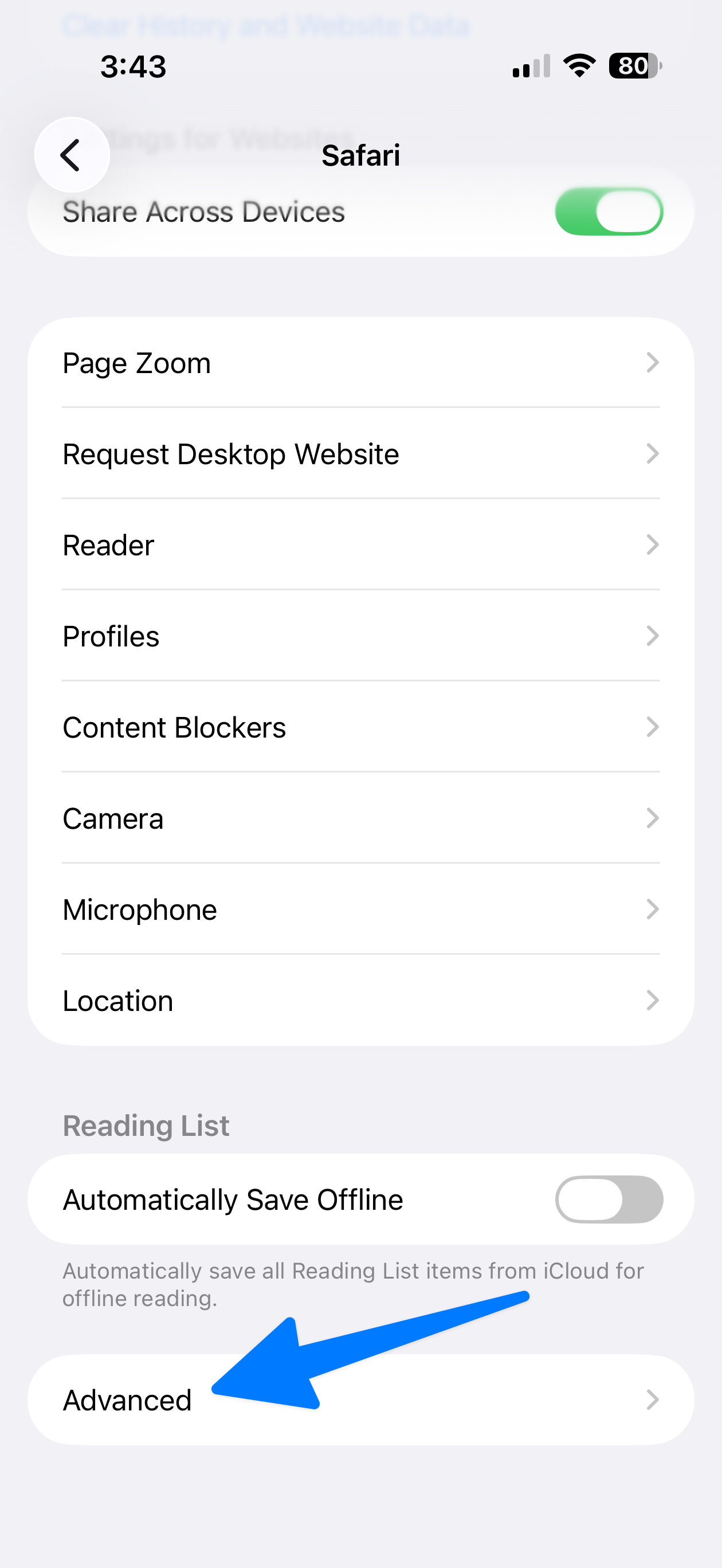
- Tap "Advanced" (bottom)
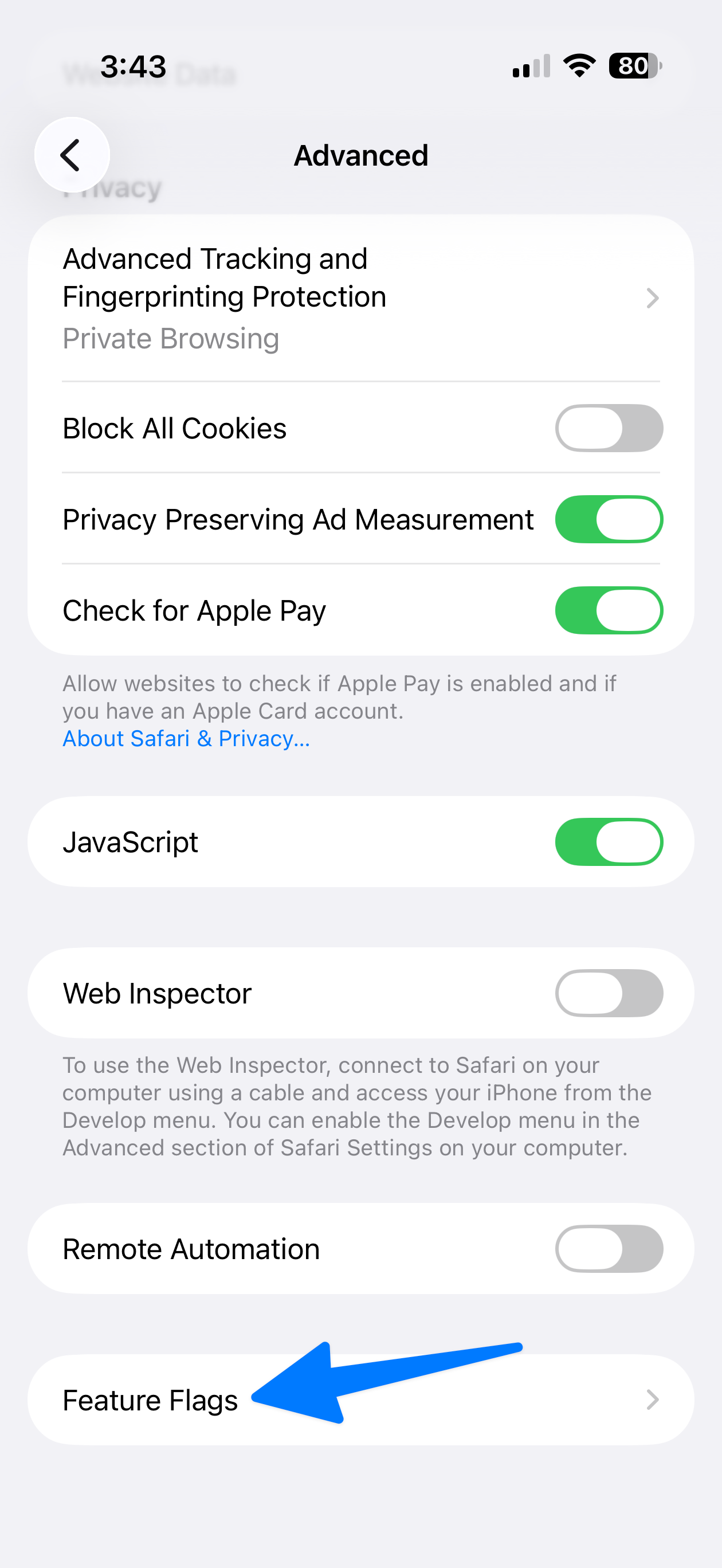
- Tap "Feature Flags" (bottom)
- Scroll to "Prefer Page Rendering Updates near 60fps" and disable it
- Force quit Safari and reopen it