Introducing ChapterPod, now in beta
Well, it didn't take too long into the new year for me to announce a new app, huh? This is a pretty niche tool, so I don't expect most people to get value from it, but if you create a podcast (or two or three), then I think you're going to like this.
ChapterPod will likely ship later this month, and as with all my apps, it is currently available in beta for More Birchtree subscribers.
To put it plainly, since you’re probably already thinking it, this is the spiritual successor to Marco Arment's Forecast app, which I and many other podcasters have been using for years to add chapters to our podcasts. The app is simple and just works, which is great, but there are a few usability things I thought could be improved, and so I decided to make my own app to solve those problems. Some of those include:
- Better keyboard navigation and shortcuts
- Playback in app (not needing to listen somewhere else to find timestamps)
- iPad and iPhone support
- Import chapters from plain text
- Export chapters as plain text
- Generate transcripts (think Quick Subtitles lite)
If you make podcasts for a living, I think you will enjoy this.
Video demo
If you prefer the video format, here's a quick 2-minute demo of this version of the app.
The details
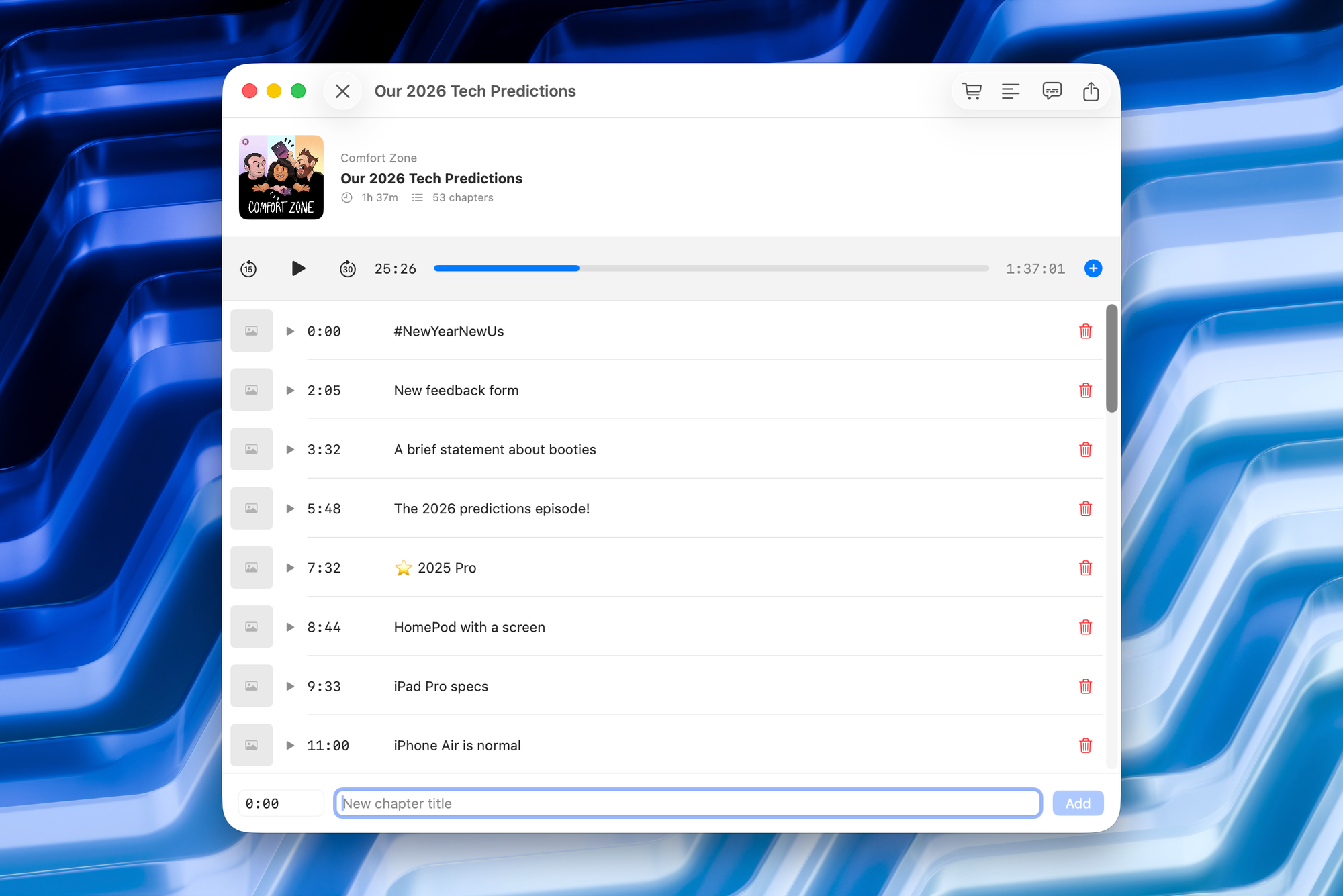
This is what the app looks like when you're adding chapters. No, it's not terribly complex, but it's exactly what you need to get the job done.
Right along the bottom you have a time code and a chapter title that you can enter. The change here is that these are much more keyboard-friendly. So you can tab between these easily. You can hit CMD + Return to create the chapter, and after you create a chapter, the focus shifts automatically back to the time code so you can enter the timestamp for the next chapter.
Next up is my absolute favorite feature, which is the ability to bring your YouTube style chapters and turn them into real chapters in an instant. Here's how it looks.
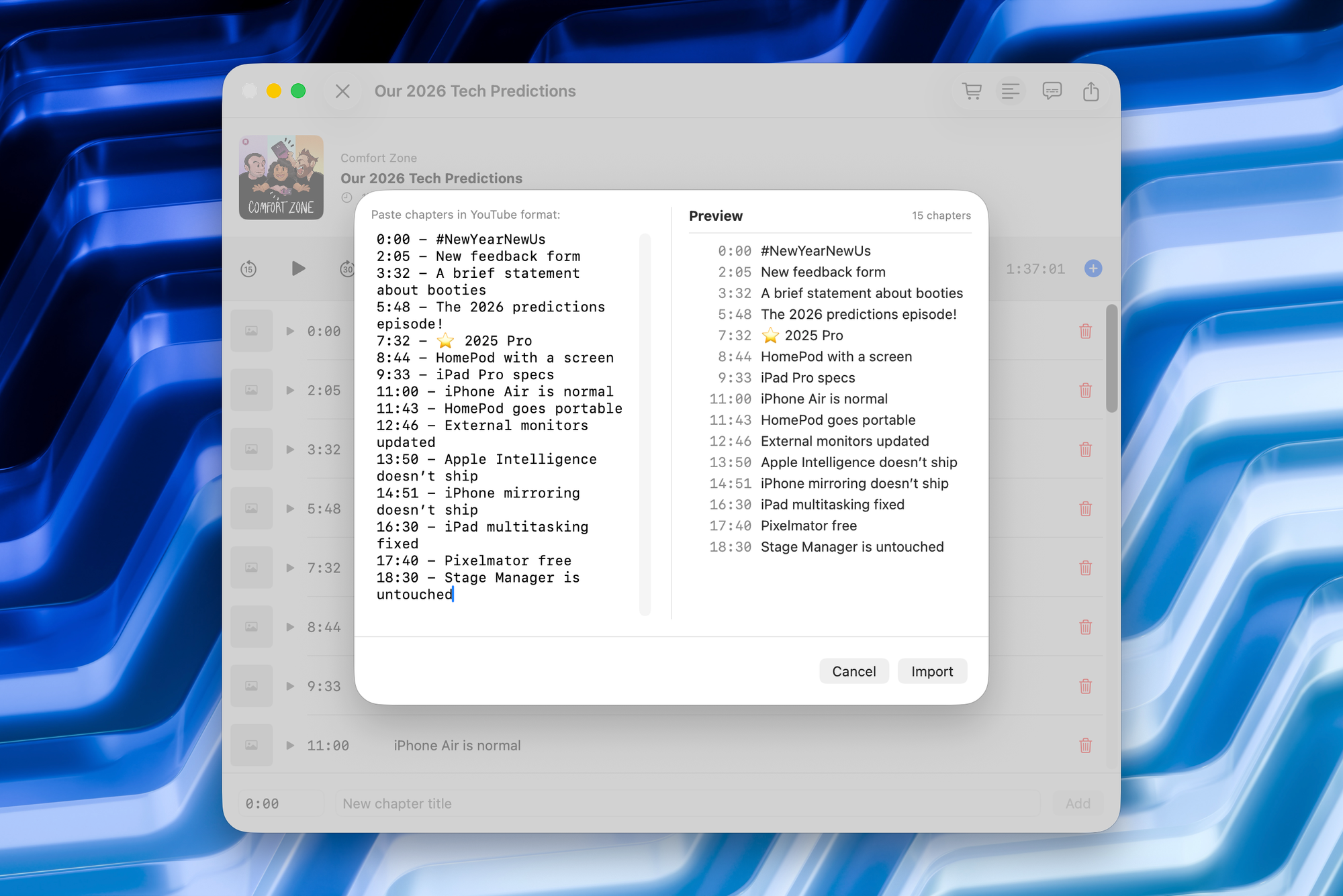
Just hit the four lines icon (or CMD + I) and your chapters will be right there. Confirm they look good, make some edits if need be, and boom, they're done. I've been using a version of this app for about 9 months at this point, and this feature alone has made the app invaluable to me personally.
And if you're cross-posting to YouTube, for example, you can generate your chapters here and export them to text with CMD + Shift + C. Chris does this every week in my Quick Chapters app on Quick Stuff, and now he can do it here!
You can also add images to chapters, with links hopefully coming before the public launch.
One more thing…
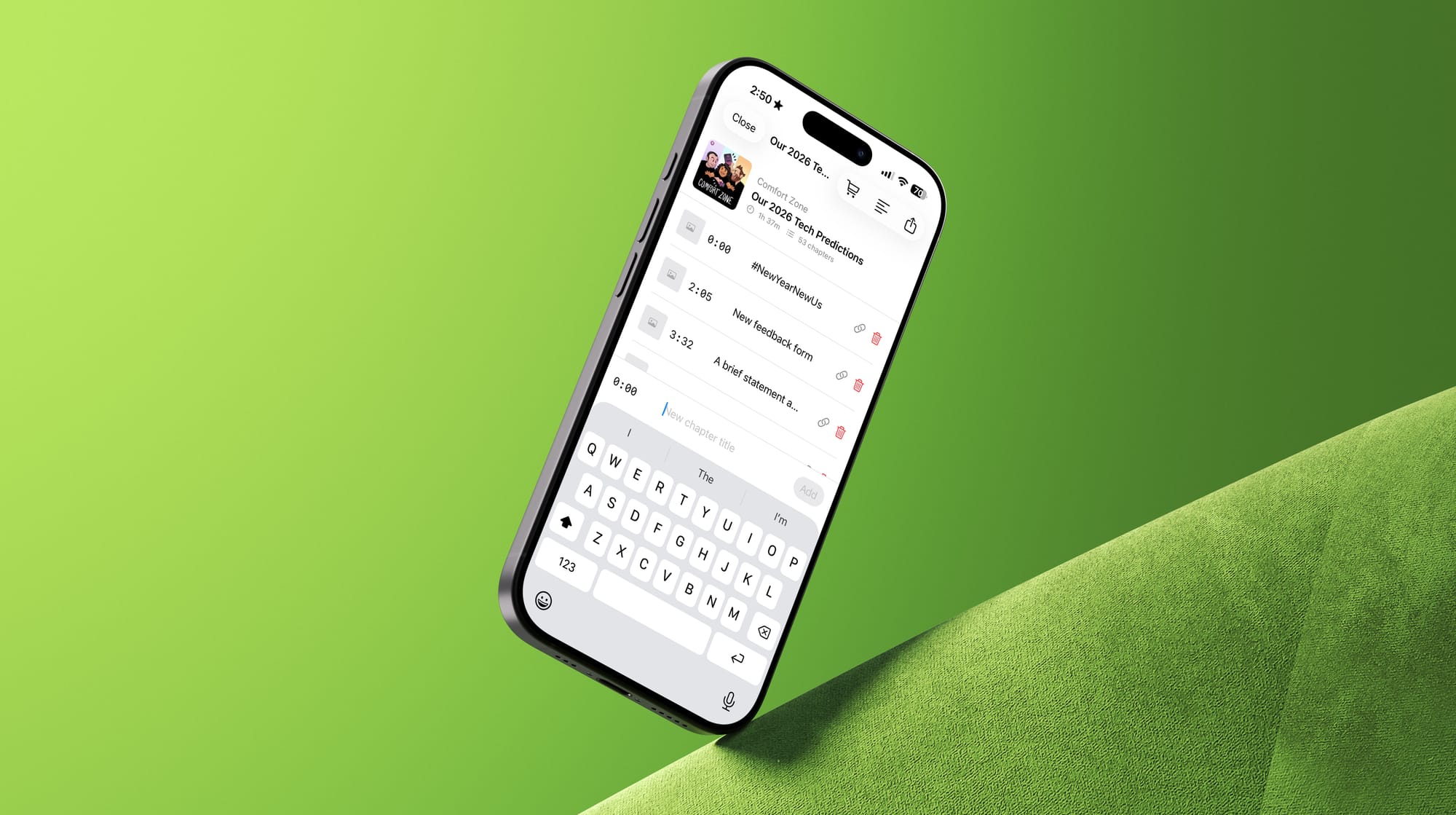
One of the limiting factors for Forecast is that it was Mac only. And while most people will produce their podcasts on a Mac, not everybody does, and there are times where you may want to be able to do this sort of thing from whatever device you have in your hand. That's why an important part of building this app on day one was cross-platform compatibility for Apple's devices. ChapterPod has 100% feature parity across the iPhone, iPad, and Mac versions of the app.
Like my other apps, this app is 100% native and built using SwiftUI.
Pricing
Pricing will have the exact same model as I have for Quick Subtitles, which is basically that the app is free to use for a set number of jobs, and then you need to make a one-time payment to keep using the app forever. Pricing is not finalized, but I will not make this a subscription app. It will be a one-time fee, and I'll make sure that whatever number is settled on will be a reasonable amount that fairly represents the value I think people will get from this piece of software.
Again, More Birchtree subscribers can join the beta today (under the "Perks" section), and the only things standing in the way of public release is beta feedback and any hoops I unexpectedly need to jump through in app review (there's always something for the 1.0…). I hope you like it!