MacBook Neo review: I wish this had an M1 inside
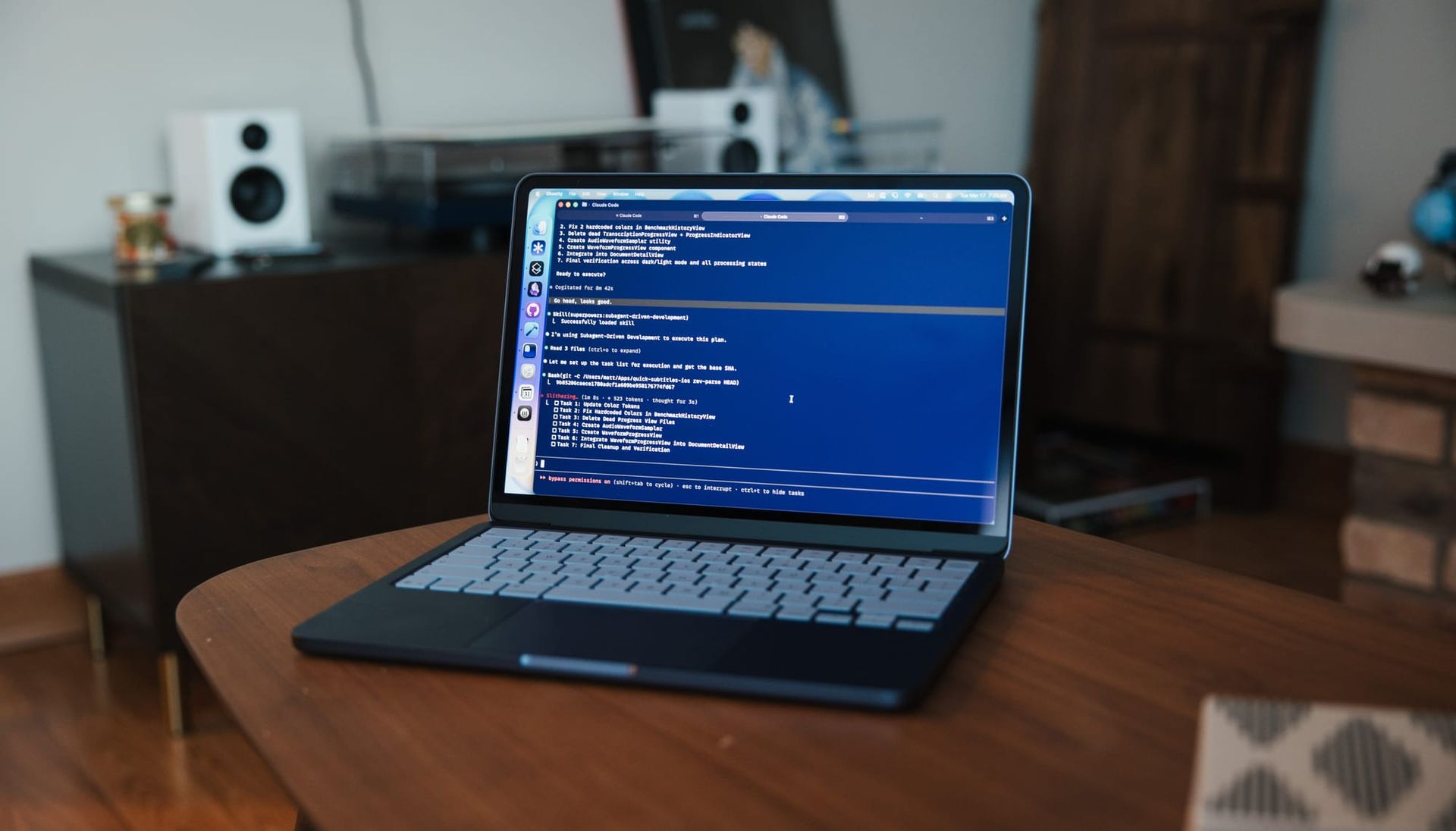
The MacBook Neo is a cool little computer that I like, despite the fact that, on paper, it’s a pretty irrational purchase for most people (including myself). When I take a step back from the current hype cycle, I think this product is a tale of two halves: one outstanding, and the other pretty rough.
Build quality is outstanding
Let’s start with the good and why I think a lot of people, including myself, enjoy this computer so much: the build quality is outstanding. In my opinion, if you put an M5 Max in this thing and sold it for $2,000, few would bat an eye. It feels as good as Apple’s premium laptops, and in one or two specific ways, actually feels better. Whether it’s the friendly design or just the new feet, which I think are significantly nicer than the ones on Apple’s Air and Pro machines, it feels outstanding to hold and to use.
The screen
The 13-inch screen is a little smaller than the Air, but notably smaller than the Pro, which makes it feel like a dang little cute Mac. Now, this is a $600 computer (well, $700 for the upgraded one), and that does mean it comes with some sacrifices. The screen doesn’t get quite as bright as the Airs, and it lacks the high refresh rate of the Pro displays. It also has a narrower color range. If I’m being honest, I still don’t truly understand P3, and I’m not sure I’m even seeing any value from that when everything I do is in the sRGB space. But the screen is plenty sharp, plenty bright for where I use my laptop, and more than sufficient for a computer in this price range.
The webcam is totally fine
The webcam is also pretty good. It’s not as good as what’s in the current higher-end laptops, but it’s totally sufficient, and once you take into account the compression that’ll happen during a video call, I bet it doesn’t look much different to the people on the other end. This device also lacks a notch, which is kind of nice. I appreciate that the extremely thin bezels on the MacBook Air and MacBook Pro allow those to have larger screens without increasing the physical body as much, but using this computer made me realize how much I don’t really like the notch. It’s a compromise to get that more compact physical size, but it was refreshing never to have my menu bar items disappear behind that thing.
The speakers are not good, but the audio jack is in the right place
There is a sacrifice in speaker quality, which is twofold. First, the drivers simply aren’t as good as the Air or Pro, and they’re side-firing. That’s a minor issue on its own, but I’ve noticed they’re relatively easy to block with your thighs depending on how you hold it in your lap. I don’t have any cheap Windows laptops to compare them to, but compared to the MacBook Air, they sound downright awful. I actually think my iPhone speaker sounds better.
On the plus side, I like the position of the headphone jack. Since your headphones are typically in…you know…your ears, having the port closer to you gives more freedom of movement.
USB is a mixed bag, but fine for me
The USB ports are fine in my opinion. The USB 3 port is great for me since I keep a dock at my desk and plug into that with all my accessories. The second port is clearly not as good though, sporting just USB 2 speeds, which is incredibly slow for the modern era. This could certainly be a hindrance for people who need to plug in an external SSD. I haven’t had to do that myself, so it hasn’t been a problem. The one real limitation is that my Thunderbolt dock drives a 240Hz 4K monitor, and while my other Macs can take advantage of that, the Neo can only run it at 4K60. It’s fine, but obviously another sacrifice.
The trackpad is a real mixed bag
Then there’s the trackpad, which I’m of two minds about. On the one hand, I don’t like the physical movement as much as the haptic trackpads that Macs have had for about a decade. I prefer how the haptic version feels, and I appreciate that I don’t have to press as hard or as deep. I also like the ability to tune the haptic trackpad to my preference. On the other hand, I can accept that this was a trade-off needed to hit the price point, and Apple did an absolutely outstanding job with this one. I feel pretty confident saying it’s the best physically moving trackpad ever made in a consumer laptop. It’s just as responsive and accurate as Apple’s haptic trackpads, and what they’ve done with the physical press is remarkable. Unlike the diving board construction that most trackpads have used forever, where pressing at the front is easy and pressing further back gets progressively harder until you literally can’t click, this one lets you click anywhere on the trackpad, and it feels exactly the same everywhere. They’ve done a masterful job with this design.
All of this comes together for a compromised device that makes the right trade-offs to reduce costs without actually feeling budget in any real way. If the M5 MacBook Air had this design, I wouldn’t be complaining, assuming it had the better screen, trackpad, and speakers.
Performance is rough
But let’s get into the not-so-good part of this computer, which is the thing I’ve notably skipped over: performance. Because this is a Mac, it can do effectively anything you want to throw at it. I have been editing video on it and doing web and Xcode development with very little issue. Yes, my Xcode builds take longer than they do on my M4 Pro Mac, and rendering video runs slower too, but it can do it. If this is the computer your budget allows, don’t think that you can’t.
However, you’ll notice I’m not including any benchmarks in this review. I don’t think benchmarks properly express the experience of using a computer, particularly on the lower end of products. On the high end, when everything basic is child’s play, benchmarks can be helpful to understand differences at the margins. But one of the charts I’ve been seeing go around since this was announced was Geekbench single-core performance, which showed the Neo as effectively as fast as an M4. Let me tell you, if you’re using that chart to understand the performance of this computer, you are being misled.
To be clear, this is a Mac, so it will do whatever you ask it to do, but it won’t do it as quickly as you might be accustomed to if you’ve used literally any Apple computer in the Apple silicon era. For some personal context, back in December 2020, I convinced my work to let me upgrade my laptop early so I could be the guinea pig who tried Apple silicon and could see how our corporate software worked on it (precisely zero issues, by the way). I’ve been using an M1 MacBook Pro with a Touch Bar, 16GB RAM and 512GB storage for just over five years. I spend eight to nine hours a day behind this thing (about 11,000 hours), so I have a pretty good feel for how fast an M1 computer is.
In my experience, the MacBook Neo performs worse across the board than that M1 MacBook Pro. Yes, the single-core performance is higher, but there are fewer cores, and the efficiency cores are even slower. There’s also half the RAM, which I think is probably the biggest bottleneck in this device. Paired with the significantly slower SSD (about 2/3 the speed of M1 drives and 1/5 the speed of M5 drives), the system has to rely on swapping to the SSD even more. So while I can open a good number of apps at once and the experience is okay, it’s worth noting that the experience is worse than doing the same things on an M1 with 16GB RAM. If I could have the MacBook Neo with its outstanding construction and hardware trade-offs, but put an M1 with 16GB RAM in it, I would choose the M1 every single time. I think that’s critical context.
It’s cool that we get this build quality and design at a lower price point, but the performance is rough. When performance is in the ballpark of a five-year-old computer, you have to consider what this machine costs compared to refurbished models from that era.
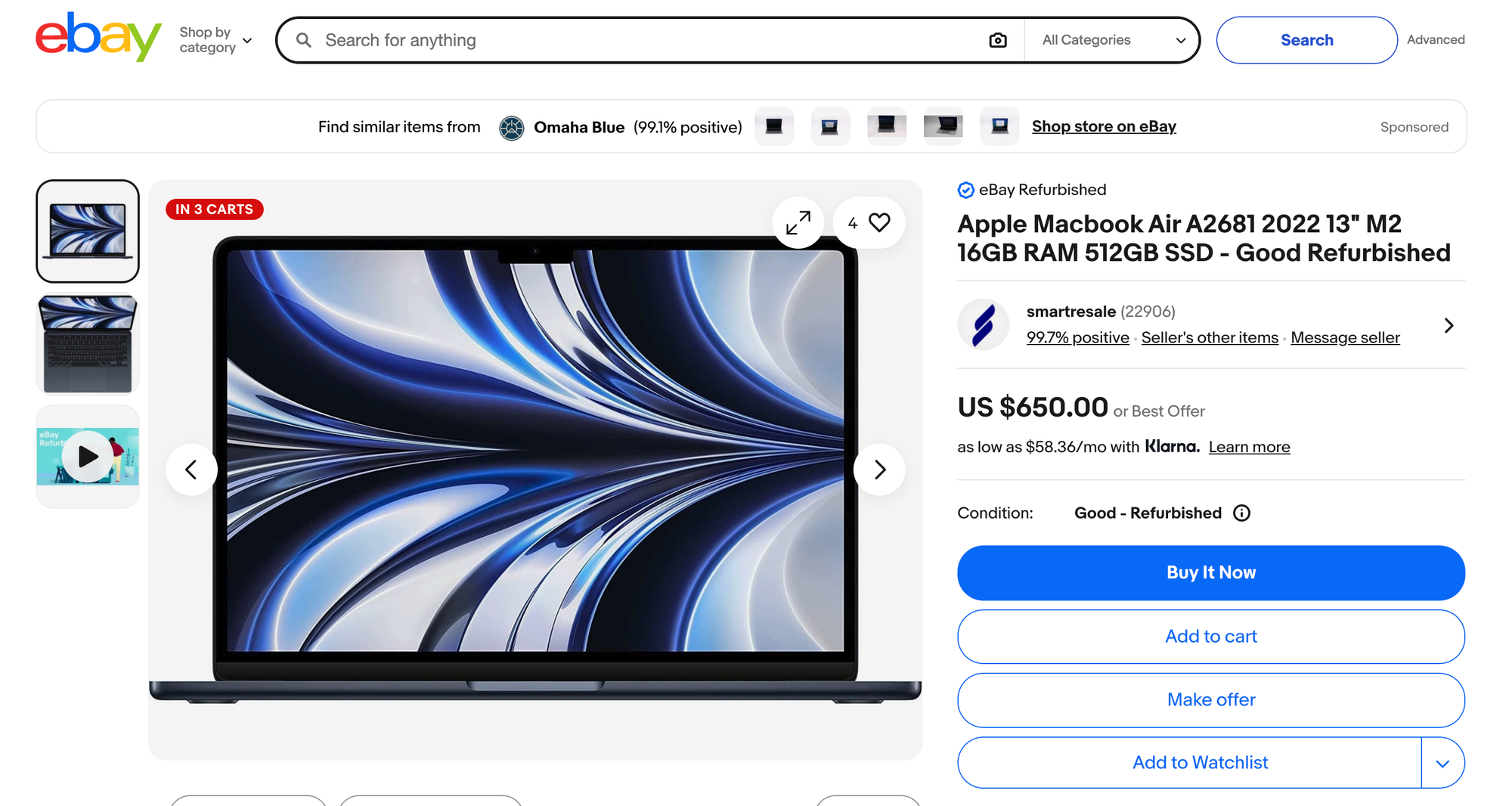
As a quick example, I can get a refurbished M2 MacBook Air with 512GB storage and 16GB RAM for $50 less than the maxed out MacBook Neo. That M2 Air gets you significantly better performance, a better screen, a better trackpad, better USB-C ports, MagSafe, and faster SSD speeds. I feel very confident saying that the M2 Air is a meaningfully better computer the Neo.
It’s this context that makes me look at the MacBook Neo in a different light. On the one hand, yes, it is very cool that Apple now sells a budget MacBook that is built so well that people who already have more technically impressive Macs are compelled to pick one up. But being pragmatic about how you spend your money, there’s a very compelling argument that a four-year-old MacBook Air is a better device in both performance and features.
If your goal is to buy a $600-$700 Mac that gets you the most bang for your buck, the MacBook Neo doesn’t win that battle, in my opinion. But if you don’t like buying refurbished, if you only buy directly from Apple, or if performance really doesn’t matter to you, then this computer makes some sense.
Do I recommend people buy this computer? Sure, it's a capable machine that feels outstanding in the hand, but I’d encourage anyone considering it to also look at the refurbished market. If performance and overall features matter more to you than having the newest thing from Apple, you might find something that better fits your needs for a similar, if not better price.