Micro app 22: Settling In
I got a new Mac a couple days ago and I had that age-old question that people have when they get a new computer. Has it set itself up yet? Is it still working? How far along is it? Can I push it to get it done? What's going on????
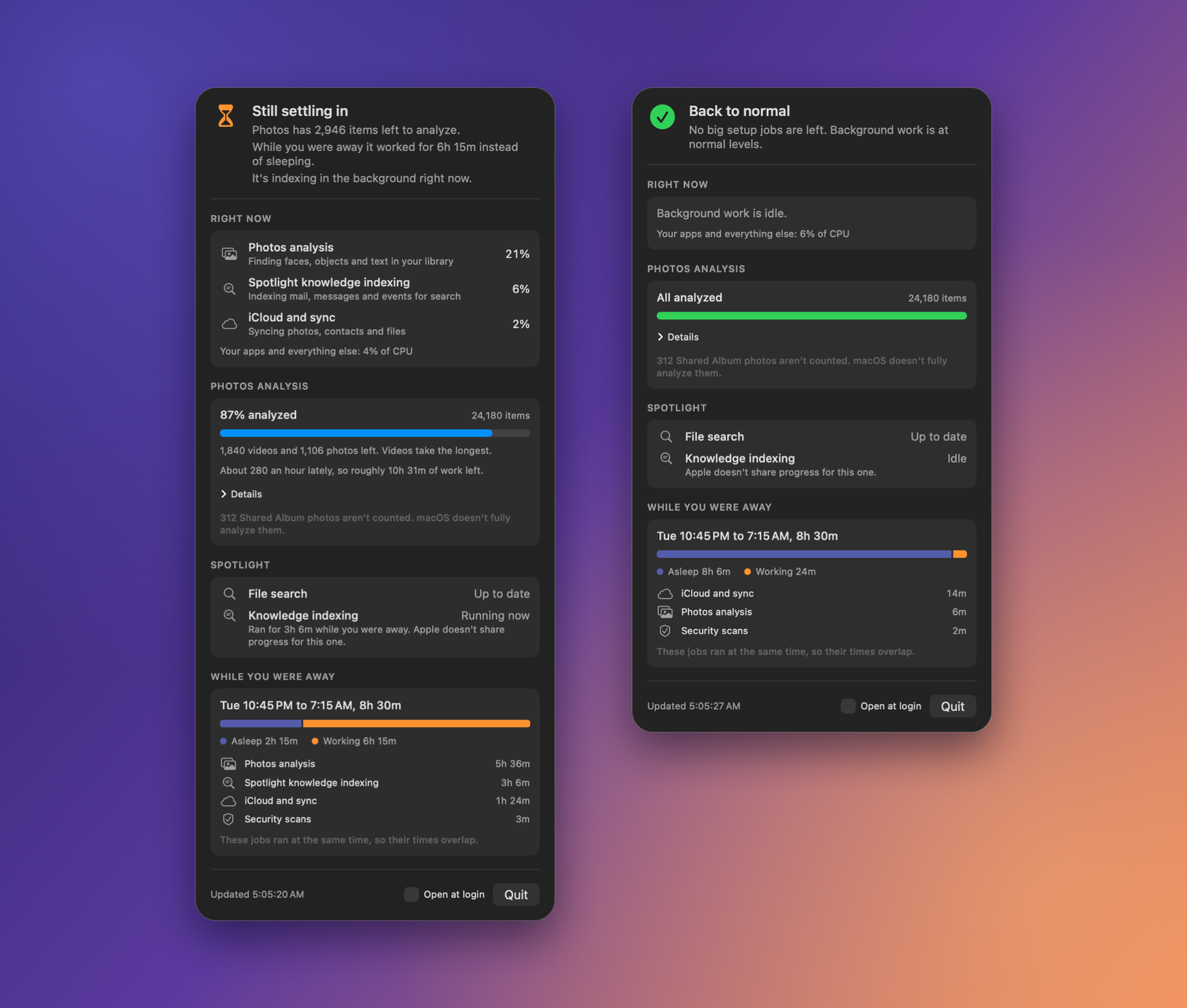
Well, I couldn't find a pre-made app to do this, so I took literally a couple minutes and threw together my own. I call it Settling In, and it's free and open source of GitHub.
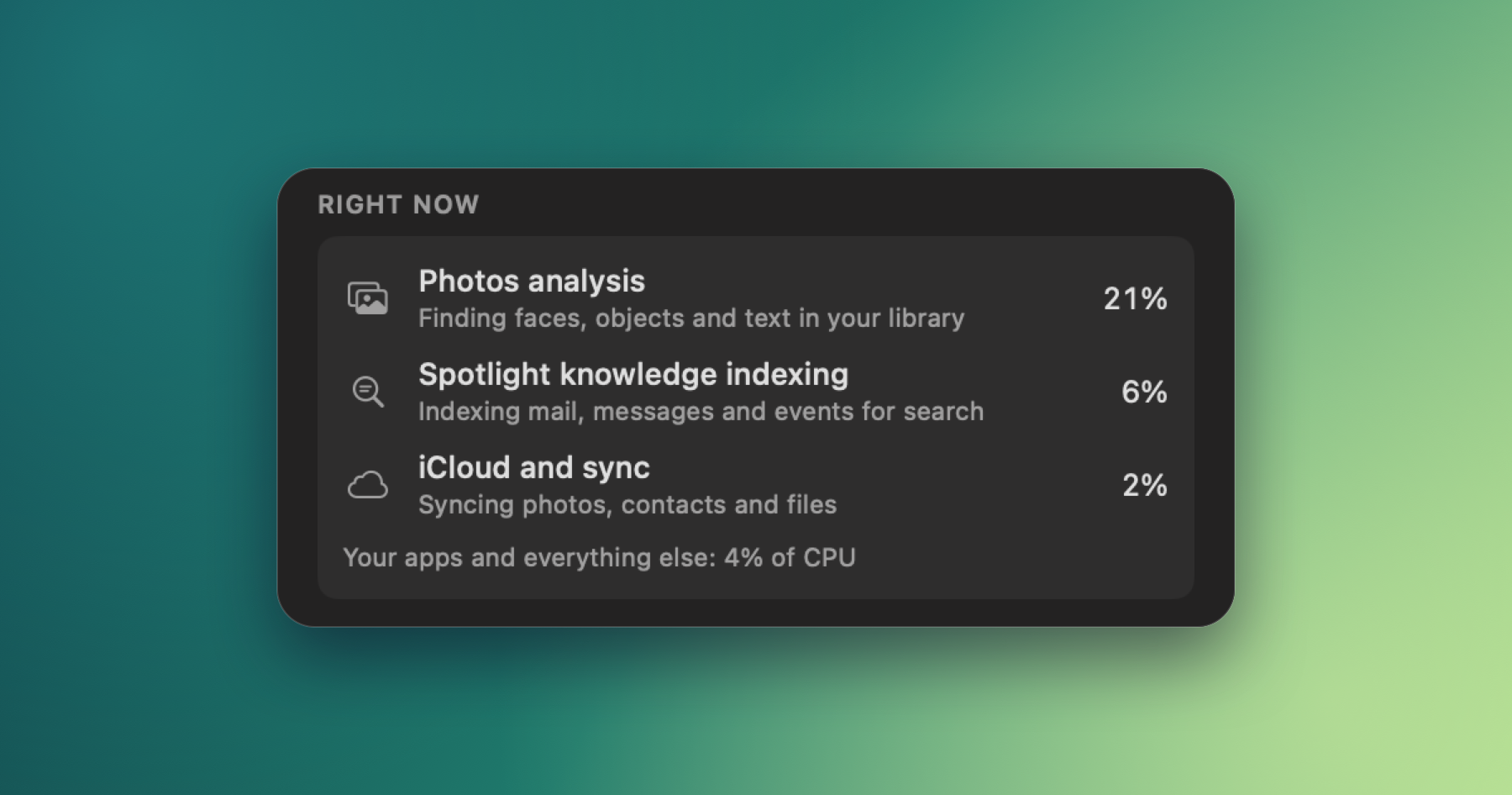
The app is pretty simple and it simply does read-only queries of your photo library. And specific background processes related to Spotlight (now Siri?) indexing. There's also a "while you were away" section that shows you how much your computer was working in the background while you weren't using it. For example, overnight while it was charging.
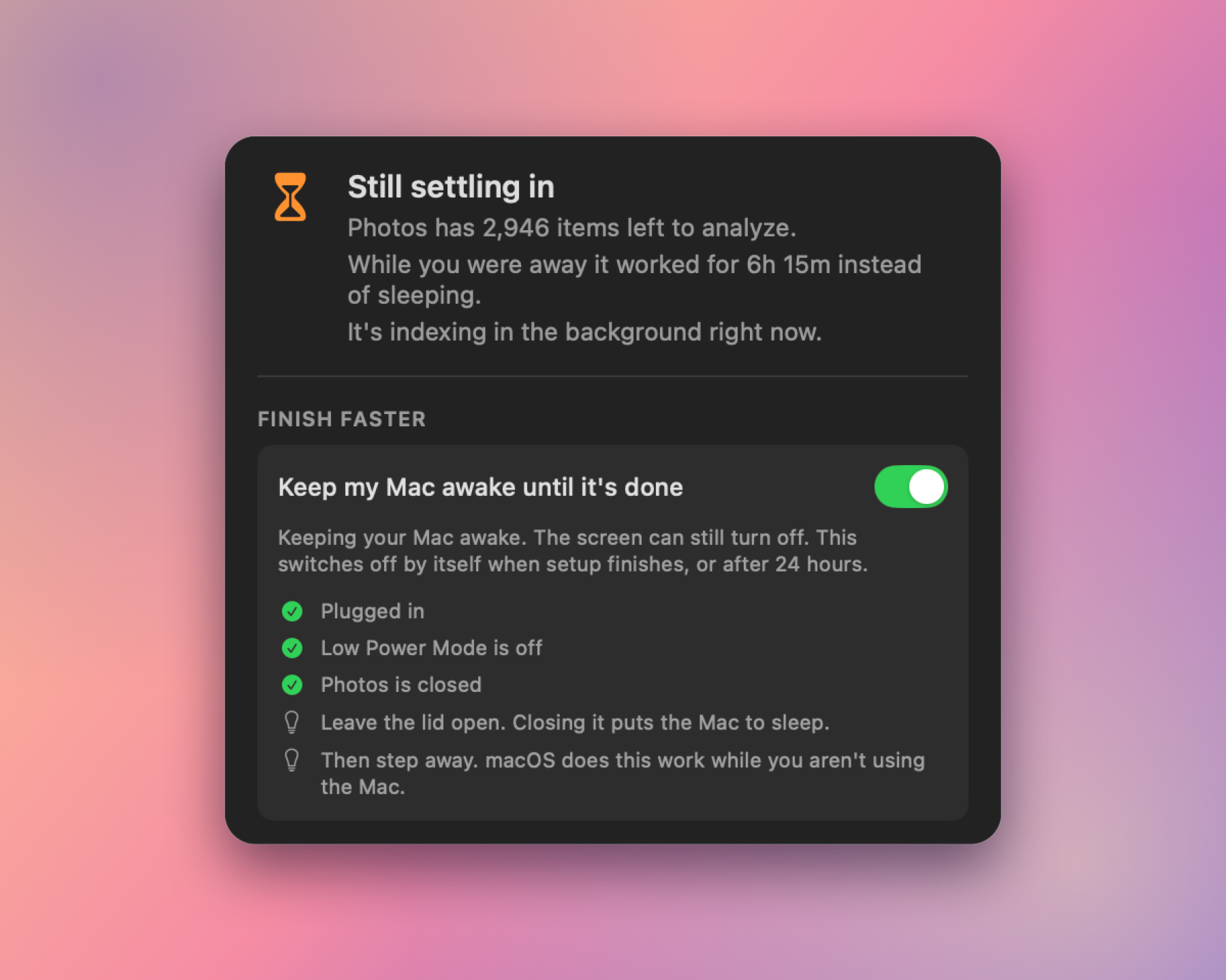
Also, because while these processes are happening, you probably want to know how you can encourage them to get done faster. The app has a couple tips at the top to encourage your Mac to do them faster. The app can't force it to go faster, but it can try to create the conditions where macOS will keep those going.
Again, it's free and open source, so check it out for the next time you have a new Mac to set up.