My daily Workbench update
Workbench is in beta and is currently on a near-daily release cycle, so here's today's update.
Split tabs
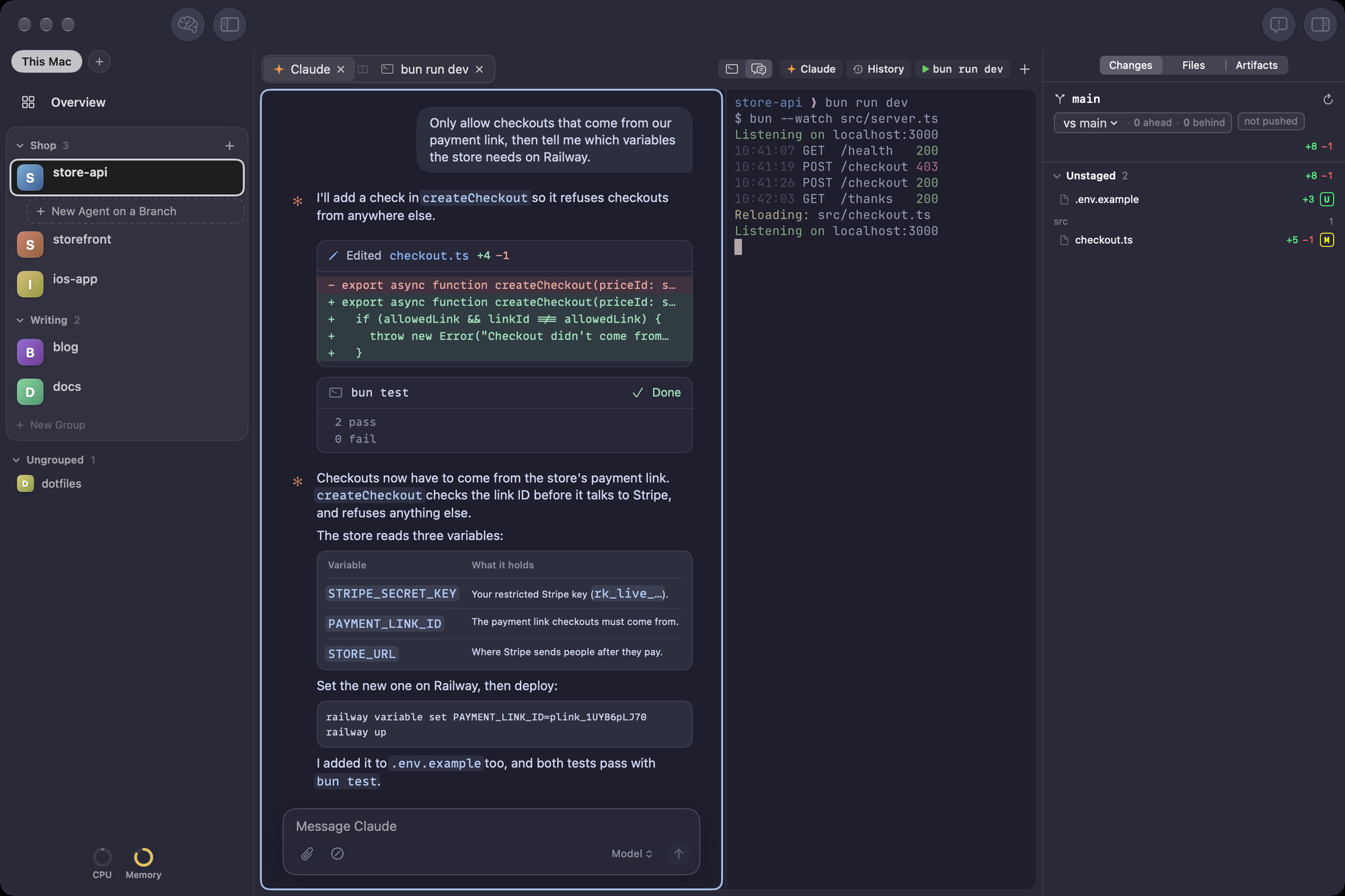
Maybe you want to have Claude doing something while you monitor the terminal. Now this is possible with a simple Command+D press. You can click between to update your focus or use the Command+] shortcut to toggle between the two.
More design options
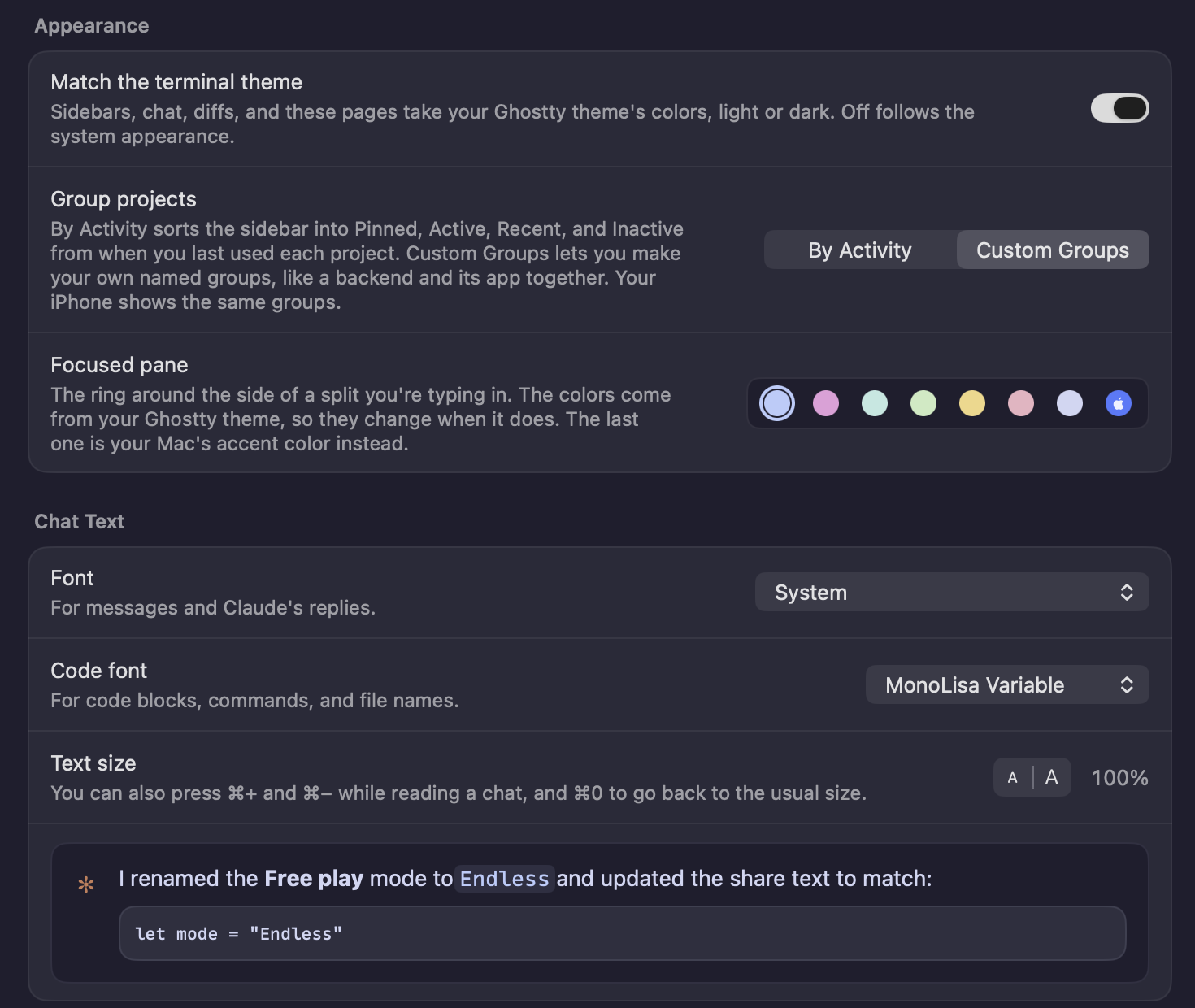
By default, Workbench adopts your terminal themes color scheme And now you can update the fonts and text size of the chat, as well as adopt a accent color (which only applies to the split pane view for now, but very well might expand from there).
Custom grouping
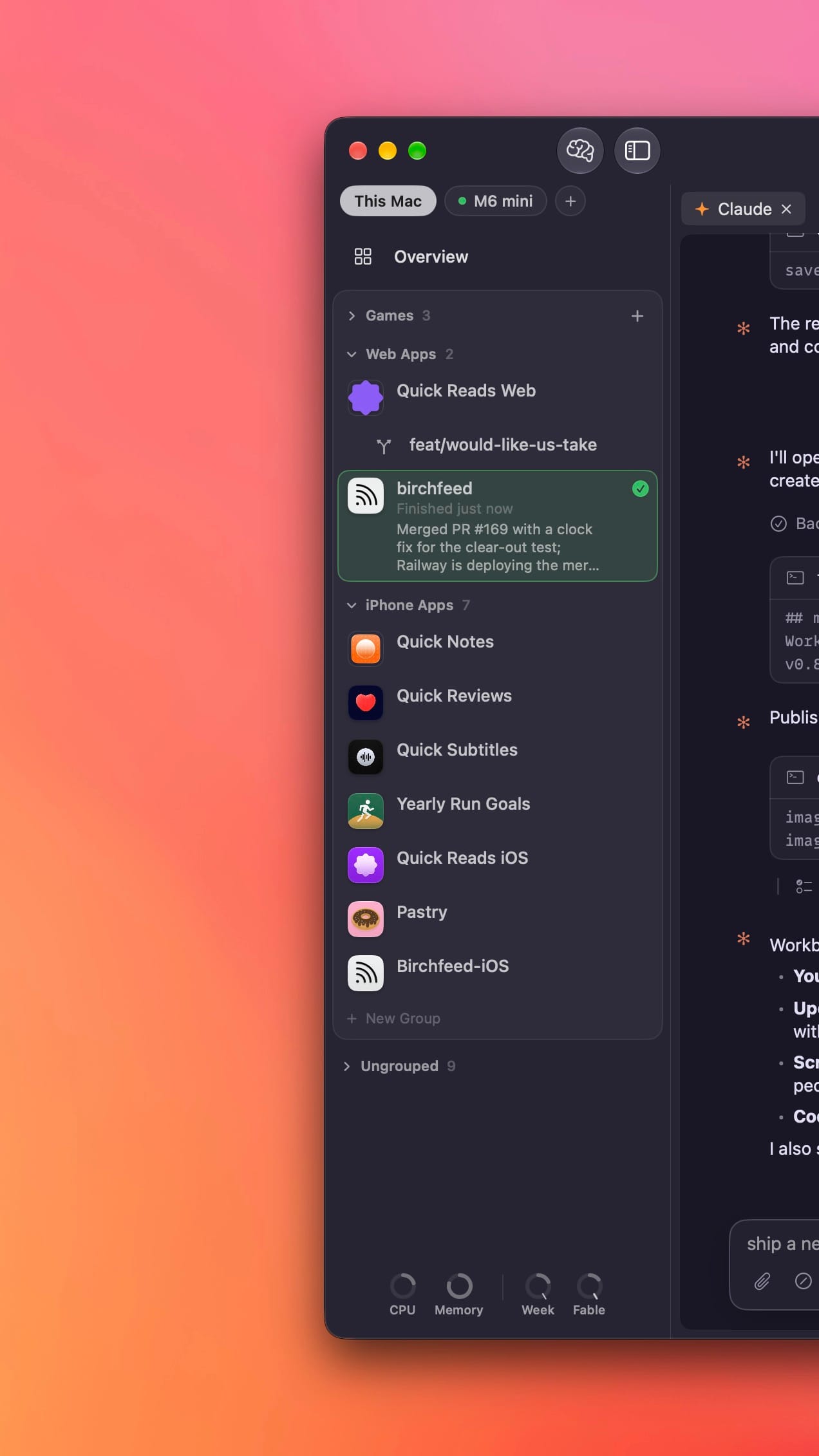
By default, Workbench automatically keeps your projects sorted by recency. However, now you can go to the View menu and switch to custom grouping.
Variables and commands copy with a click
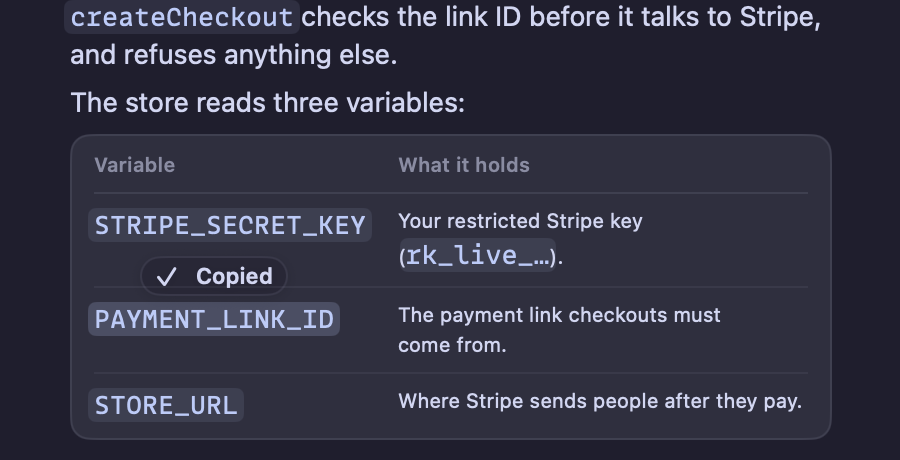
Sometimes Claude will show you variables, function names, or terminal commands that you need to copy. In this update, these values stand out from the rest of the text on screen in chat view, and we'll copy to your clickboard with a click.
The small stuff
- ⌘1 to ⌘9 follow the sidebar, top to bottom, including your agents' worktrees. With another Mac's list showing, they open that Mac's projects.
- Option-Backspace and Control-Backspace delete the previous word in the terminal, like they do in other Mac terminals.
- The chat no longer opens blank until Claude prints something.
- On the Mac, a code block with a long first line no longer hides every line after it.
- Quotes in the chat read like they do in the terminal: one unbroken bar, full-brightness text, and no cut-off lines around them.
- When pairing another Mac over Tailscale fails, Workbench now says why, like a link from a different tailnet or HTTPS Certificates turned off. Before, it only said "Connecting".
You can download Workbench for the Mac here and a new TestFlight for the iOS companion app went out today as well with all of the above changes that are relevant to it.