Quick Notes 3.0 is out now


Quick Notes 3.0 is rolling out now as a free upgrade for all users. This update includes three major changes: a new way to access your notes anywhere, improvements to brainstorm mode, and a top to bottom design overhaul.
Notes wherever you want them
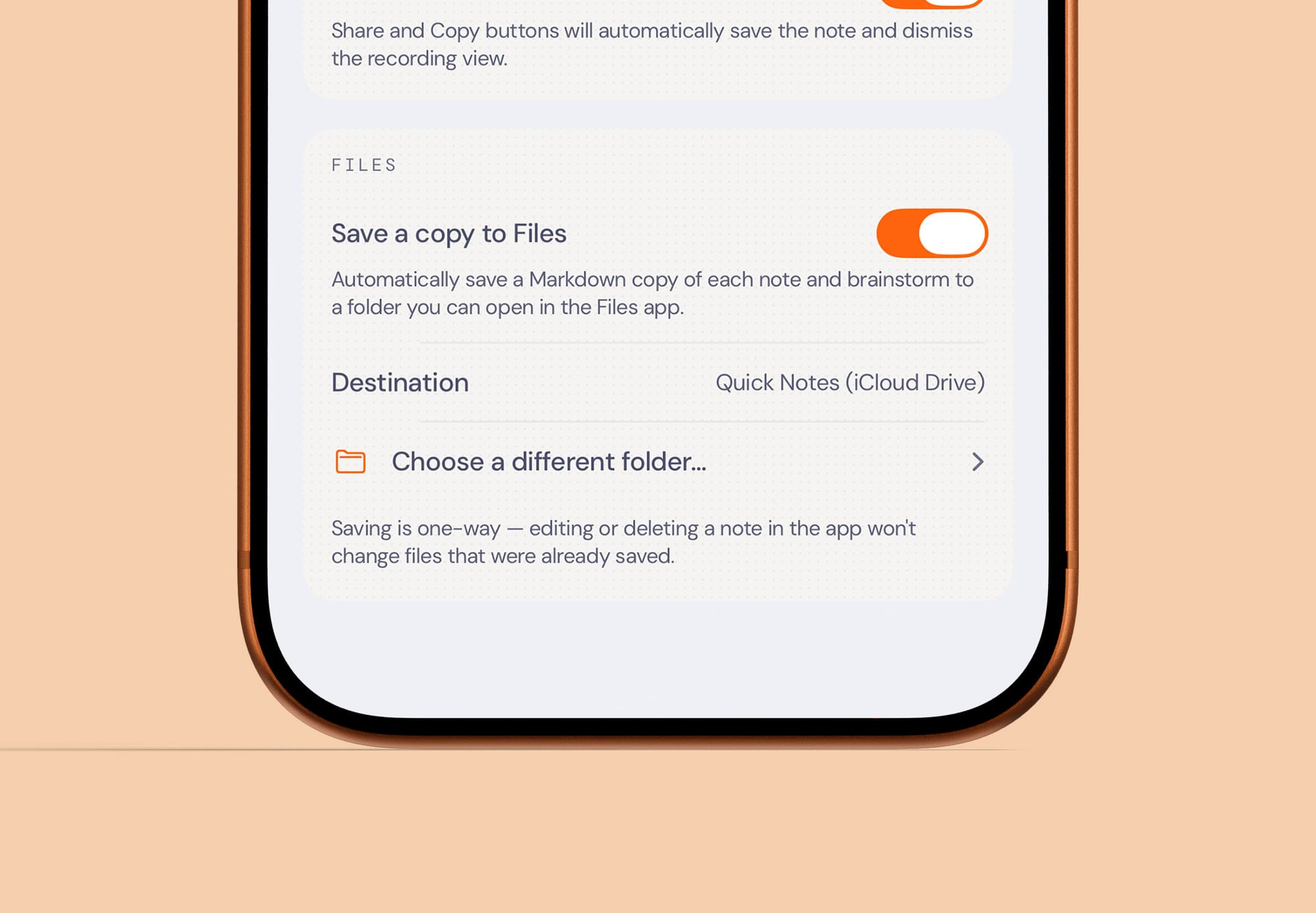
I think this first feature may be a sleeper hit.
In the app settings, you can now configure Quick Notes to automatically save all of your notes as text documents to any folder on your device. By default, it creates a Quick Notes folder in your iCloud Drive, but you can choose something else. For example, you could select a folder inside your Obsidian vault, allowing your notes to automatically appear in Obsidian on your other devices.
I use brainstorm mode quite a bit, and I often create outlines that I want to reference when I start writing a blog post on my Mac. Before this update, that meant getting my phone out, copying the note I wanted, and hoping the Continuity features were working correctly so I could paste it onto my Mac.
That process was never the end of the world, but it added a bit of friction that I would rather not have. With this feature enabled, I have a folder in Obsidian where all of these notes are automatically added. When I sit down at my Mac to start writing, my outline is already there.
A better brainstorm mode

The second major update is to brainstorm mode, which has become an increasingly popular way to use the app, including for me. It is what I use in the app 90% of the time.
For those who are unfamiliar, brainstorm mode lets you choose from several different types of brainstorms. You might choose to brainstorm an outline, a product spec, a task list, or something else. You can then talk for as long as you want, and the app will consolidate your thoughts into something clear and coherent.
What I have learned is that both I and many other users tend to rely on one brainstorm mode all the time. With this update, you can pin your favorite mode so it is available with a single tap of the brainstorm button. If you ever need to access the full list, just press and hold the button.
The technology behind brainstorm mode has also been upgraded. It originally launched using Gemini Flash 2.0, and was later upgraded to Flash 3.0. With this update, it is powered by GPT 5.6 Luna. I did extensive testing across the different models available now, and 5.6 Luna produced the best results at a reasonable price.
You may wonder why I don't use Apple's on-device foundation model for this feature. The answer is twofold, and it remains the same problem I have encountered from the beginning. First, the model simply is not good enough for this kind of text manipulation. I was not happy with the results when I tested it. Second, Apple's on-device model has an incredibly small context window, which means you cannot pass it very much text. If you talk into brainstorm mode for five minutes, it can handle the request. If you talk for 15 minutes or more, however, it will not be able to process everything. I am sure many brainstorms fit within that window, but plenty do not. I have personally created 45-minute brainstorm sessions. With iOS 27, developers will be able to use Apple's cloud model. It will have a larger context window, although it will still be fairly small in the grand scheme of things. I will be testing it this summer to see how well it works and where its limits are. For now, I expect GPT Luna to remain the go-to solution for a while.
A completely new design
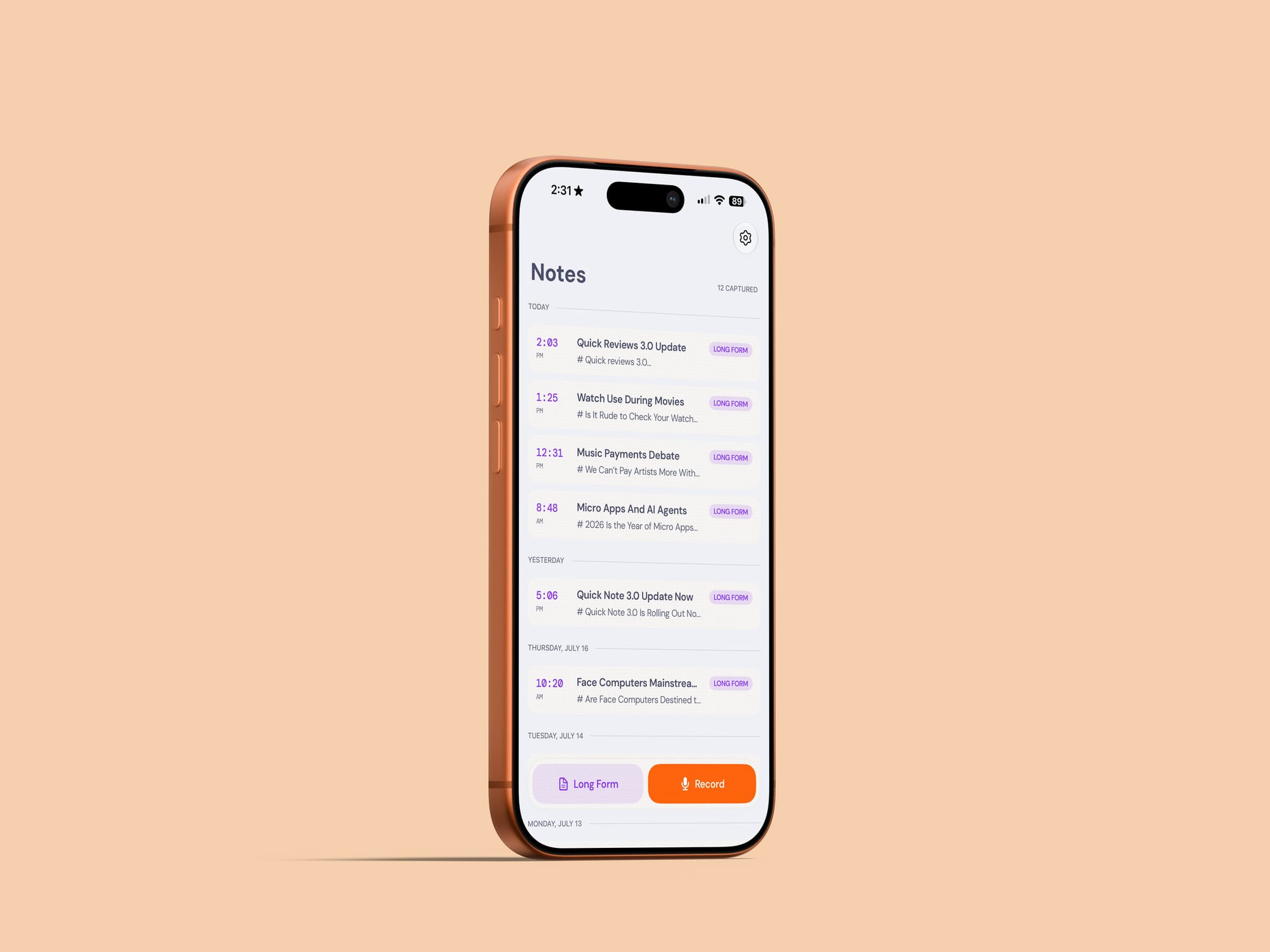
The final major change is the first thing you will notice when you open the app. Quick Notes 3.0 includes a complete top-to-bottom redesign.
I have been referring to the new design as “digital paper” while using it over the last few months. There is texture throughout the interface, which gives it a slightly tactile quality while still feeling distinctly digital.
I have also worked to improve motion and haptic feedback throughout the app. The haptics should now feel more intentional, including a heartbeat-like feedback pattern while brainstorms are processing. I find this useful because I tend not to stare at my screen while a brainstorm is running. Being able to feel that it is still working, followed by a celebratory flourish when it finishes, is genuinely satisfying.
Animations between views have also been refined. When you start a new note, for example, the view grows out of the button as it expands to fill the screen.
I also took this opportunity to rethink the organization of the Settings page. When the app launched, there were only a couple of settings. Now there are quite a few more, and I had added them over time without reconsidering the structure of the page as a whole. With this update, it should be easier to find the settings you are looking for.
Finally, although it is not something you will necessarily notice as a user, I put extra work into eliminating dead code and optimizing some of the app's data management. This improves performance and makes the codebase easier for me to maintain going forward.
That is everything in Quick Notes 3.0. The update is rolling out now, and I hope you like it.