Quick Reads: I built the read later app I'd always wanted
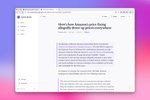
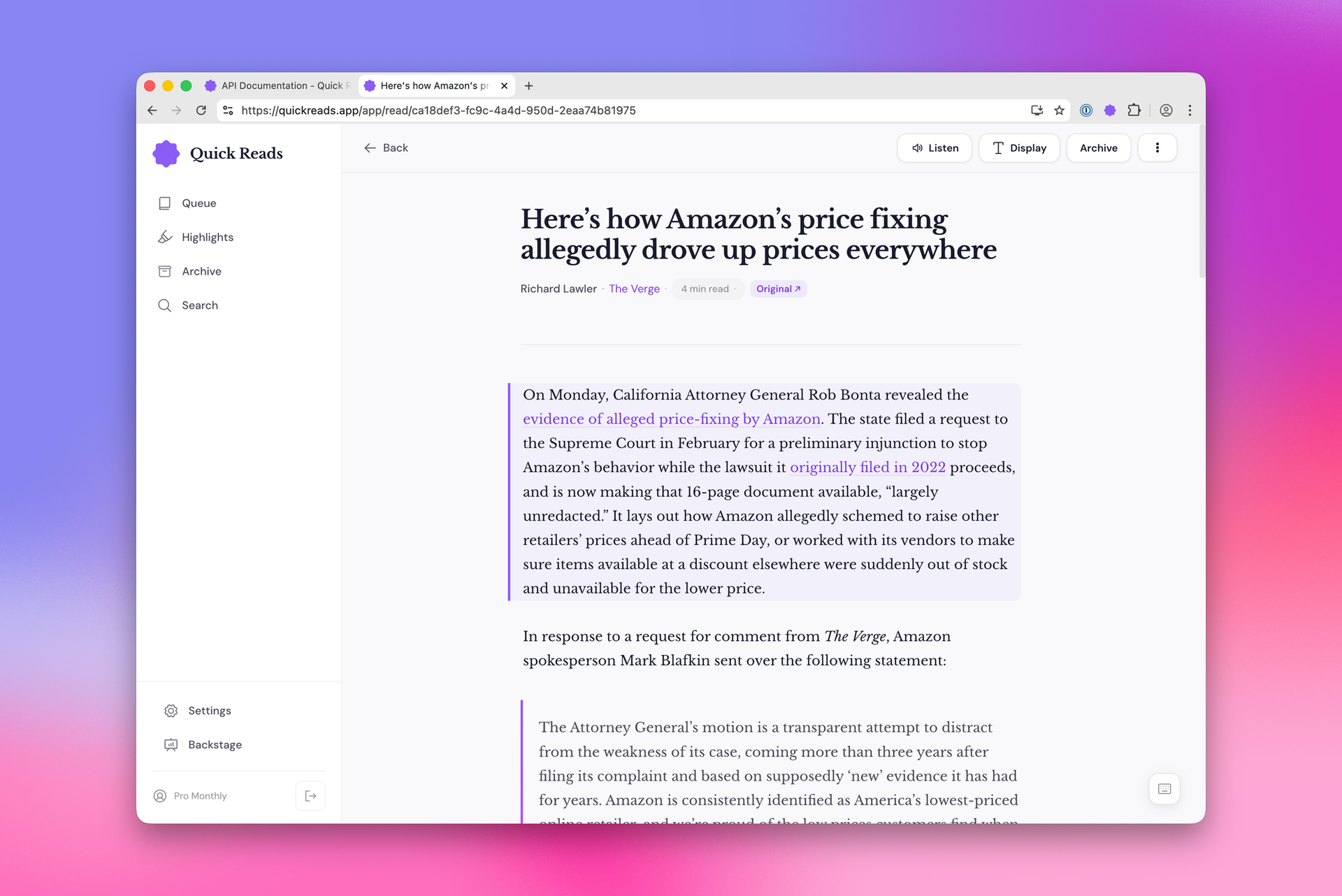
I'm happy to finally announce Quick Reads is available to everyone in a sort of early access today. This has been my only read later service since February, and it's genuinely the best product for the job for me.
I think the product largely speaks for itself, so I'm not going to get too into the weeds here. But first, I did want to mention what this product is and what it isn't. This is a service specifically for people who want to read things, not necessarily those who want to save random links. You can save any URL you want, but it's absolutely optimized around saving blog posts, news articles, and social media posts. This is much more Matter or Instapaper rather than Raindrop or Pinboard.
Where you can use it
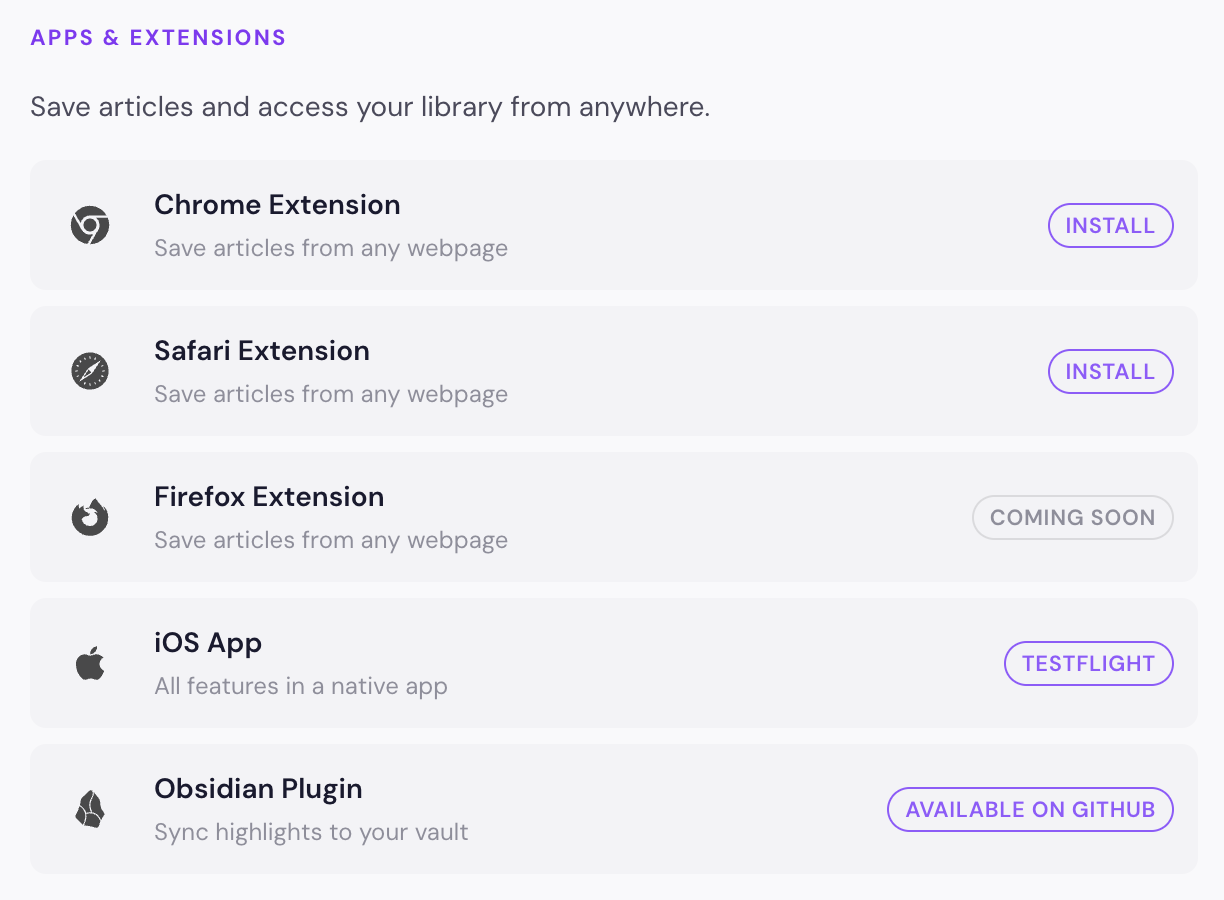
The web interface is good to go, and I'm really happy with it. However, a read later service needs more ways to save content into it, so I've had to build out a good number of other products as well. Both the Chrome and Safari extensions are available now through the official storefronts for each platform, and the Firefox extension is working on my personal computer. However, I need to distribute it through Firefox directly, which I simply haven't been able to do yet.
The iOS app is not fully there yet, but it is functional and works best on the iPhone. You can join the public TestFlight from the link in the integrations page on the web app.
Finally, there is an Obsidian plugin that is available on GitHub at the moment, and I'm working to get it approved to distribute through the community plugins marketplace directly in Obsidian.
To be clear, the Safari extension is for the Mac only. If you're on iOS, install the iOS app from TestFlight and websites will be able to be shared from the share sheet from any app.
API
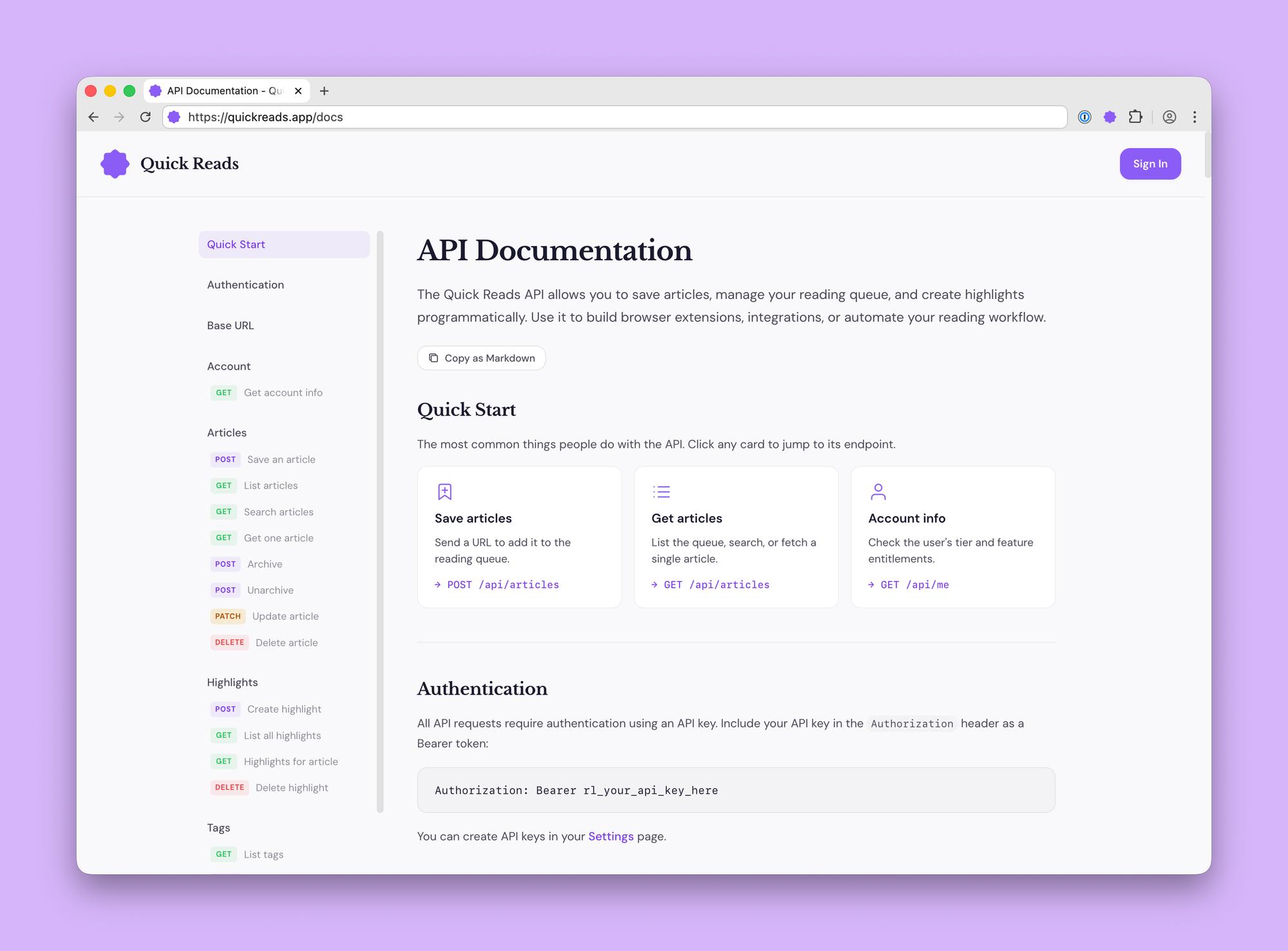
I'm actually really excited about the API that is available for Quick Reads. From the beginning, I made this product API first so that effectively everything you are doing in the official apps is just as easy to implement for anyone. If you don't like the Chrome extension, build your own. If you don't want to wait for the iOS app to reach its official 1.0 release, no problem. If you want to make an Android app, go right ahead! If you want to integrate this into shortcuts, it totally works.
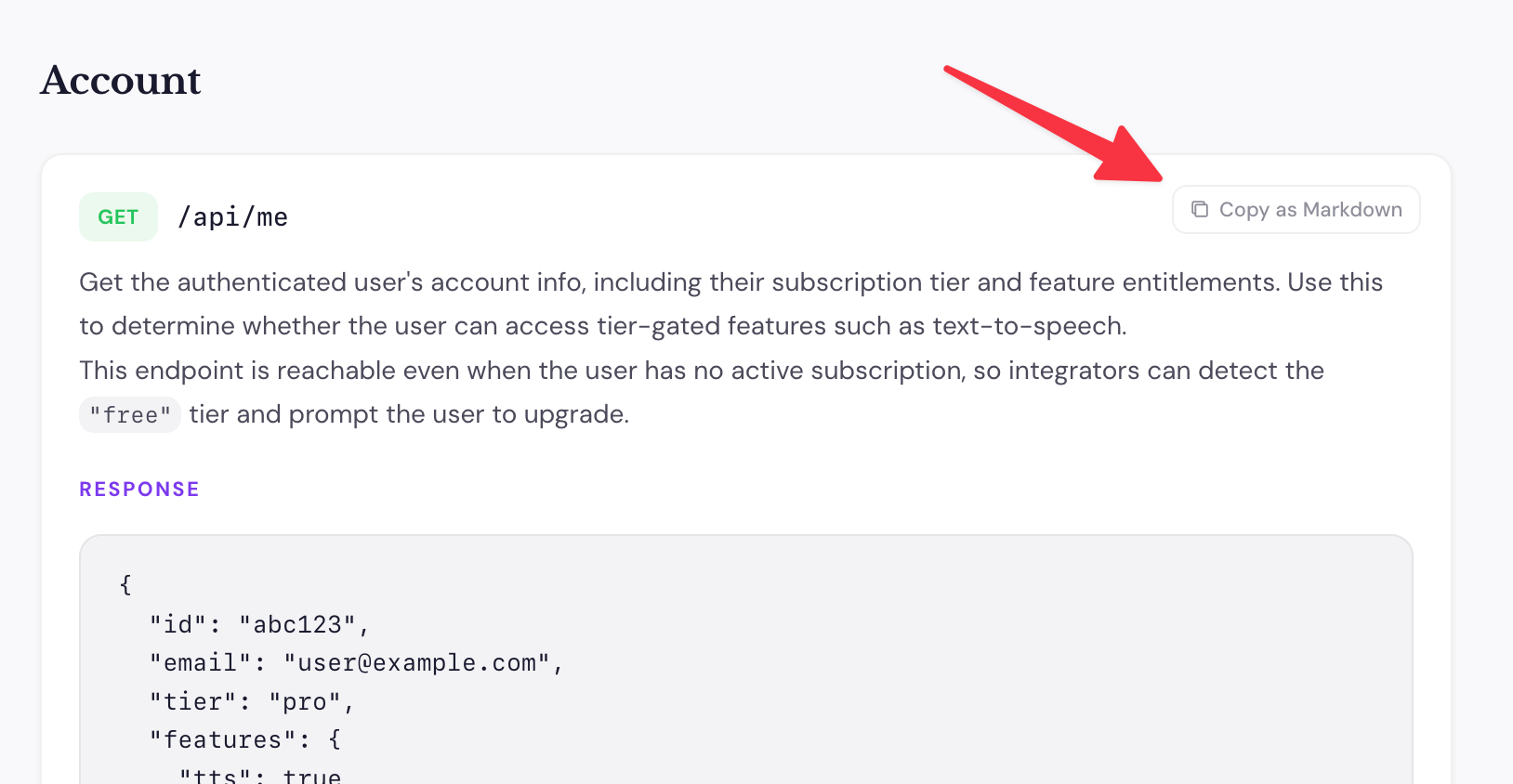
I've also made sure that people using coding agents can get the most out of this API since it's brand new and isn't in any training data. You can copy the full documentation with a single click near the top of the page, or if there's a specific endpoint you want to use, you can copy just that documentation from that section.
Text to speech
One really important feature to me in read later services is the ability to listen to my articles. I very often am walking the dog or doing a workout and would love to just listen to the article that I saved. Services like Readwise and Matter have this already, and it's great. I actually considered not doing this feature because it is both the hardest to implement and the most expensive feature, but it's a core piece of functionality for me. So I felt I really couldn't make this product something I would use if it wasn't there.
I've chosen to go with a service called Async, which gives me the functionality that I want at a price that I can make work and with voice quality that is sufficient. I may do a technical deep dive on how I did this at a later date, but I've basically worked out what the costs are associated with this feature, and I've limited users to three hours of text-to-speech generation per month. If you use all three hours, I'm basically making no money on you, but less than that seemed too restrictive.
As a side note, ElevenLabs has an awesome app called ElevenReader, which is available on iOS and Android, which lets you paste in a URL or whatever random text you have, and it will turn that into audio for free (ah, the joys of being VC funded). Conveniently, QuickReads has the ability to easily copy the URL or article text for whatever article you're looking at. So if you're on your phone, you can just copy either of those to your clipboard. Open ElevenReader and paste it there, and you'll get an audio version.
Paywalled articles
My aim with this product is to find the right balance between satisfying users' expectations without turning it into some sort of paywall workaround. As such, QuickReads plays nicely with paywalled content, and it does it in a way I think is fair to both writers and readers.
When you add an article from the Quick Reads app itself, the server fetches the page and parses the text from there. It is not logged in, and it can not get through paywalls. However, as you will see in the API, the browser extensions and iOS app share button parse the page content themselves and pass that through the API to the service.
What this means in plain language is that if you are logged in to a website and are looking at a paywalled article, if you save it with any of the browser extensions or the iOS share extension, it will capture the full text of the article.
Of note, I do not cache articles and share the same text between different users of the service. This is what some other services do, and it allows people to get around paywalls. It's a nice little surprise when it works, I guess, but it is not really what I am going for.
Also, for those curious, the parsing is done with the quite excellent defuddle library. And in the rare event that a website can't be parsed with defuddle, I fall back to Readability. I'm also doing some custom parsing for social media posts (Mastodon, Bluesky, Threads, and X).
Pricing
One of the reasons I made this app is because I was frustrated that it seemed like ReadLater services were either free and shutting down or rising in cost with all the good ones costing at least $10 per month. I really enjoy a lot of these services, but they offer way more than I felt I needed. And because they had so much functionality, some of it powered by AI, they had to increase their costs to match.
Quick Reads has two subscription plans, Basic and Pro. The basic plan is $3.99 per month and lets you save unlimited articles and use all the integrated apps mentioned above, but you don't get text to speech. The pro plan is $5.99 per month or $59.99 per year and also includes text to speech, both on the web and in the iOS app. All plans come with a 7-day free trial.
It should go without saying to the audience reading this blog, but I have zero outside funding for this app, so this product needs to be profitable, and I think I've found a good balance of providing a very competitive price while ensuring that I'm able to not turn this into a money pit.
Give it a shot!
I can say with absolute sincerity that I really enjoy using this product. I do not pretend that it is as full-featured or as polished yet as some of the other services that have been around for much longer and are built by much larger teams, but I think it's a genuinely good service that people will get value from.
Quick Reads is a completely indie read later service that cares about your privacy, tries to do one thing very well, and has a business model that I think is fair and sustainable. I hope you like it!