Quick Reads now does todo items

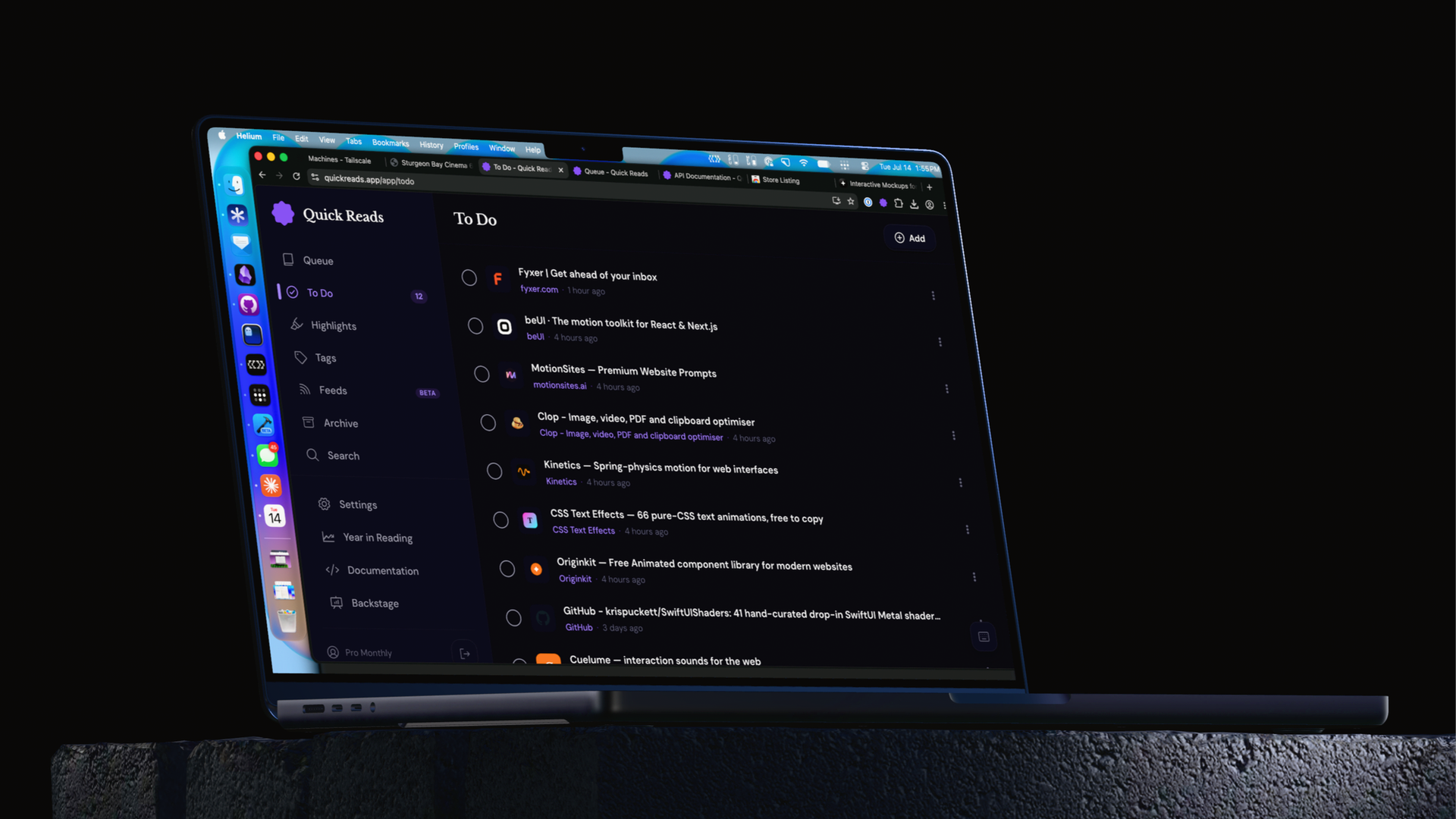
Quick Reads has been obsessed with being the best way to save articles you mean to read later, and I think it's done a good job of that. However, there are links I come across that I want to save for later, but they're not for reading, they're something else. For me, they're often a dev tool I want to look at later — like yes, I want to have this link handy later, but I don't need it cluttering up my reading list.
Of course, I could save these links somewhere else, like Reminders, another task manager, or another bookmarking service, but that's not ideal, because now I have multiple places where I need to remember I have links for later saved.
Quick Reads gets Todos
Now, when saving an article to Quick Reads, you can flag it as a "todo" item, which places it in its own list, separate from your reading queue. These links don't get a reading view, they're just links you can mark as complete when you're done with them. These links still appear in your archive and are searchable like anything else. And if you accidentally save something as the wrong format, you can move links back and forth (web UI only for now).
For my API integrators out there, these todo items are just "articles" and are backwards compatible with any existing integration. There is simply a new list value that will show todo for articles that are actually todos. Check it out in the docs.
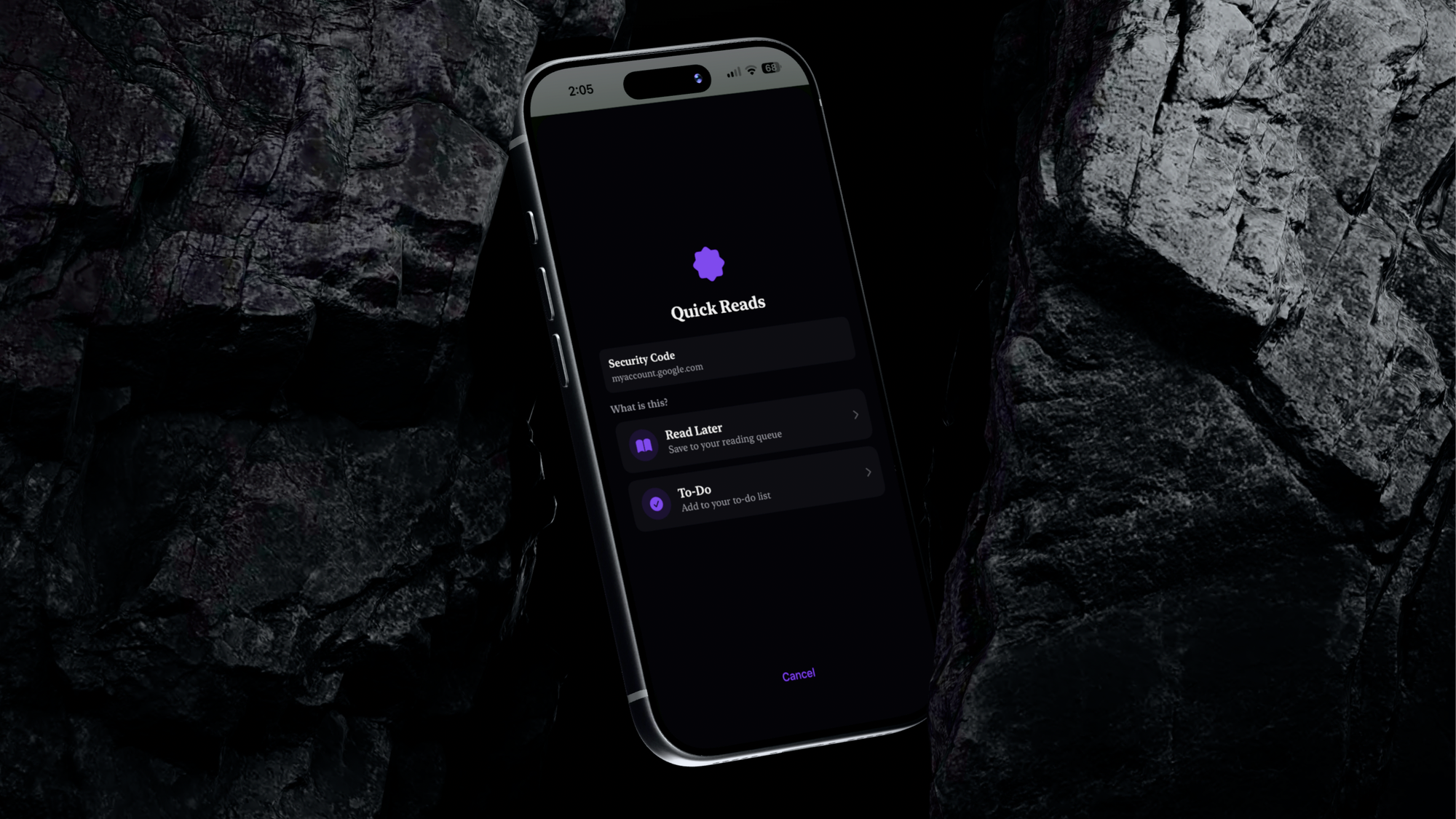
As far as the saving experience goes, I've tried to make it as seamless as possible. By default, everything still saves as an article to read later. However, on the iOS app (in TestFlight now, coming in the next few days to the public release), you can enable todos on the share sheet in the app settings, which will make it so that when you save something, you'll be asked if it's something to read or a todo item.
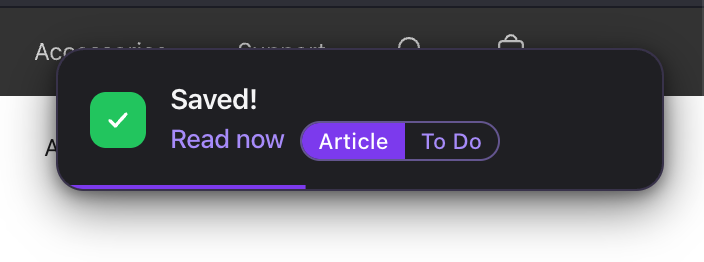
The Chrome extension, meanwhile, saves as an article, but you can hit the "todo" button to switch it over if you'd prefer.
There's also no way to demo this here, but I've tried to make the experience of checking off tasks feel nice, so there is a subtle sound effect on the web app and a nice haptic tap on iOS.
Oh, and if you don't want to see todos, you can go to your Reading settings page on the web and hide todos entirely.
And disclaimer, this is not making a Pinboard-style archive of the web page, it is just saving the URL to check out later.
Now available on the web and Chrome extension
Todos are now available on the web and the Chrome extension for all Quick Reads users. iOS users on the TestFlight also see it now, and both the iOS app and Safari extension will get this as soon as app review lets those updates through.