Quick Subtitles 2.0 transcribes a one-hour podcast in 30 seconds on an iPhone. This is magic (and it's out now)
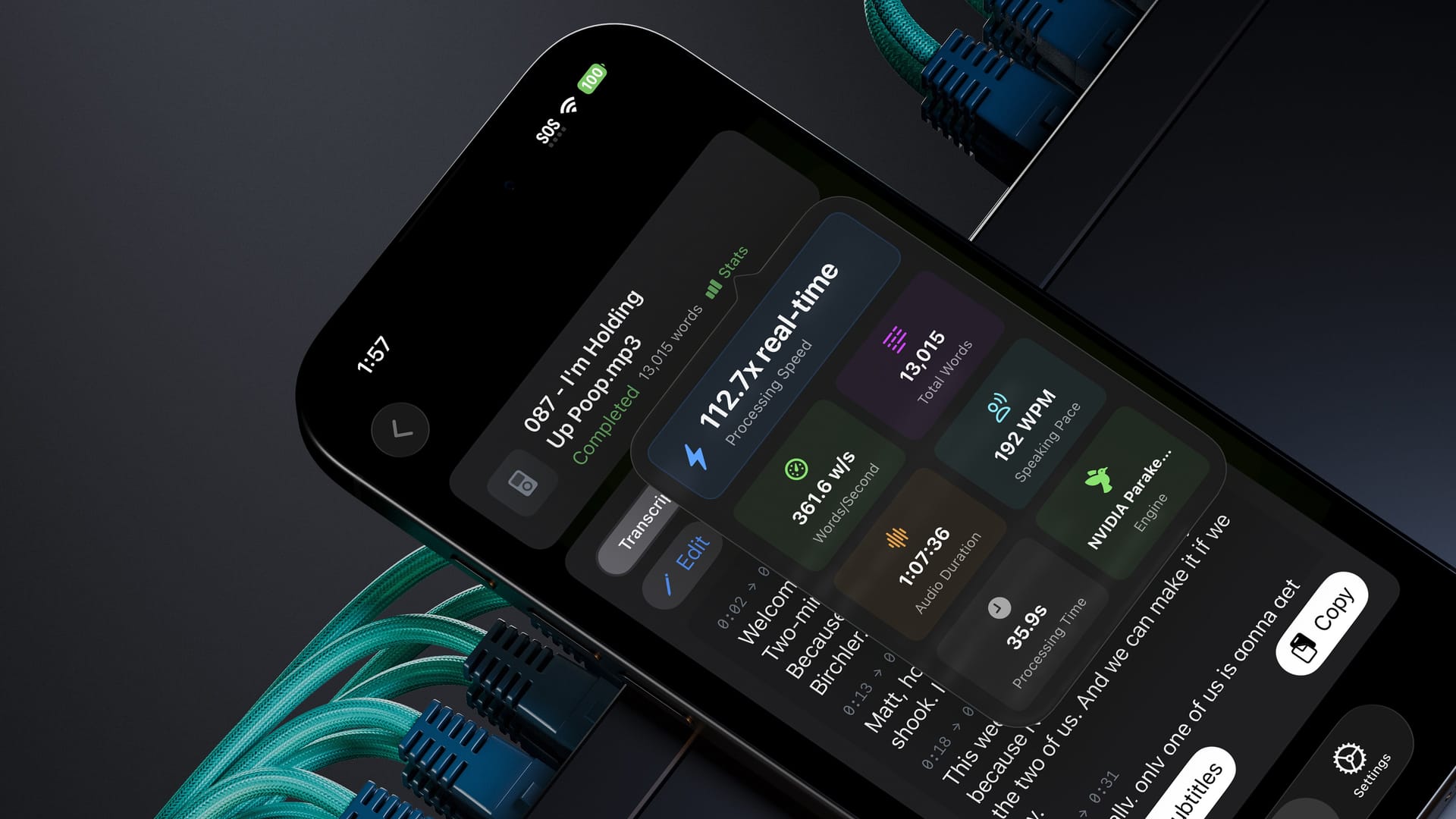
I'm thrilled to announce that Quick Subtitles 2.0 is now available for iPhone, iPad, and Mac. This update focuses on three key improvements, all of which make the app better than ever, and I believe the best (and most cost effective) way to generate subtitles for your audio and video projects.
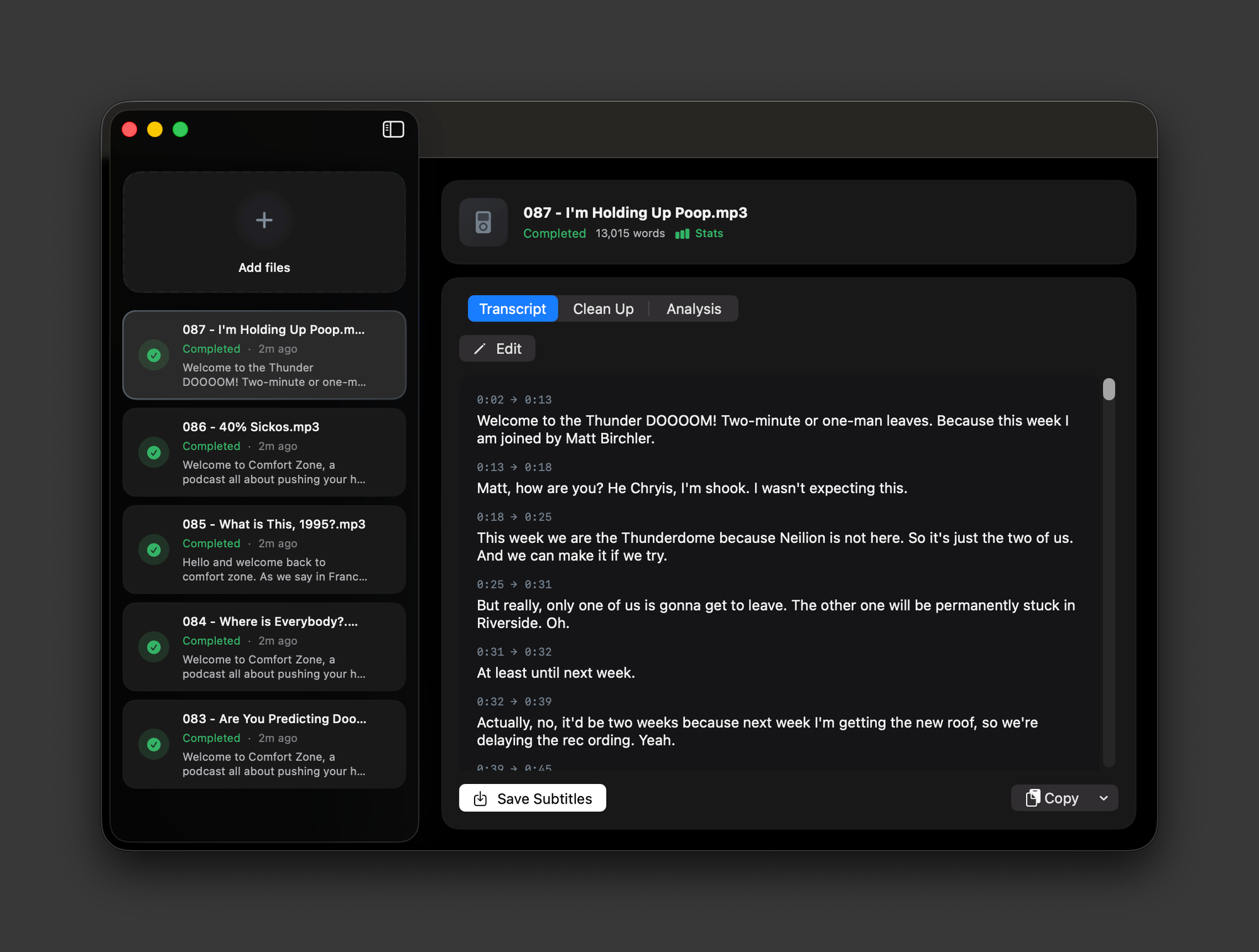
First, Quick Subtitles is now a multi-document application, meaning you can work on multiple projects simultaneously. This change came directly from user feedback, and it also addresses a personal frustration I had. I often wanted to work on several projects in parallel, but Quick Subtitles previously only allowed one project at a time. Now, you can import your audio or video file, generate subtitles, and work on them at your own pace. You can delete projects when they're finished, or use the auto-delete feature to remove them automatically after a set time. Because of this new workflow, the dedicated batch processing page is no longer necessary, as you can simply drag multiple files into the UI and they will process in sequence.
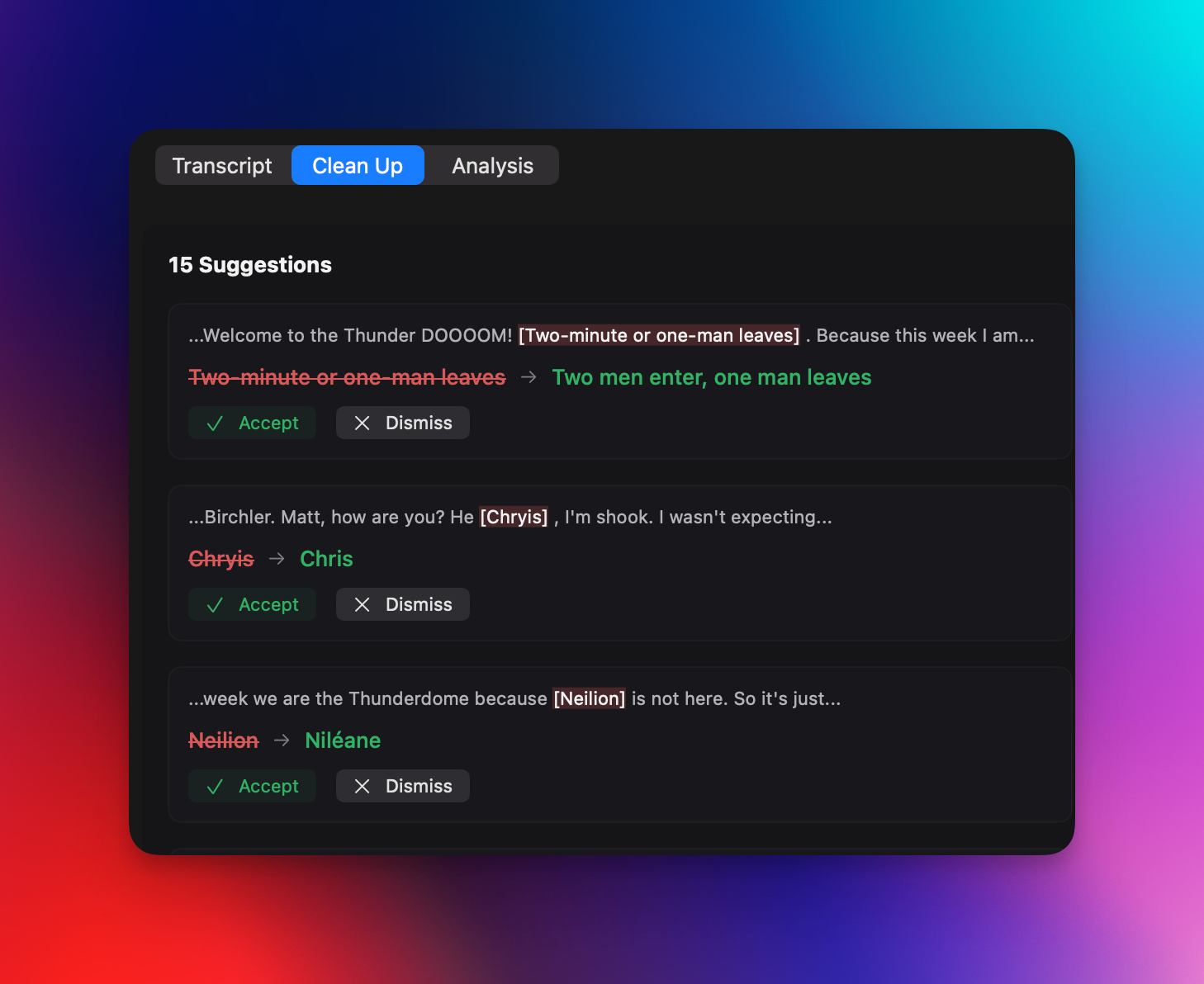
The second major update involves modifying the transcript, and this comes in two forms. After a transcript is created, the segments are now displayed in the UI rather than just raw text, and you can edit the transcript directly. So, if the transcription gets something slightly wrong, you can easily go in and fix it. For those using their own Gemini API key or a Quick Subtitles AI subscription, there's a new "clean up" feature. This analyzes the generated transcript, identifies potential errors, and gives you the option to correct them. This is presented in an intuitive UI that allows you to tell the LLM whether its suggestions are accurate or not. In my experience, it's correct over 90% of the time, and I usually approve all of its suggested changes. If you're confident in its accuracy, you can enable "YOLO mode" in the AI settings, which automatically applies all changes. While these transcription models are very impressive, and significantly better than previous options for generating subtitles, especially on-device, they aren't perfect. These new tools provide more freedom to address any issues that may arise.
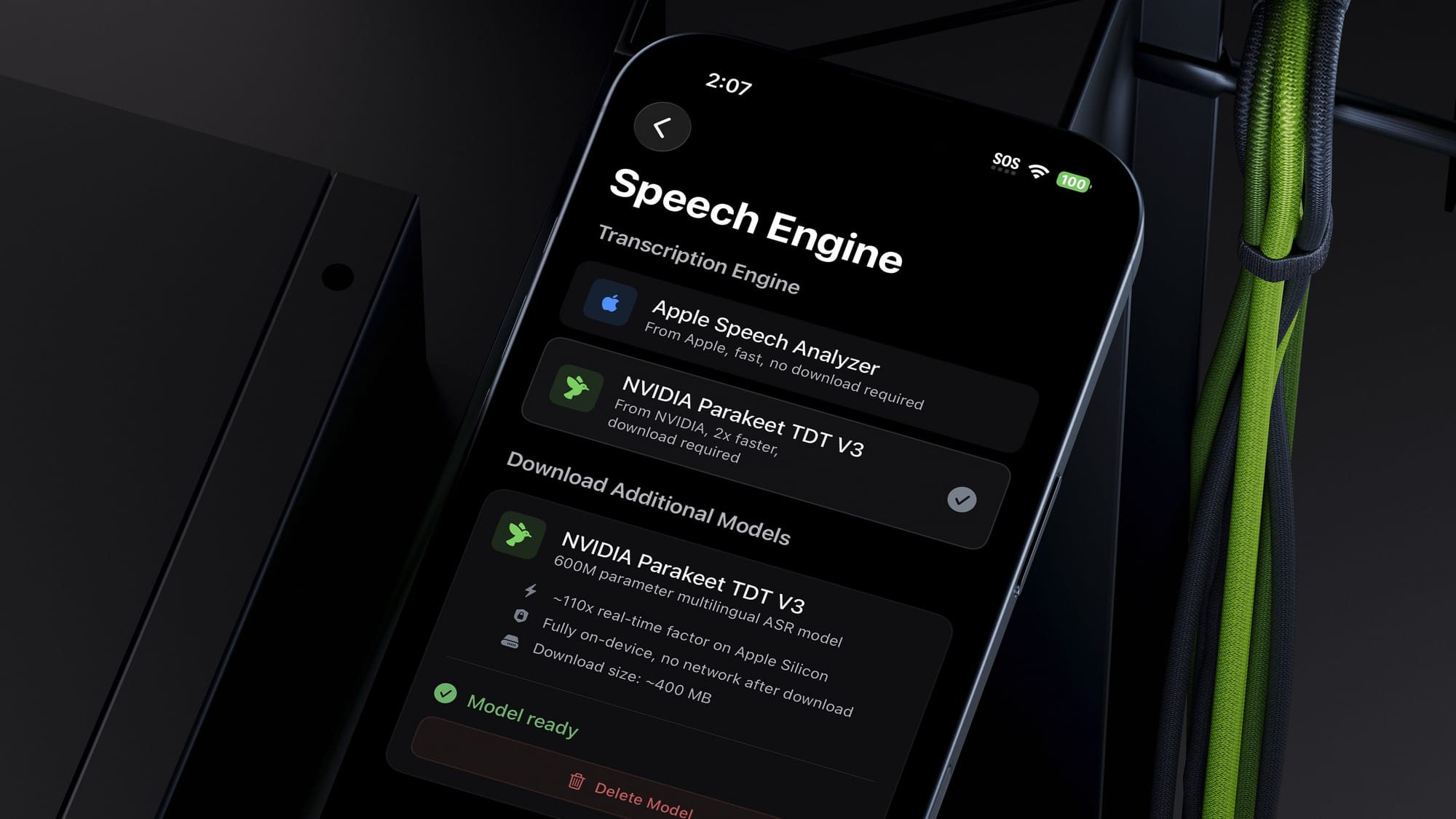
The third key feature is a new model selection option. Previously, Quick Subtitles exclusively used Apple's on-device speech-to-text analyzer, which was fast and of high quality. Now, you have another option: NVIDIA's Parakeet V3. This model performs the same function as Apple's, but in some cases, it's more accurate, and in many cases, it's up to twice as fast at generating the transcript. The results I've seen have been genuinely shocking, especially considering how impressed I was with Apple's model just eight months ago. You can enable this in the app settings under the new model selector. Note that you'll need to perform a several-hundred-megabyte download to install it on your device. As always, this model is 100% locally processed, so your audio files never leave your device or use a cloud service. On a side note, the performance and quality of this model have impressed me so much that I'm considering incorporating it into QuickNotes to enhance that app as well.
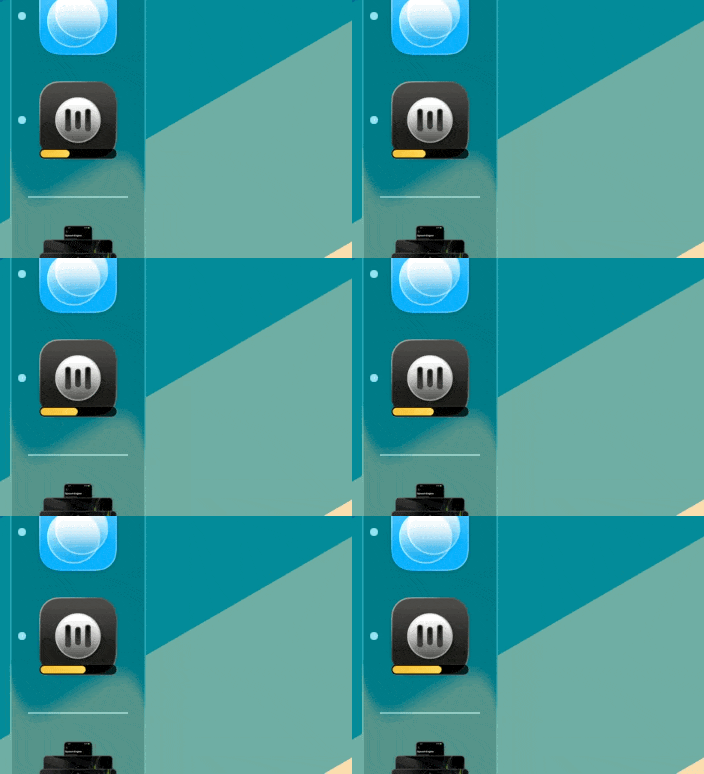
If you're using the Mac app, there are a couple of niceties worth calling out. While a transcript is being generated, a progress bar appears on the app icon in the dock so you can keep an eye on things without switching back to the app (take that, Final Cut 😉).
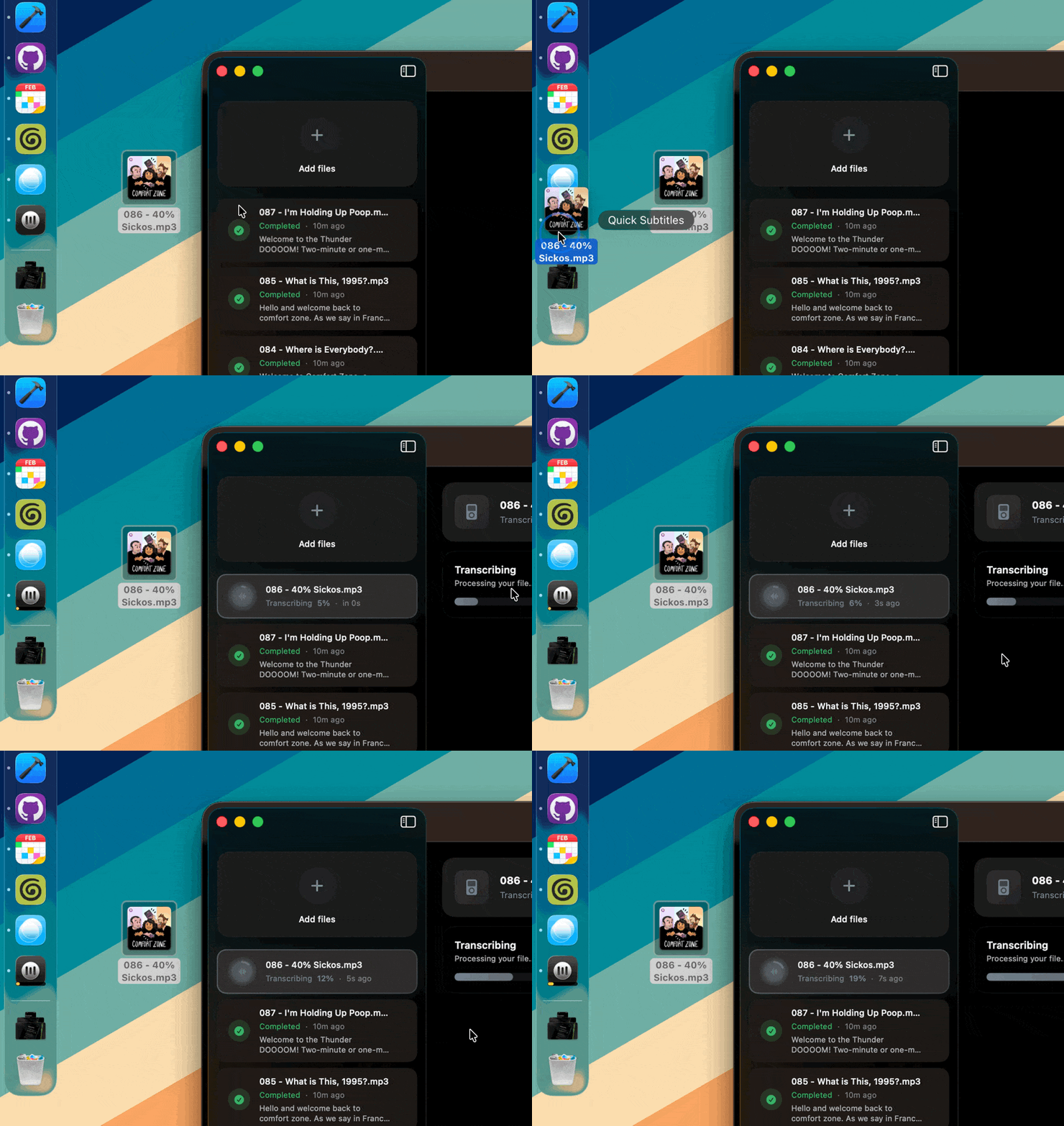
You can also drag files directly onto the dock icon to start transcribing them immediately, which makes it easy to kick off a new project without even opening the app first.
Quick Subtitles 2.0 is available now for all Apple platforms and is a free upgrade for existing users. There's never been a better time to get started.