Quick Subtitles 2.2 - UX and UI improvements galore
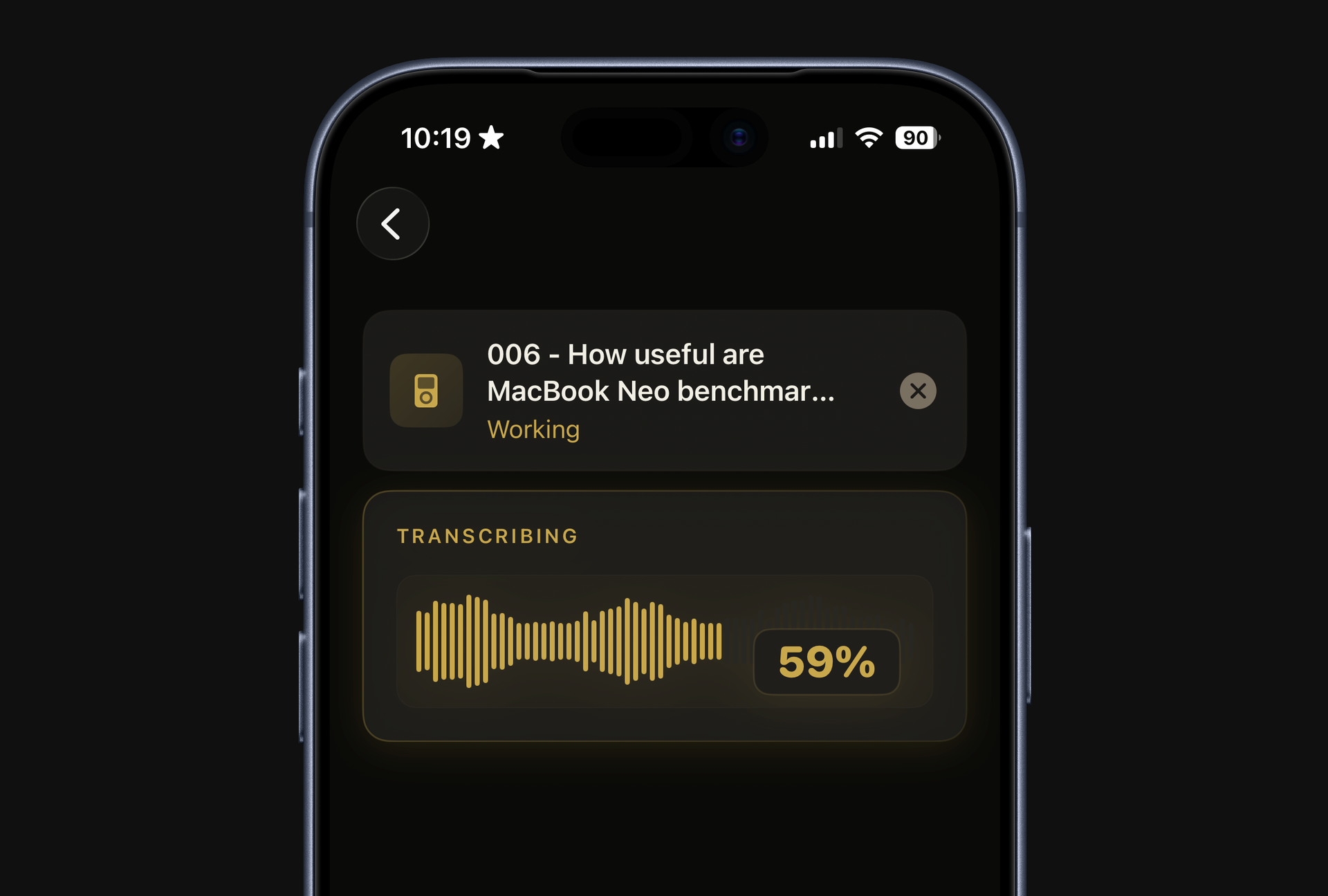
The latest version of Quick Subtitles is here, and it's packed with some significant UI and UX improvements. Let's dive into the UX enhancements first.
Better loading indicators
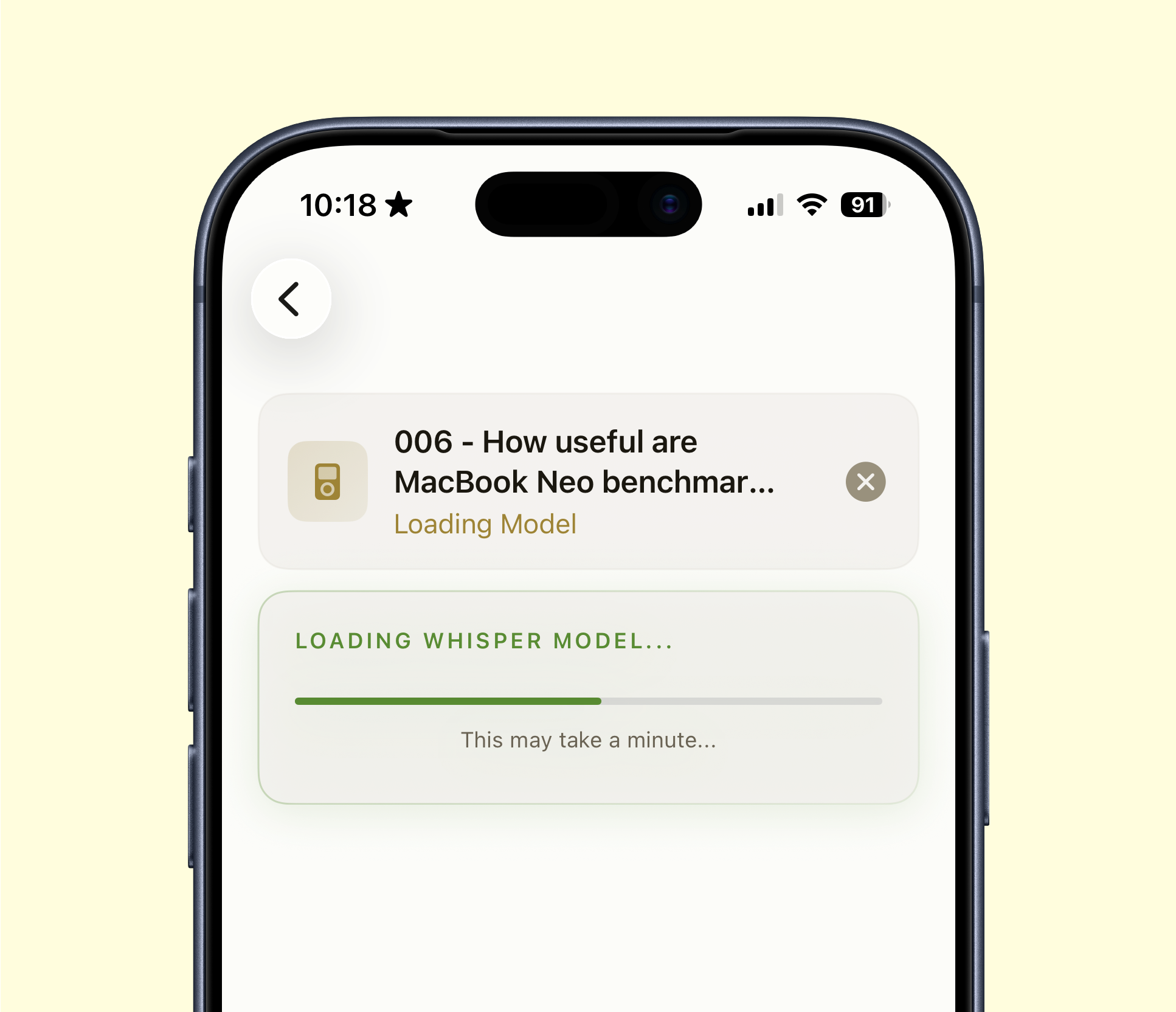
A few versions ago, I added support for third-party transcription models like Parakeet and Whisper. Unlike Apple's built-in model, these models aren't integrated into the OS, depending on various factors, they often need to be "warmed up" before use. This warm up process could take anywhere from a few seconds to a minute, with the time varying by device.
The problem was that users of these models would see the transcription progress bar stuck at zero percent for an extended period, giving the impression that the app was frozen. In reality, the app was simply warming up the model, but there was no visual indication of this.
Now, you'll see a green progress bar during the model warm-up phase, and you'll also get a clearer indication when the app is converting the audio file into a format the model can better handle. Only then will the transcription process begin as usual. While this doesn't necessarily speed up the process, it keeps you informed about what's happening every step of the way. If you don't switch between models frequently, you might not be that impacted by this. However, if you're like me and are constantly testing different models, you'll definitely appreciate the improved feedback.
More intuitive clean up
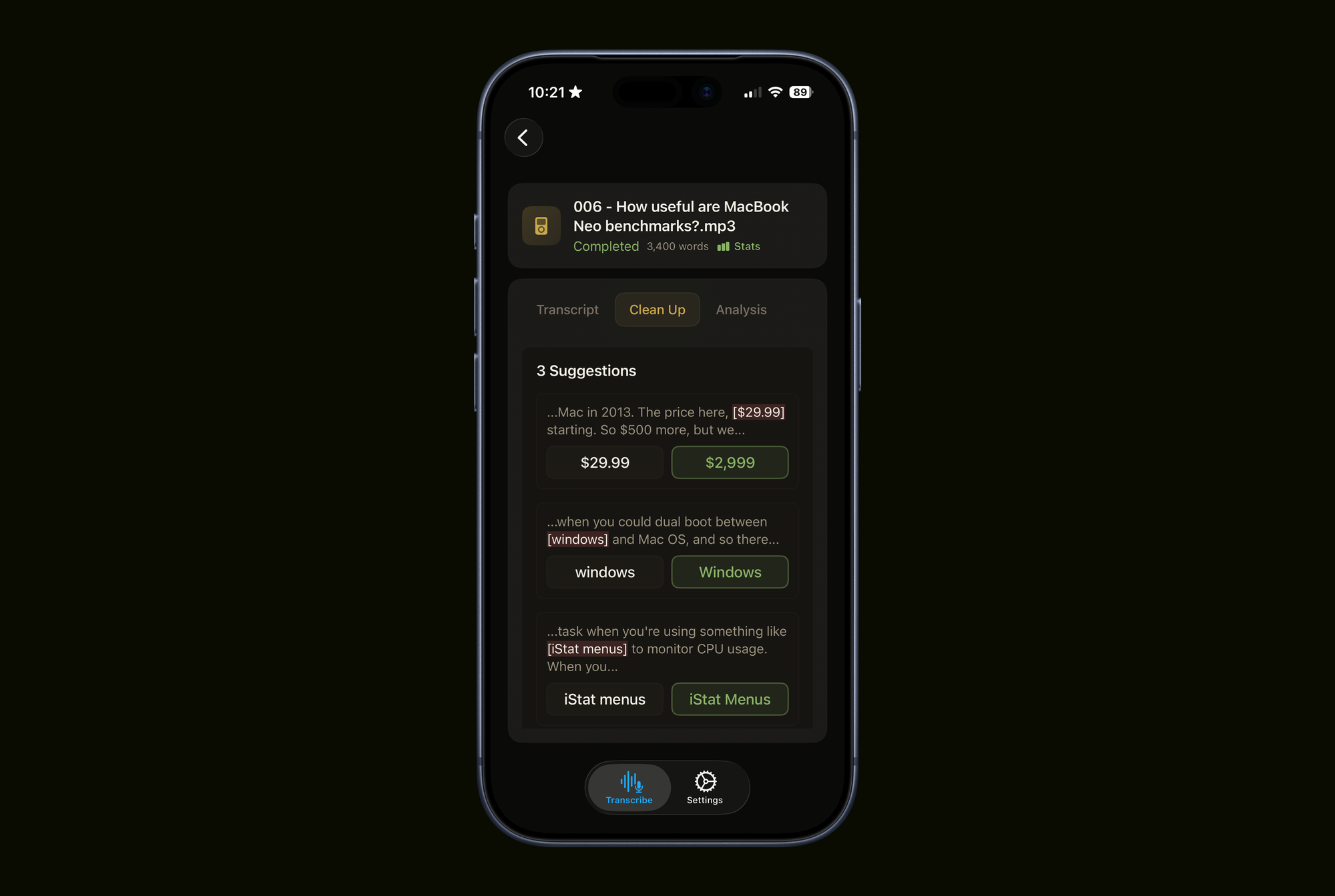
I've also refined the clean up feature, which I eventually determined was a bit unintuitive before. In the old version, you were presented with two wording options on the left and right, but the corresponding buttons below to accept either option were reversed. I've addressed this by combining these UI elements. Now, you simply click on the word or phrase that is correct.
UI tweaks
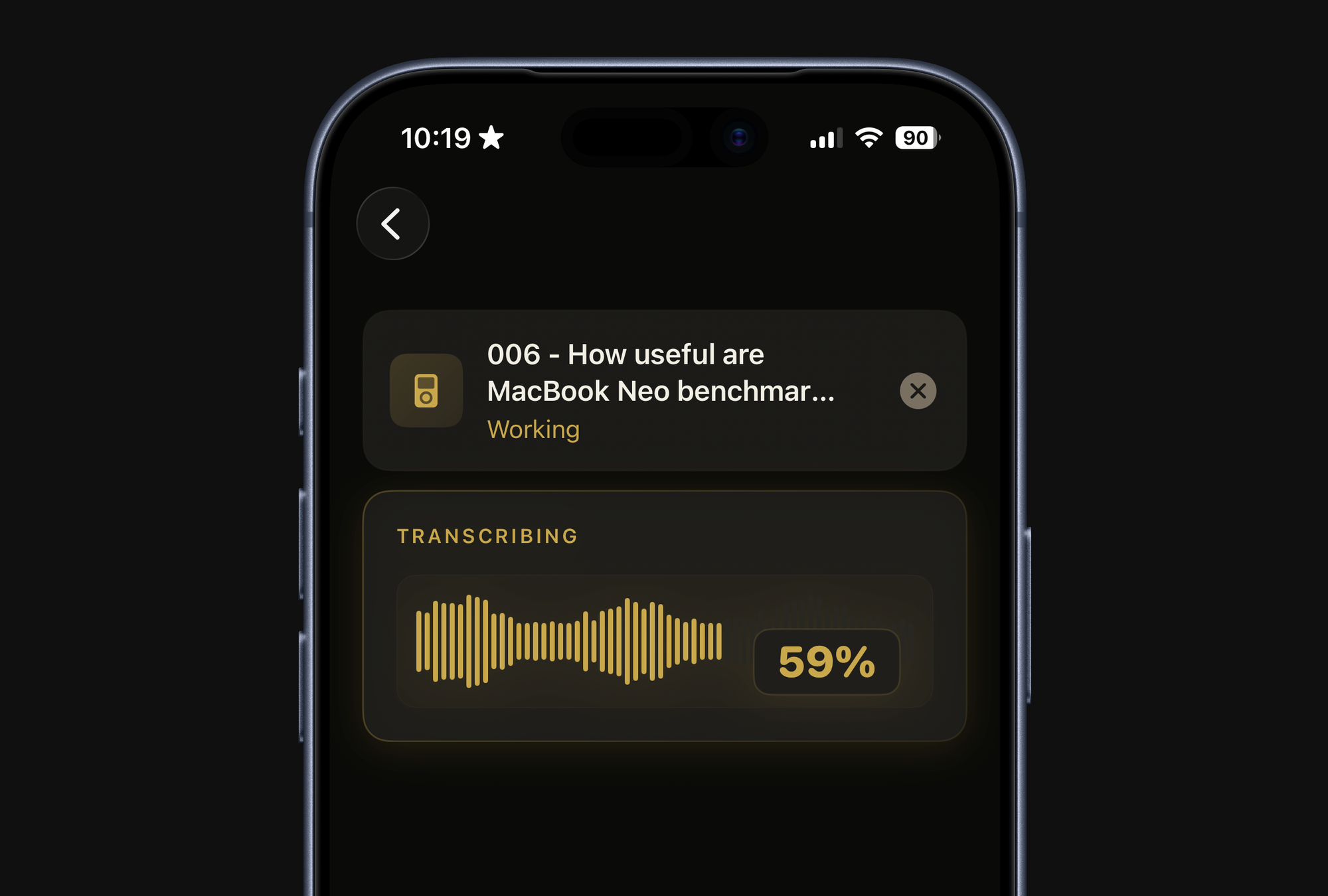
Beyond usability improvements, I've also made some visual UI tweaks that I think make the app more delightful to use. The app now has a yellow tint, replacing the plain black and white aesthetic. I believe this adds a touch of personality without becoming overly playful, which I think is a good balance for a tool meant for pro workflows.
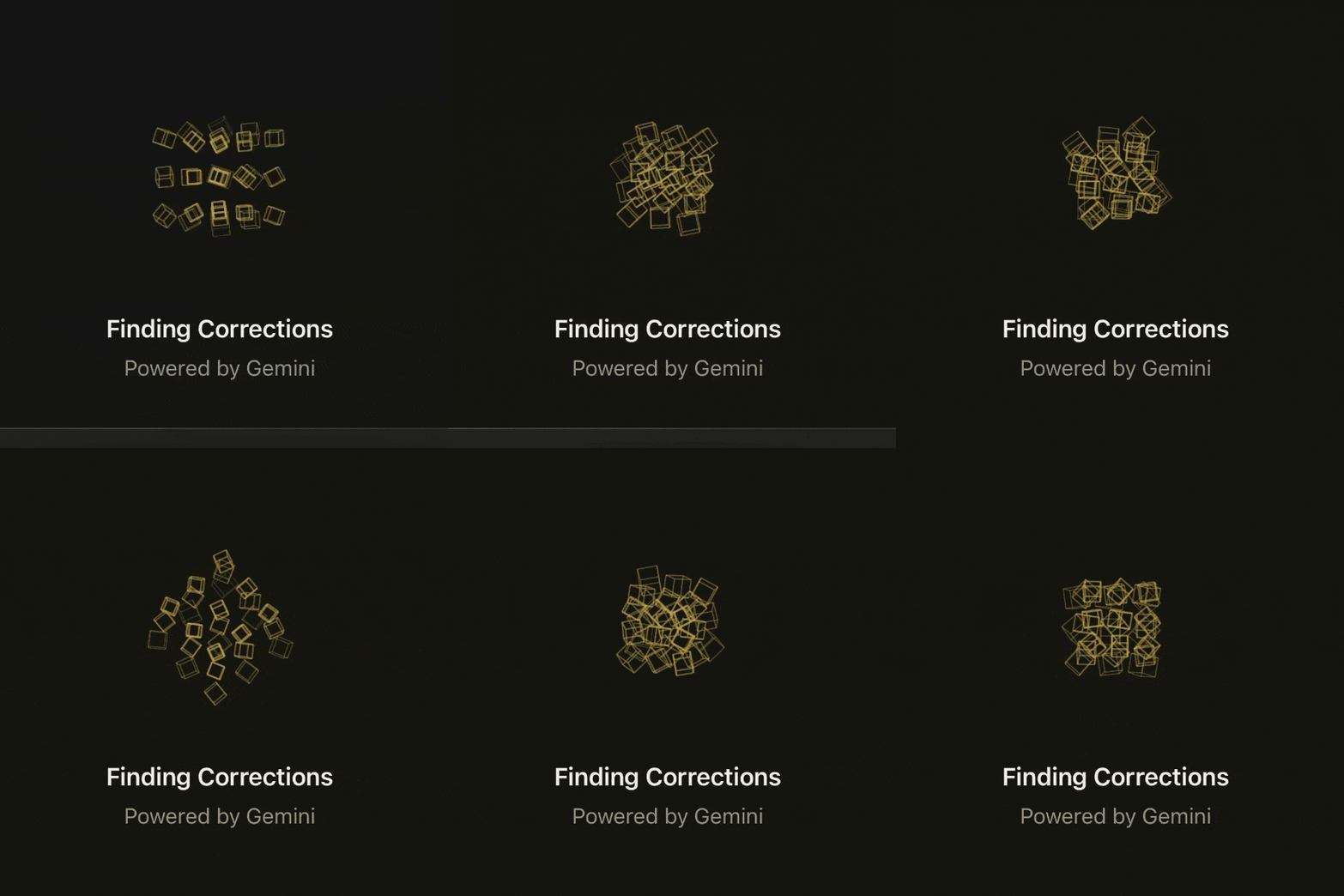
I've also tried to make the transcription progress bar more distinct by turning it into a waveform that's dynamically generated based on the file being processed. Additionally, I've replaced the basic loading indicators for the clean up and AI analysis features with real-time rendered 3D animations built in Swift. Don't worry, they're very light to render, so they're not slowing anything down. 😉
Quick Subtitles 2.2 is out now, and is a free upgrade for existing users. New users get 10 transcriptions for free and there's a one-time $19.99 fee to get lifetime access.