quicksubs CLI gets more models and benchmarks
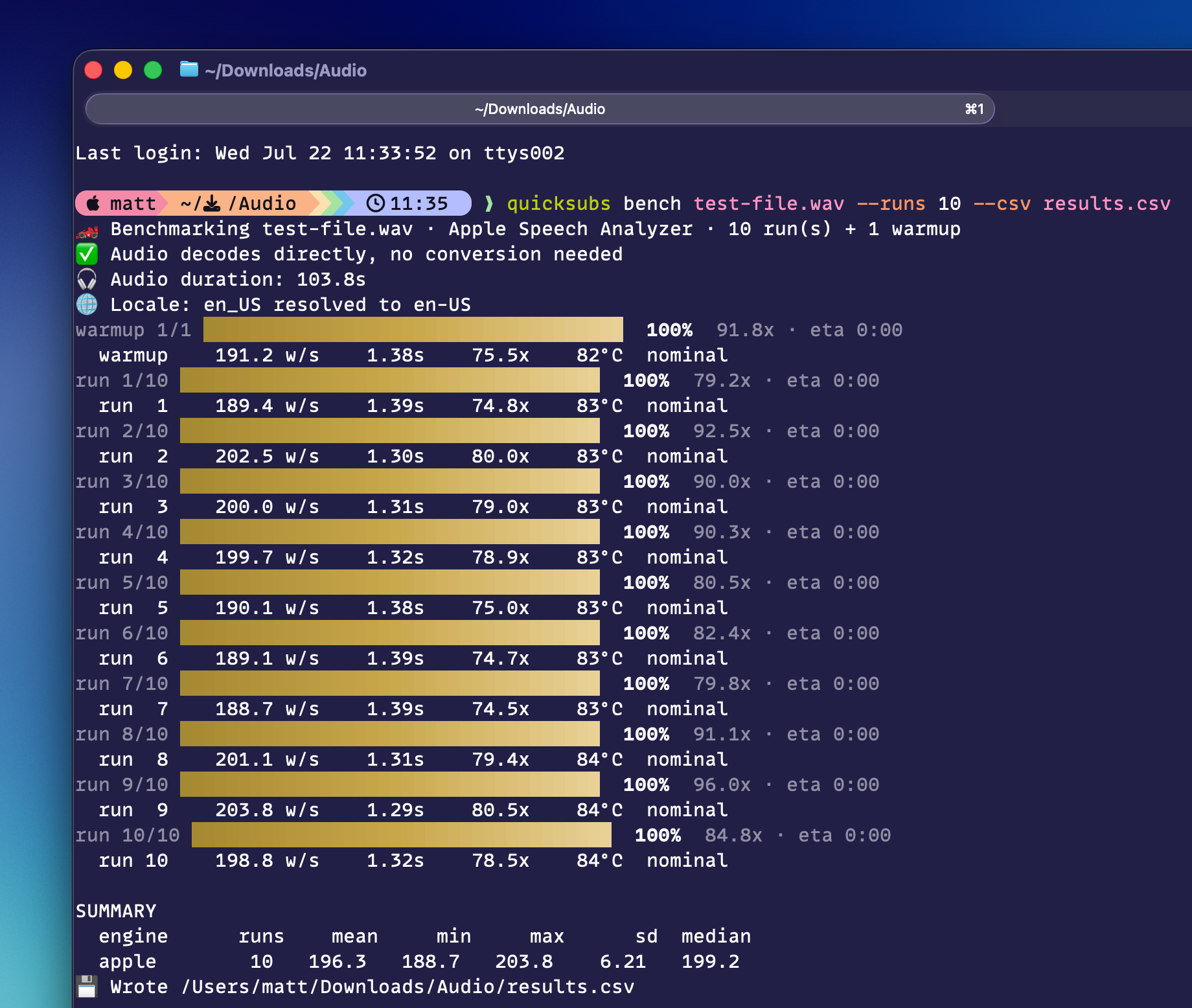
Last week I solved my own problem by releasing the quicksubs CLI, which allows you to generate transcripts easily from the command line on your Mac. I've used this a bunch myself already, it's been a great addition to my workflow, and I've heard from others that they're using it already as well.
Of course, once I started using it, for production use cases myself, a few things became clear: this needed to have all the transcription models and it needed to have the benchmark mode from the app available here as well. This is in the 1.5.0 release out now. Run brew upgrade to upgrade to it, or brew install mattbirchler/tap/quicksubs to install it for the first time.
All models
The desktop app supports Apple's speech engine as well as Parakeet and Whisper. Now, all three models are available from the CLI, and it will default to Apple's model unless you tell it to use something else.
I've done some mildly clever work to have the CLI check to see if you've already installed one of the third-party models in the app, and if so, it will use that version of the model. If you haven't downloaded it in the app or you don't use the app at all, then it will download the model the first time you try to use it. and then it will just be there going forward.
To use this, pass --engine with apple, parakeet, or whisper as the value.
Benchmark Mode
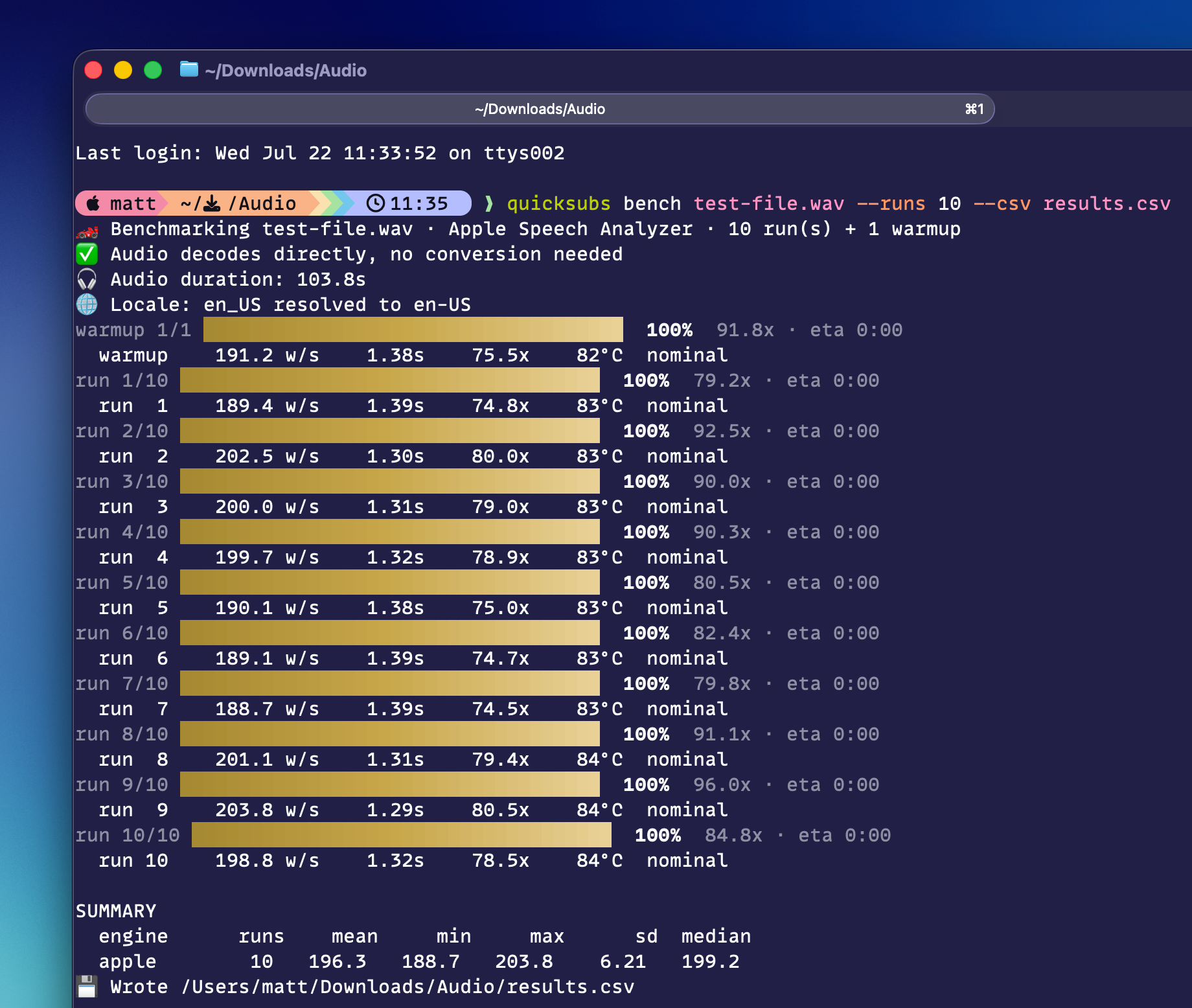
One of the things I realized quickly after making the app originally was that it was really good at testing performance and thermal throttling of devices. Audio transcription is a taxing job and you can just run the same transcription on a file over and over and over again. to see not only how fast it can do the work, but how how much it will throttle itself down once it starts to get warm. The CLI is a great place to have this functionality as people who review products for a living can create scripts that use this as part of their testing suite.
Now, you can run quicksubs bench on a file and the process will run a benchmark with 1 warm up run (to make sure the model is fully ready, which can skew results sometimes), and then 5 runs on the file. There are arguments you can provide to change the number of runs, what engine you want to use, and if you want to save the results to a CSV.
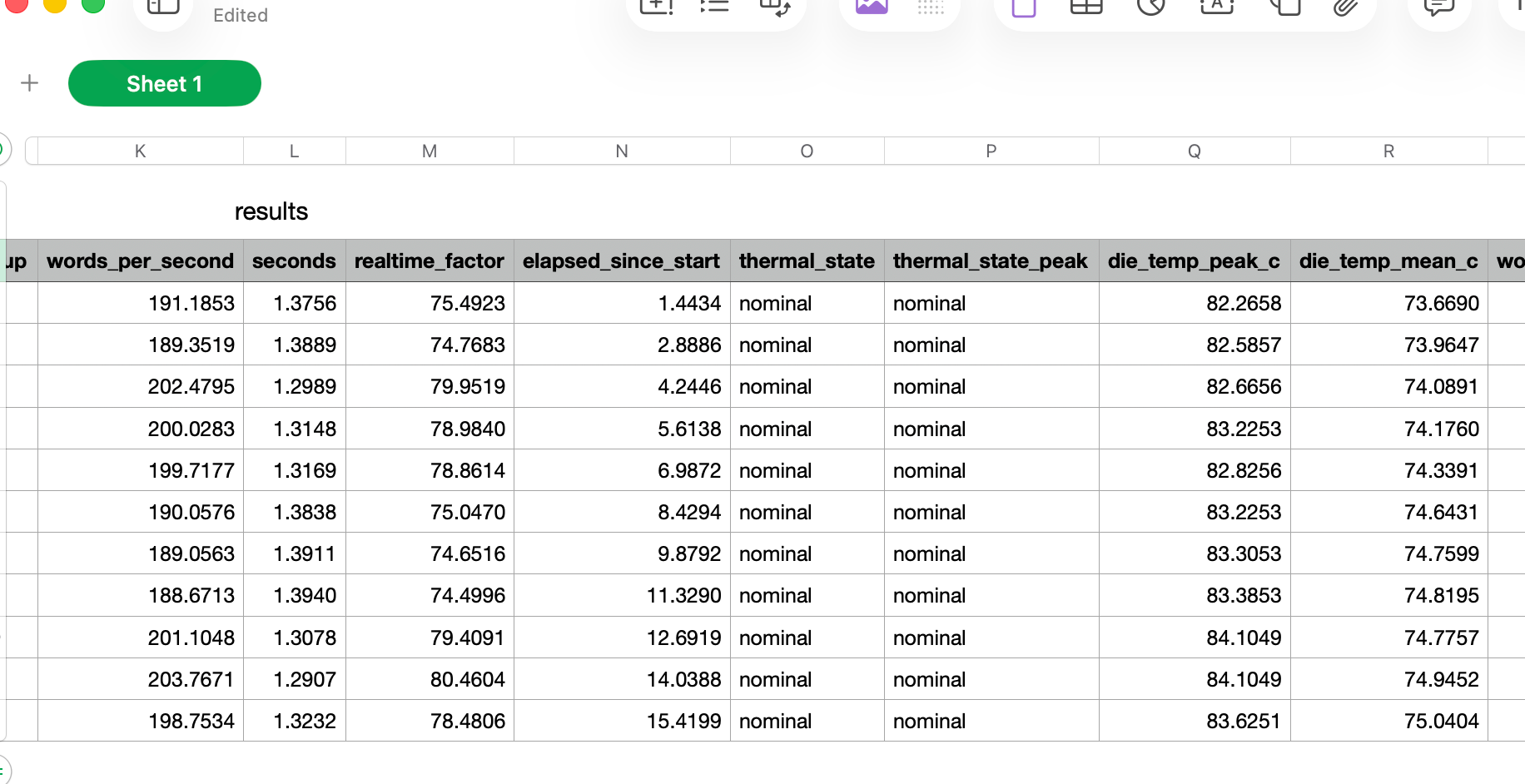
The CSV layout is intentionally built to let you easily run on multiple devices and merge them in the end to easily parse and build charts comparing devices with run-level data on performance. And because this doesn't have to run through the Mac App Store, I'm also able to collect internal temperature data and include that in the report as well.
Agents and scripts
Not new in this update, but I wanted to stress that an added unlock in a CLI version of Quick Subtitles is that your agents can use this as well. Sure, ChatGPT's Computer Use feature can click around your Mac if you want it to, but this is way faster, and accessible to all agents, even the most basic ones out there. Agents love a CLI, so if you're into that sort of thing and find yourself needing to transcribe things sometimes, quicksubs is a great tool to add to your tool belt.
But it's not just agents. If you want to automate some process on your Mac, scripts are a great way to do this, and with the CLI with clear output, you can add this to your automation as well (AI agent or not). I'll be sharing my new podcasting workflow for this shortly (as soon as Apple approves my next Chapterize update).