Removing macOS's icon-sized movie player
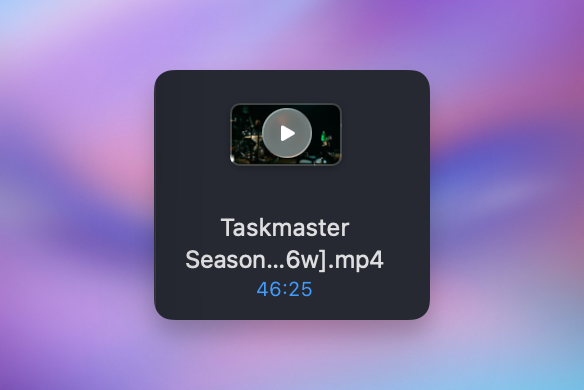
Back in 2007 Apple released Mac OS X Leopard, which introduced a bunch of cool features including Quick Look. This allowed users to select a file and hit the space bar to preview it in the finder, which is awesome but it also made it so that audio and video files have a play button smack dab in the middle that you have to avoid to actually click the icon.
I hate this feature and I have never once used it intentionally.
As is so often the case, there is in fact a terminal command you can run to get rid of this feature.
How to disable the feature
defaults write com.apple.finder QLInlinePreviewMinimumSupportedSize -int 99999
Then restart the Finder by running killall Finder and the change will be in place.
What this is doing
Basically, macOS has a setting that will only show the inline preview on icons of a certain size. It's unset by default, so all icons in icon view, no matter the size, show the preview. By setting it to 99999, you're setting the minimum size so high that you'll never get close to having an icon big enough to hit the threshold.
And don't worry, this does not impact the ability to hit spacebar on an icon to see a large preview of it.
How to bring it back
If you ever decide you miss this feature, you can bring it back by deleting the setting with this command:
defaults delete com.apple.finder QLInlinePreviewMinimumSupportedSize
Then run killall Finder to have the setting restored.