Say hello to "Parakeet Turbo"

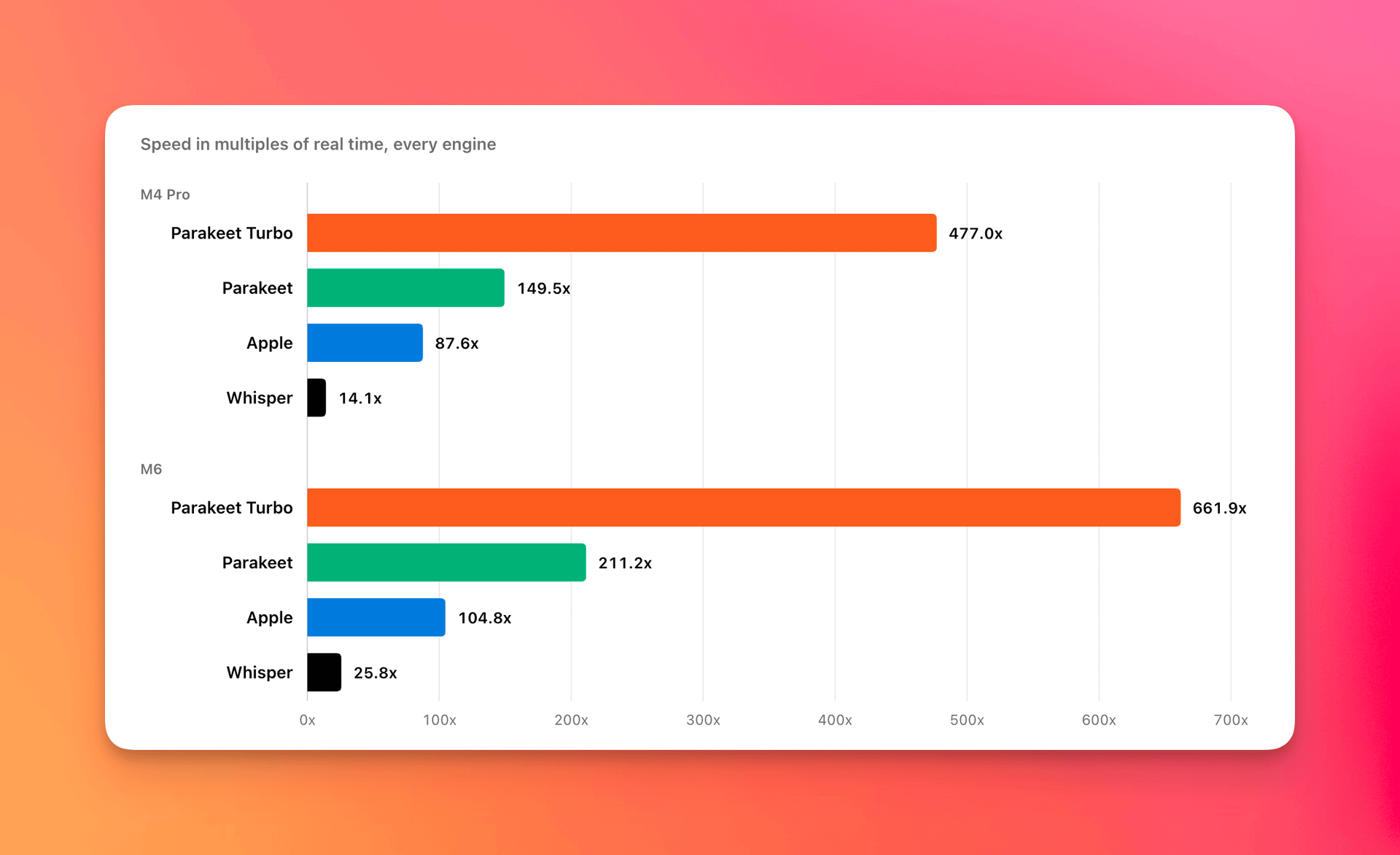
Parakeet has long been a fan favorite local transcription model in Quick Subtitles. Apple's is slower and not as accurate, while Whisper is a little bit more accurate, but is way slower. With the combination of high accuracy and massively better speed, why go with anything else, right?
Well, what if we could take Parakeet's already outstanding performance and accuracy, and make it faster? A lot faster…
TLDR: I've multi-threaded Parakeet in the Quick Subtitles CLI so it runs about 3x as fast as before, and is available now. The main app will get this in a few weeks, and is currently available in beta for More Birchtree subscribers.
The results
I threw the model at the latest episode of Comfort Zone, which is 102 minutes long. Using the updated version of the CLI transcribed it in 12 seconds on the M4 Pro and 8 seconds on the M6.
Eight. Seconds.
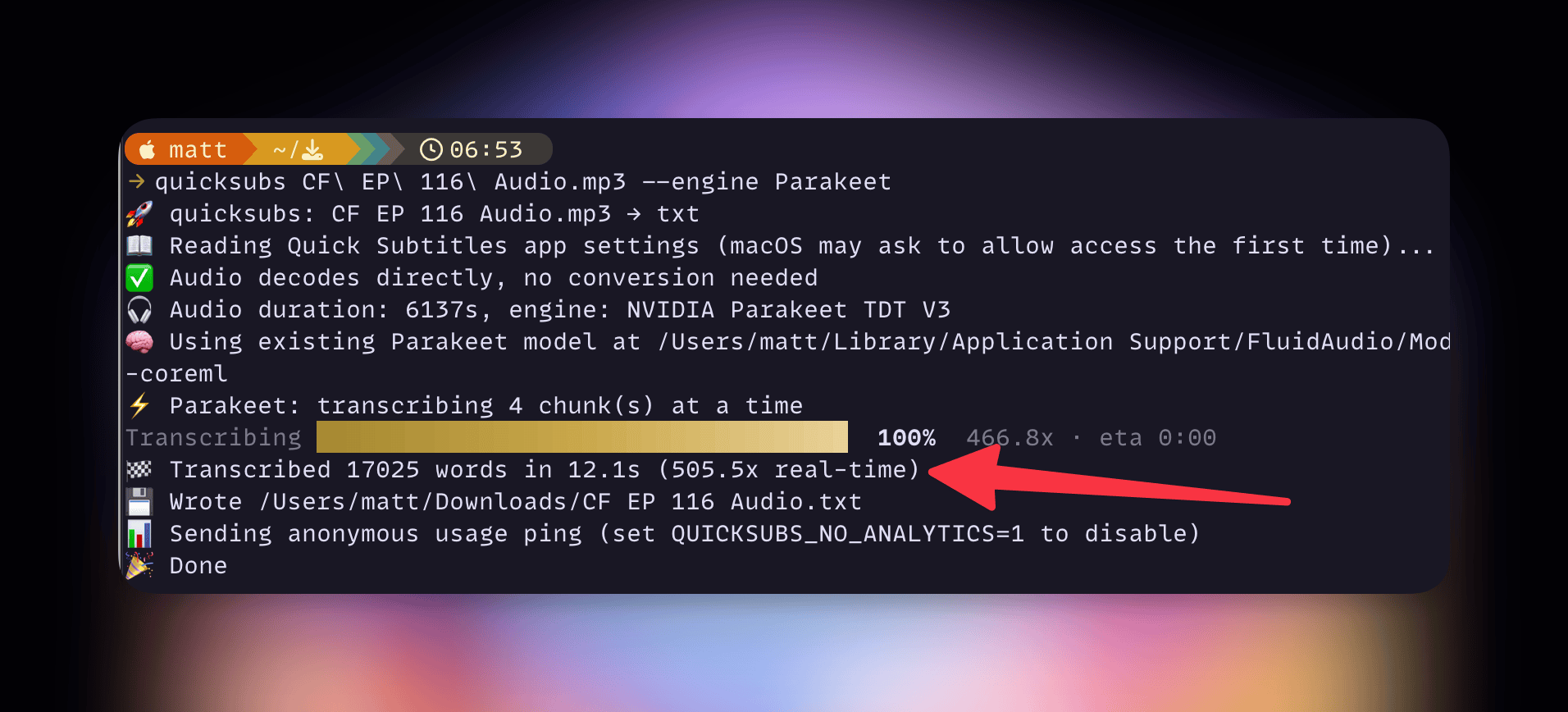
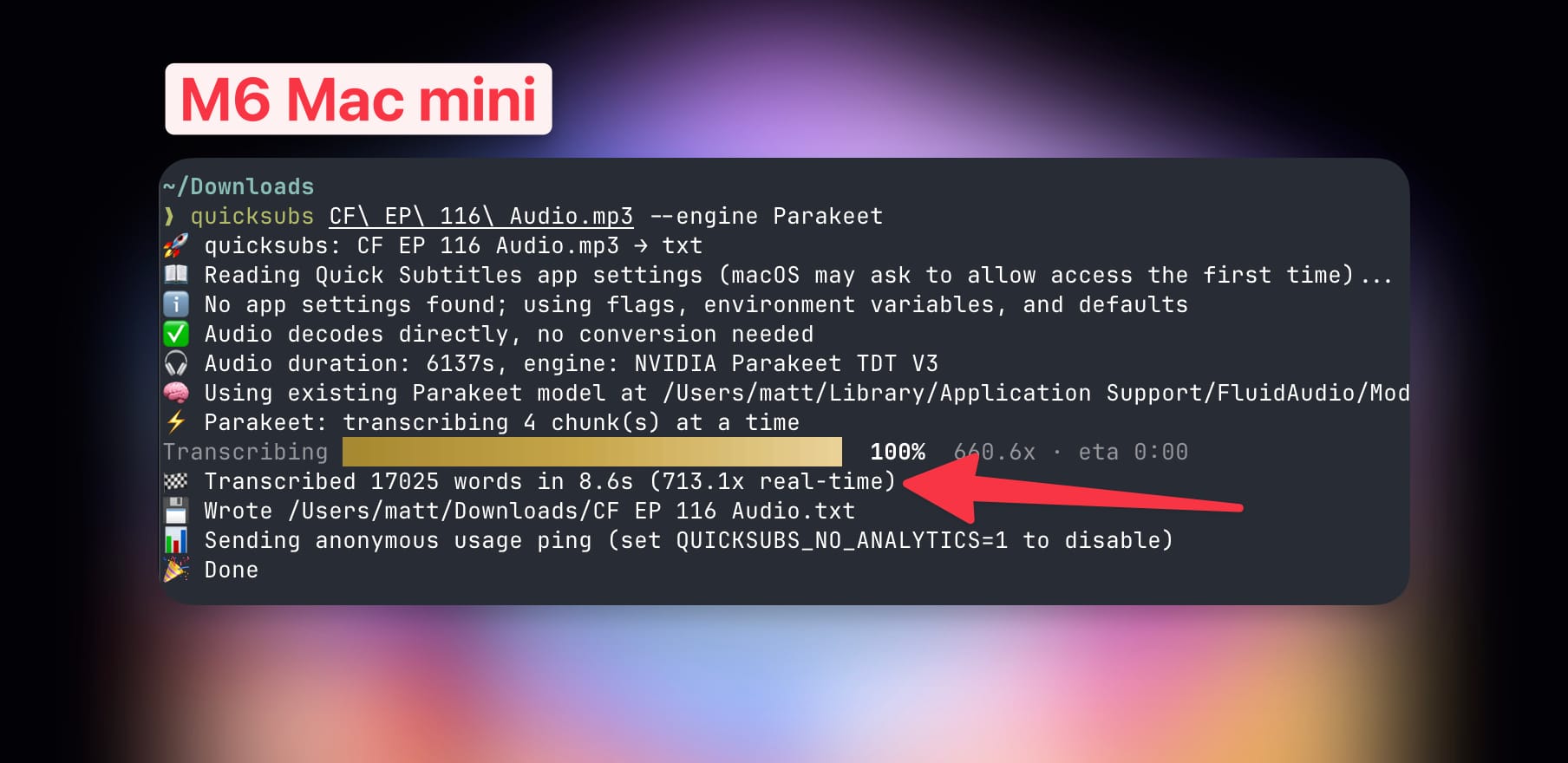
These numbers are clearly outrageous, so how did we get here?
Transcription is single-threaded
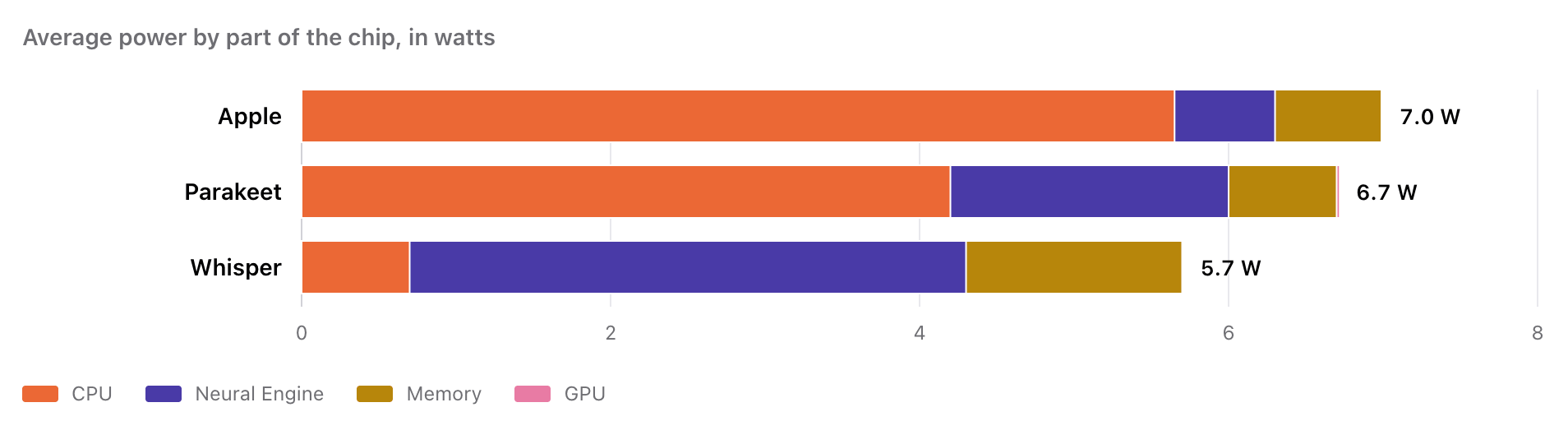
I was doing some investigation into how the three transcription models I use scale. It turns out Apple's model does almost all of its work on the CPU and will utilize one performance core. Parakeet behaves very similarly, also limiting itself to whatever your fastest core can do. Whisper is a bit different, doing almost all of its work on the neural engine. This is shown in the chart above, which shows power consumption over a run of transcriptions using each model.
In terms of opportunity to speed things up, I only had options on one of these. Apple doesn't allow developers to choose how many cores their transcription model runs on, so there's nothing I can do there. Whisper is powered mostly by the neural engine, which is already multi-threaded and is doing all it can. See below for what happens to transcription speed when on the Mac you force Parakeet and Whisper to run only on an efficiency core.
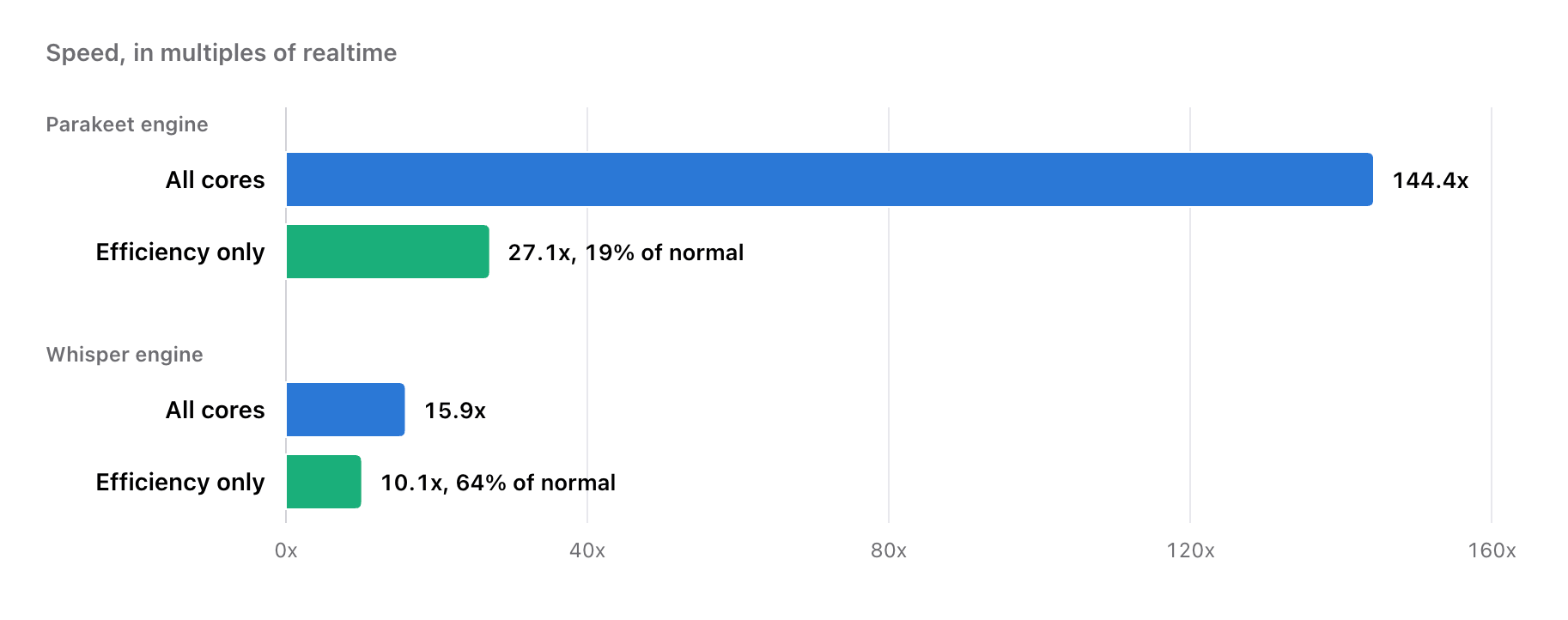
Parakeet is mostly powered by the CPU, though, so if I could get that running on multiple cores, we might see better speeds. I dug deeper into how Parakeet works (via FluidAudio), and actually, it's already cutting up files into 15-second chunks and transcribing each chunk sequentially. By assigning each chunk to a different core, I'm able to get through the file quicker.
However, as it goes with computers, once you unlock one bottleneck, the next one appears, and that's the neural engine. While the neural engine is not the main contributor in this process, it is part of the process, and I found in my testing that once you get past 4 cores giving data to the neural engine, it can't keep up and you stop getting meaningful benefits after that.
What’s interesting is that I do my development on an M4 Pro Mac and I know the M6 has a new neural engine with twice as many cores, so I wondered if this would be improved on that device. I did the exact same test and surprisingly the answer is no. Here are the performance numbers when using 1-8 cores on each device.
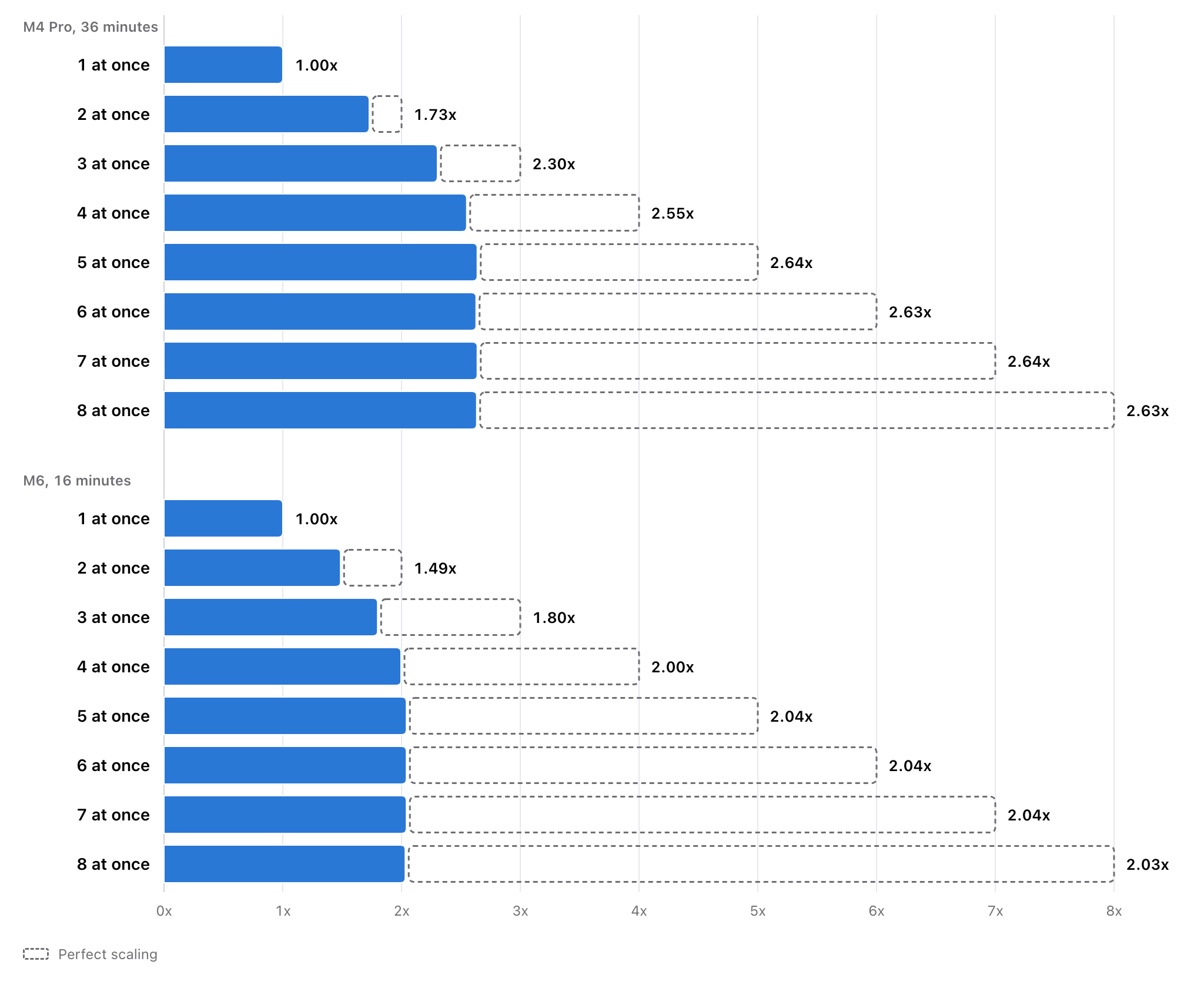
Improvements decrease with each new core, and once you get to 4 cores, you're basically capped out, as the CPU simply builds up a queue elsewhere in the system, which as far as I can tell can not presently be increased. Although let's put this into perspective, on a base M6 processor, we're transcribing up to 12 minutes of audio per second…that's pretty damn good.
Availability
I've done quite a bit of A/B testing and the results are exactly the same, so going forward, this is just how Parakeet will work in Quick Subtitles. There's no need to select a "Turbo" option, it'll just be the fastest damn version of Parakeet you can get anywhere.
It is available now in the Quick Subs CLI which you can install with…
brew install mattbirchler/tap/quicksubs
…or by upgrading if you already have it.
Those using the app will get this in the next update, which is coming in the next few weeks.