Yearly Run Goals gets a rustic redesign
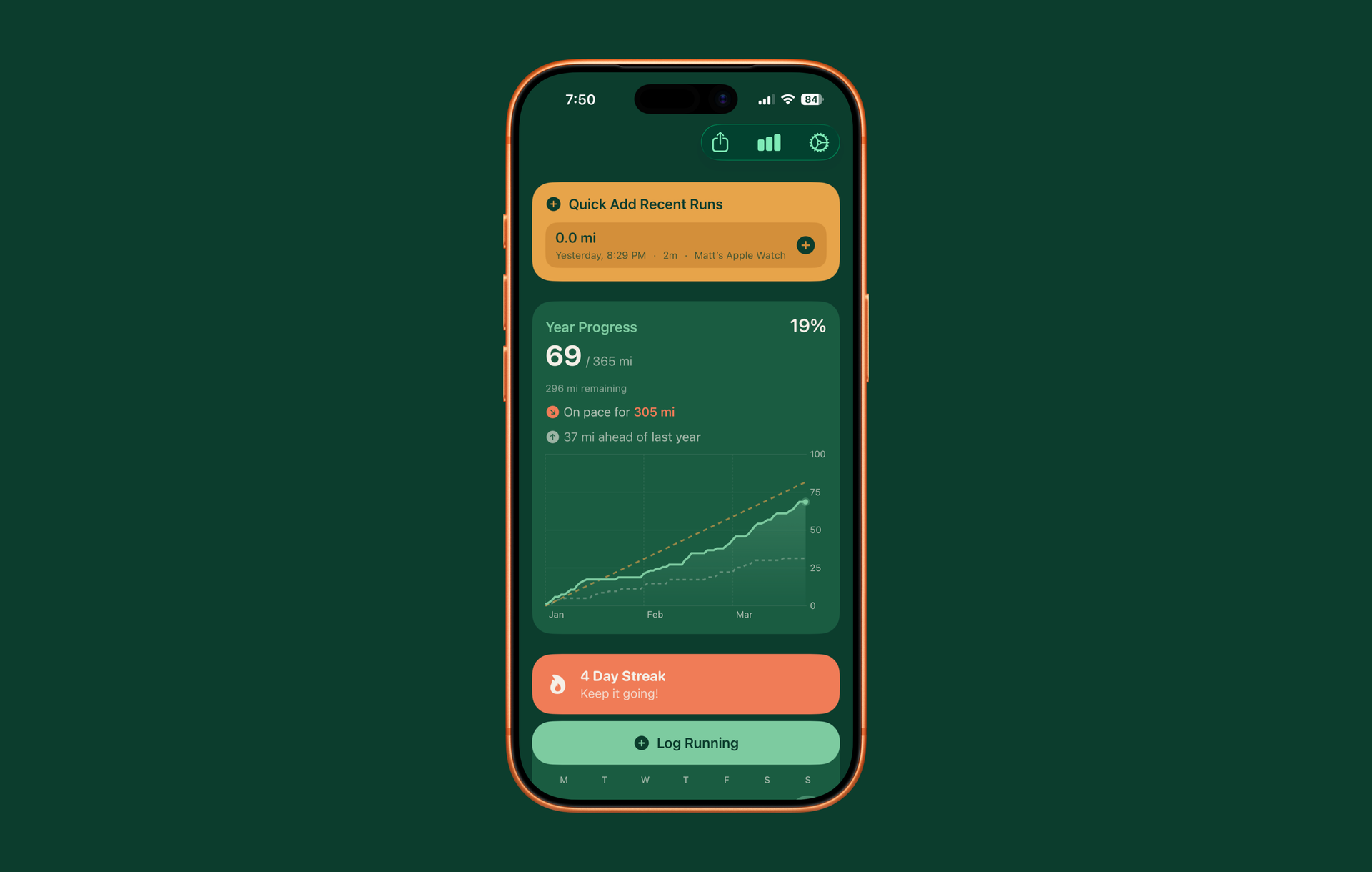
I'm starting to think my apps have a trend. I think of a very specific problem that I want to solve. I figure out a nice way to solve it using stock SwiftUI. And then once everything is working, I give it a bit of style. This happened with Quick Notes, it's going to happen with an upcoming update to Quick Subtitles, and it's happening now for Yearly Run Goals.
Functionally the app is largely the same, with one main new feature, but the new look is absolutely notable. I am actually still using mostly entirely stock SwiftUI elements but I am styling them much more than I was previously. I got inspired by the outdoor nature of my personal runs and wanted to design a color scheme that reflected that. I think I've come up with a really nice color scheme that looks distinct and makes the app a little bit more enjoyable to use.
On top of that I did add one new feature to this release, which is push notifications. These are completely opt-in but you can enable notifications, which will make it so that whenever you record a workout that matches the type you are tracking in the app, you'll get a notification that reminds you to log that workout.
I've also updated the quick add component that appears on the main view of the app when you launch it to show the last couple days of workouts in case you forgot to add something yesterday or the day before, so you don't have to go into the calendar view to find it.
Yearly Run Goals is still a free app to use although there are a few features behind a very affordable subscription if you're interested.