Micro app 23: Simmer

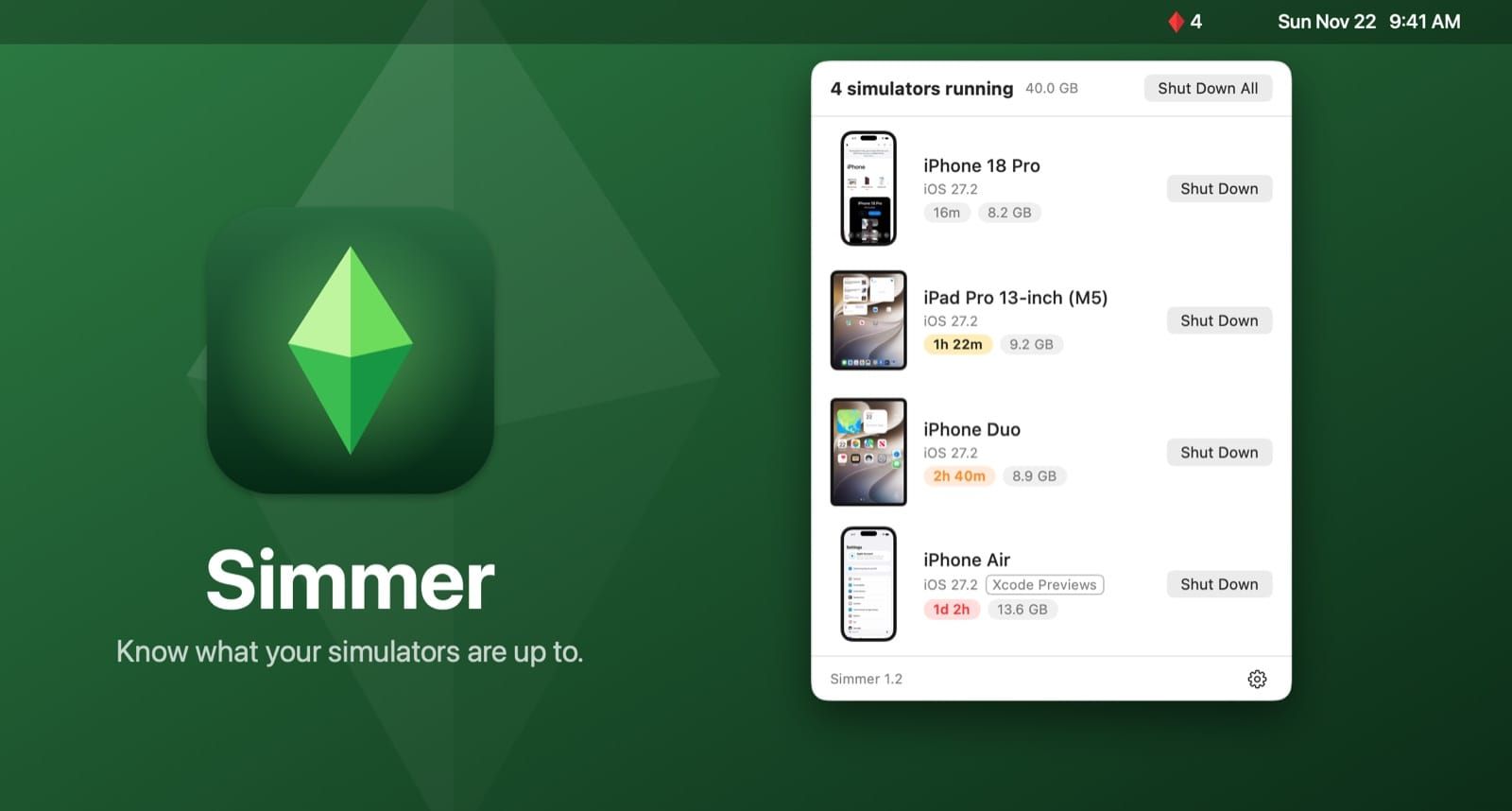
Today I'm releasing Simmer, a menu bar app for the Mac that monitors the simulators running on your device. In 2026, iOS devs are not just opening the Device Hub app and clicking (or tapping) around, they have automated tests and agents spinning up their own simulators, running them in the background. This is great, but these tools aren't always good about cleaning up after themselves, so you'll have simulators perpetually running in the background, murdering your battery life.
I made Simmer to help myself with this issue. It's pretty simple, monitoring your system processes for launchd_sim processes, and it lights up as these pop up. You can see what they're doing, how long they've been running, and you can shut them down directly from the menu. The icon in the menu bar will change colors based on how long simulators have been open.
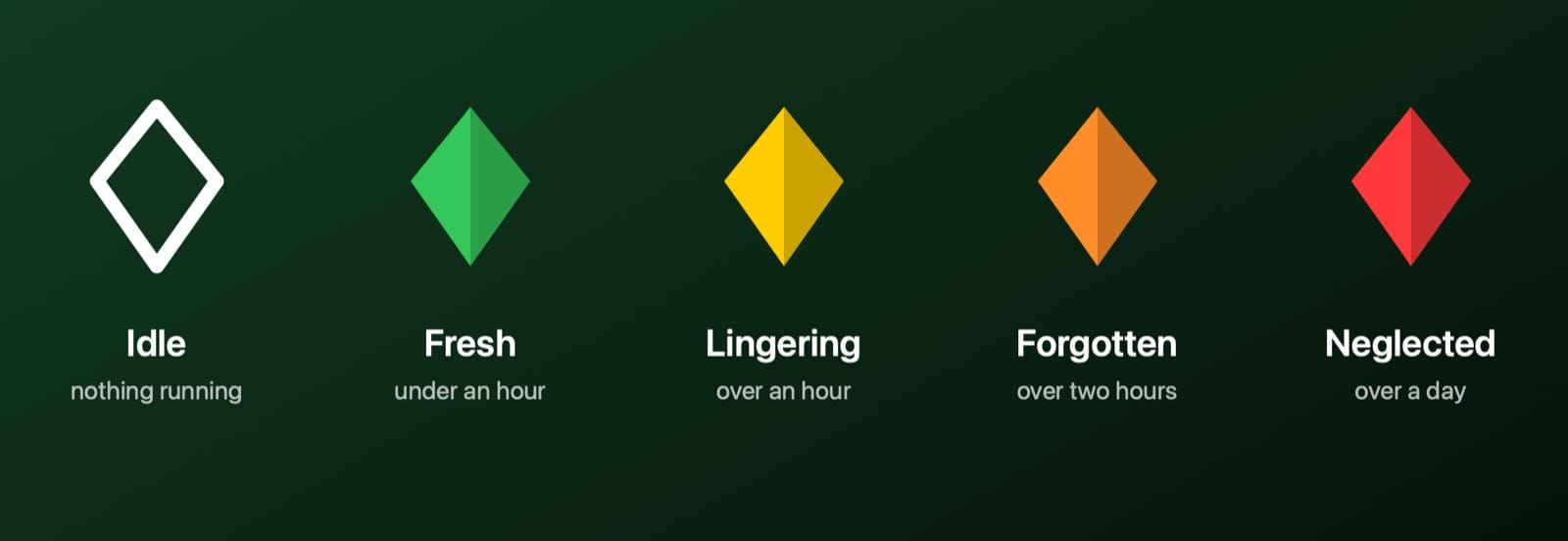
My rationale here is that having a simulator run for less than an hour is totally normal, but if it's open for longer than that, you've probably forgotten about it.
And that's really it. As with most of these micro apps, they do one thing, they try to do it really well, and they stop there. You can Simmer is free and open source, and it is wired up for updates, so if there's anything wrong or any little features I think to add later (or you recommend), it may seen an update here and there in the future.
Any relation to a popular simulation game is completely coincidental, btw.