A few updates to Workbench

I launched Workbench yesterday and the response has been fantastic. Thank you to the many people who tried it and have been working in it over the last 24 hours!
I have gotten some feedback and I have rolled out an update to the app from yesterday.
Multiple Claude accounts
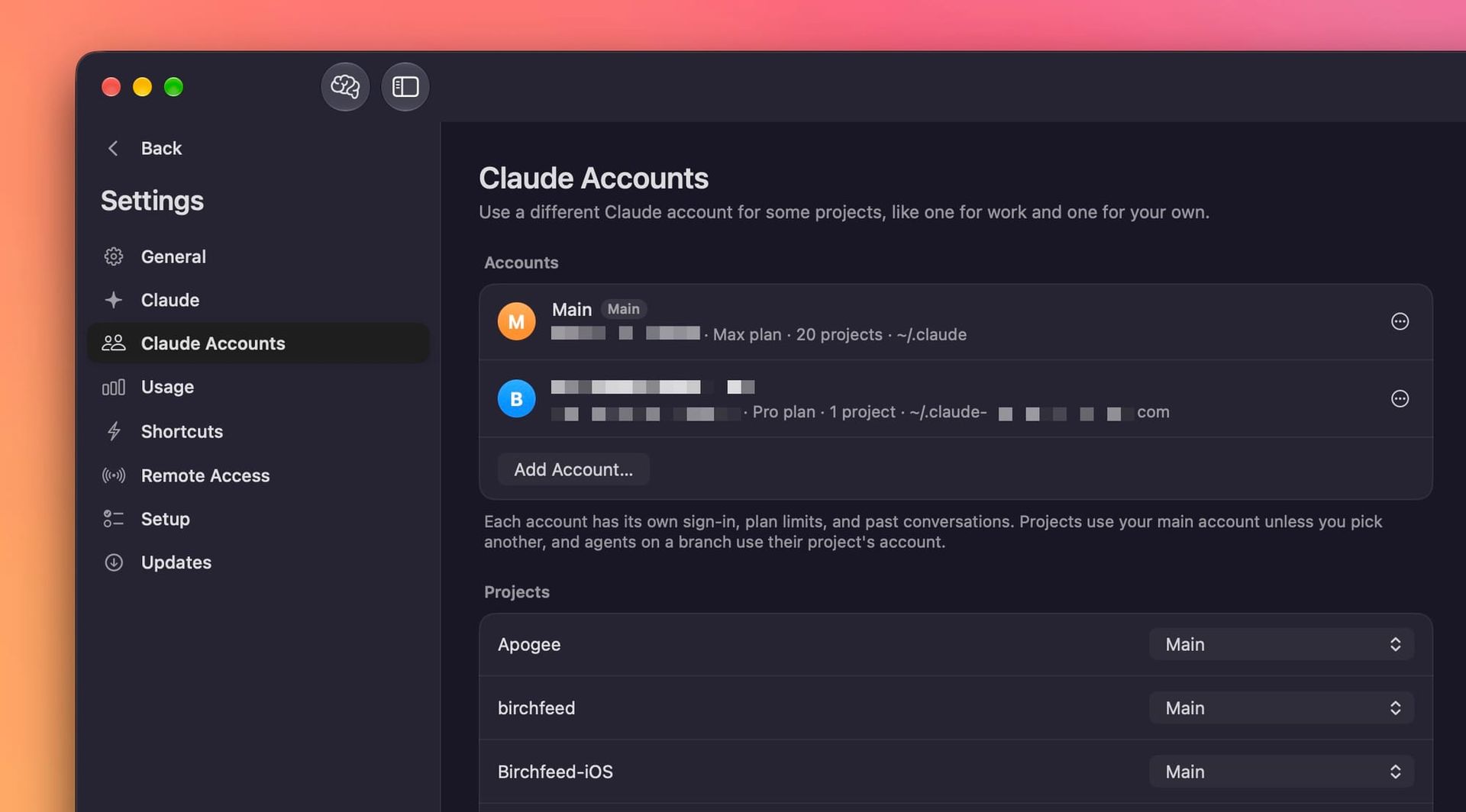
If you have multiple Claude accounts, you can link them all in the app. Workbench will try to detect all of your logged in Claude Code sessions, but if it doesn't, go to the Claude Accounts page in settings and you can add an account from there.
After that, you can assign different accounts to different projects and you can toggle between accounts from a drop down in the toolbar.
Better worktrees
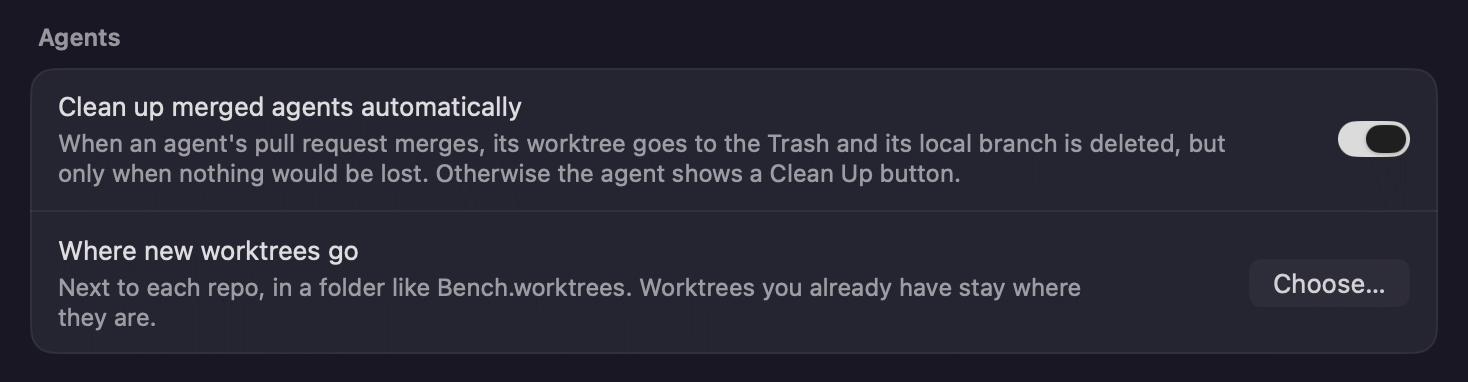
Yesterday, the only work trees that would appear in the app were ones Workbench created itself. Now work trees created by any means under a project will display in the app. Additionally, if you go into the general app settings and there is a new option to decide where worktrees are created.
Automatic updates
One of the core features of Workbench is the ability to connect to remote Macs that are also running the app. I found myself having to use remote desktop to manually update the app on my headless Mac Mini to make sure it was keeping up with all of the features. Needless to say, this was pretty annoying.
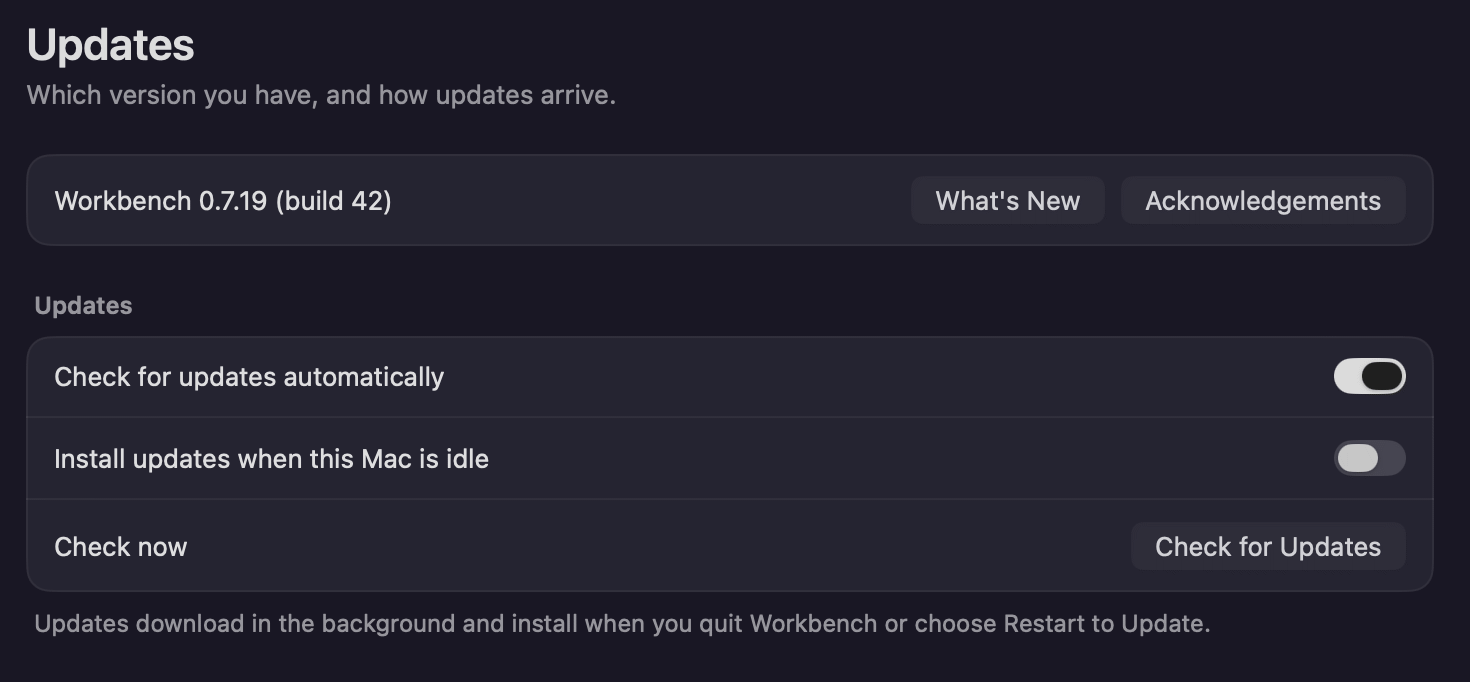
Going forward, the default setting in the app is to automatically install updates when they become available. The app effectively checks for updates every four hours and will wait until workbench has been idle for 30 minutes to quickly install the update and restart itself. The restart takes just a second or two, so you shouldn't even notice anything has happened. And the app will always be up to date for you.
If you don't want this to happen, go to the updates page in settings and turn this off.
Spend tracking for API users
Most Claude Code users are on a subscription which subsidizes their usage, including me. For these users, the most important thing is understanding how much of your weekly allotment you've used and it's a fun novelty to see how much you would have paid with API pricing. The app was optimized for this yesterday.
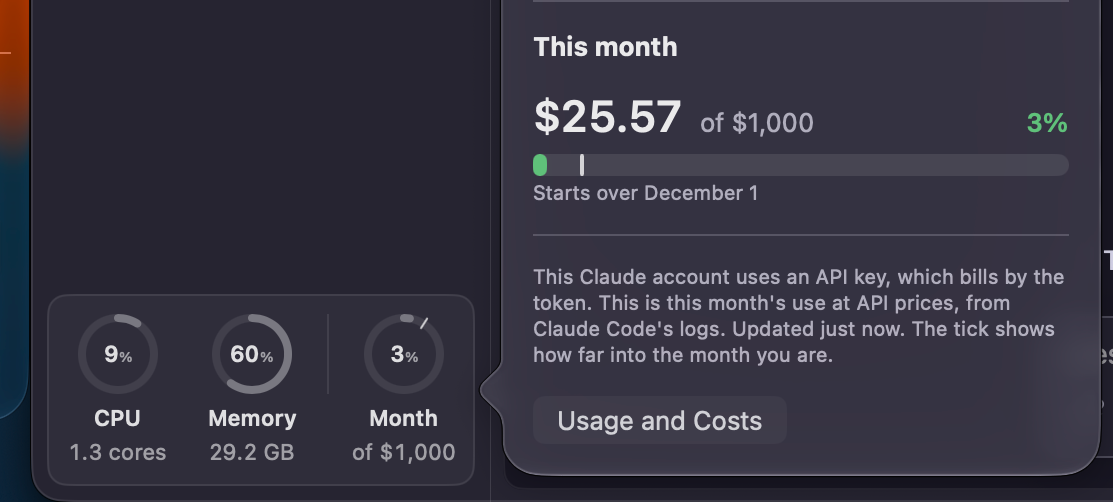
Today, if you sign in with an API pricing account, the app now shows your actual billing data so you can keep up better. You can also set a monthly cap so you can track how you're doing towards your budget. This will be especially useful for people who have a account for work and likely have some limit that they can use per month.
Bigger brain dumps (yuck)
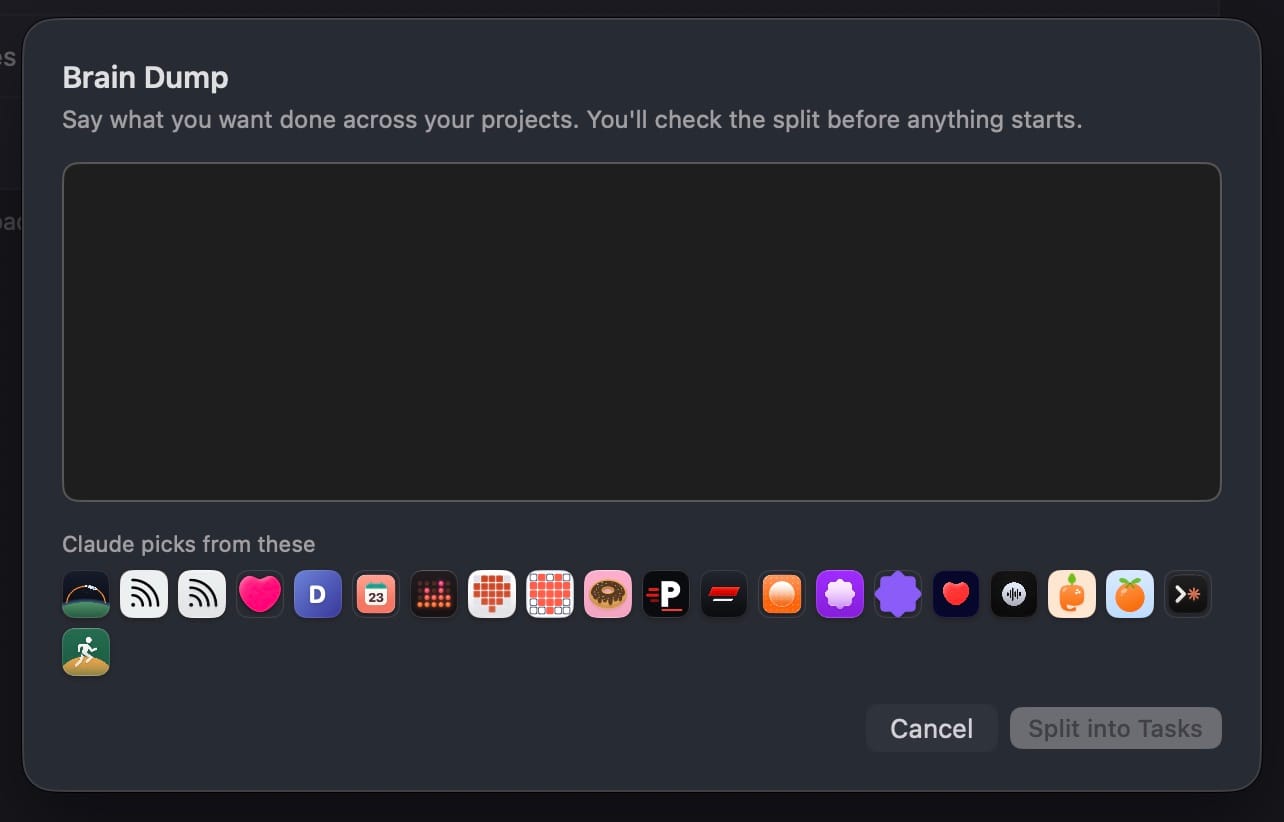
When you're writing a brain dump, you used to only see your eight most recent projects, but now you can see all of them and you can hover over each icon to see its name. I find this is useful when trying to think about what things you want to get done by going through your projects in order and making sure you don't miss anything.
Links look like links
This was a stupid one, but whenever Claude puts a link in the chat, it now looks like a link and your cursor will behave correctly with it. They were always clickable, but how would you know? They just looked like normal text. 🫣
Check it out!
You can read more about Workbench here in the announcement post, and it is a free download. If you wanted to give it a shot.