Workbench is now open source (and supports Codex)
Workbench is now open source. You can build it yourself, fork it, submit PRs and issues…have at it! I don't have a particularly good reason why I didn't do this from the start, but now it is.
For the vast majority of people, this will make no difference at all. And if you've been using the app, there's nothing you need to change – updates will continue to be delivered just like they always have.
Beyond going open source, there are a few things that I've added to the app recently. Here's a summary of some of the big ones.
Codex
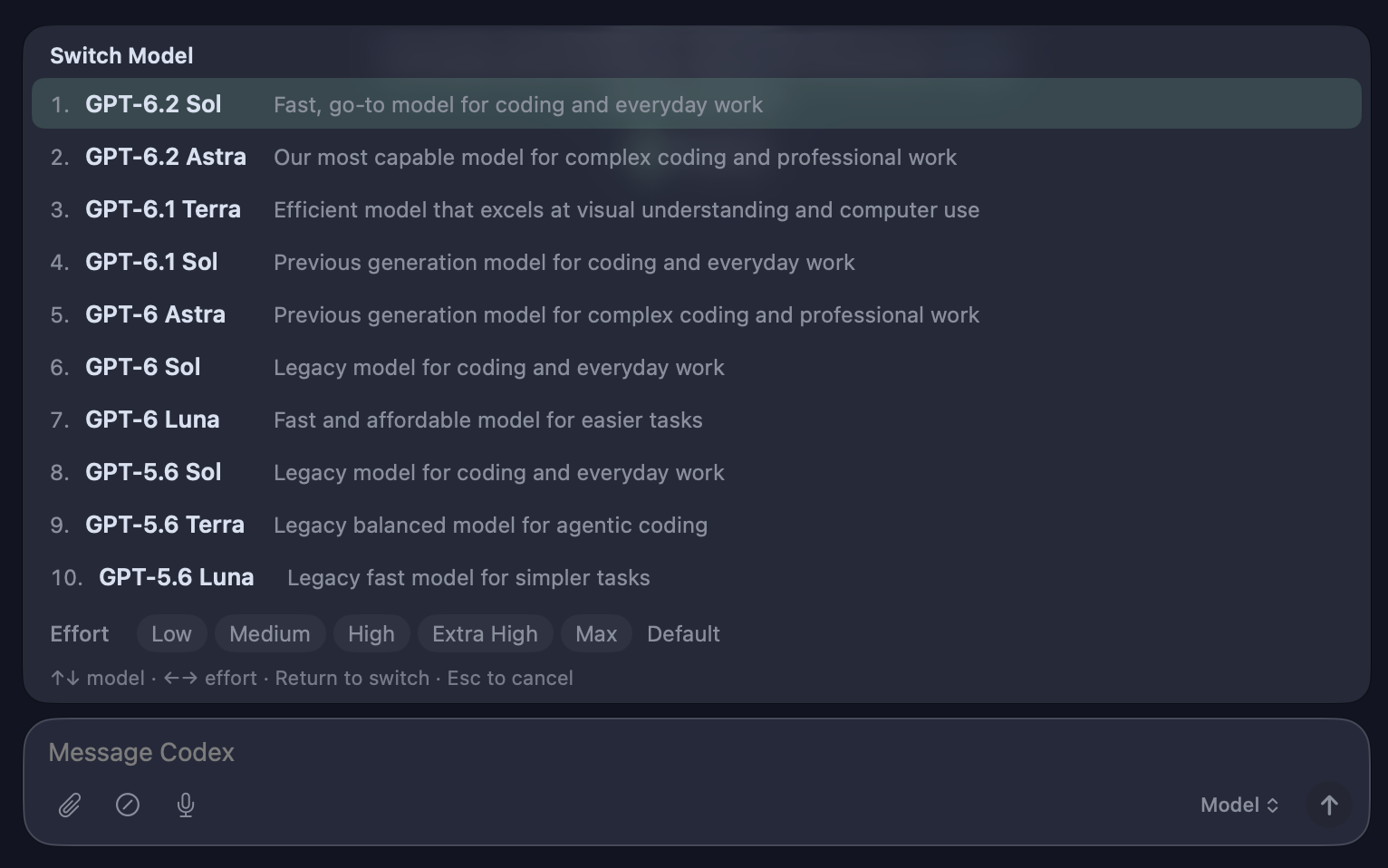
The biggest change here is that Codex is now supported in beta. I've managed to port pretty much every behavior from Claude Code over to Codex. And in my testing, Codex is a really good experience. However, I'm not a Codex user most of the time myself, so it's very likely that I've missed something. So please feel free to use the feedback button in the app to let me know if anything's not quite right.
Monitoring simulators
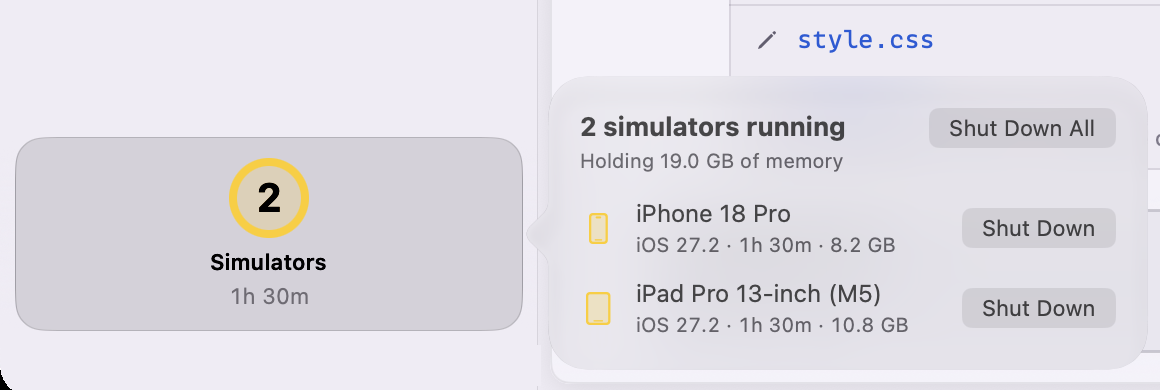
A couple days ago, I released a standalone app called Simmer that monitors your Mac for iOS simulators and lets you know how many there are and how long they've been open. I've adapted that code to run in workbench directly. So when simulators are spun up, you'll be able to see that in the bottom left corner of the app. You can see how long they've been running, what devices they are, and you can shut them down if you'd prefer. If you don't want to see this, turn it off in settings.
In-app browser
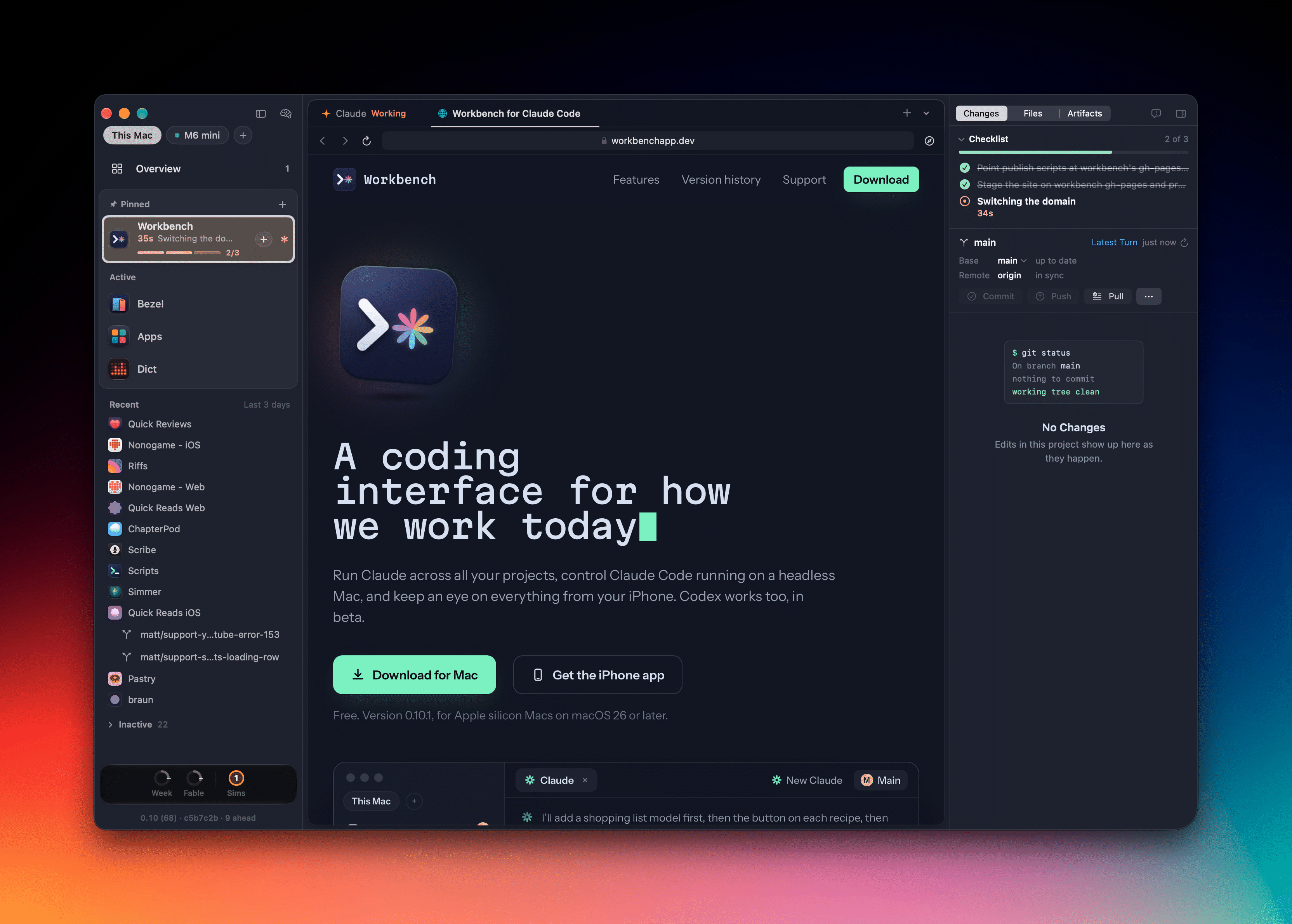
I made this primarily for artifacts, so you don't have to toggle between workbench and your browser when Claude creates one, but you you can also load any sites you want there.
Claude can use Workbench directly
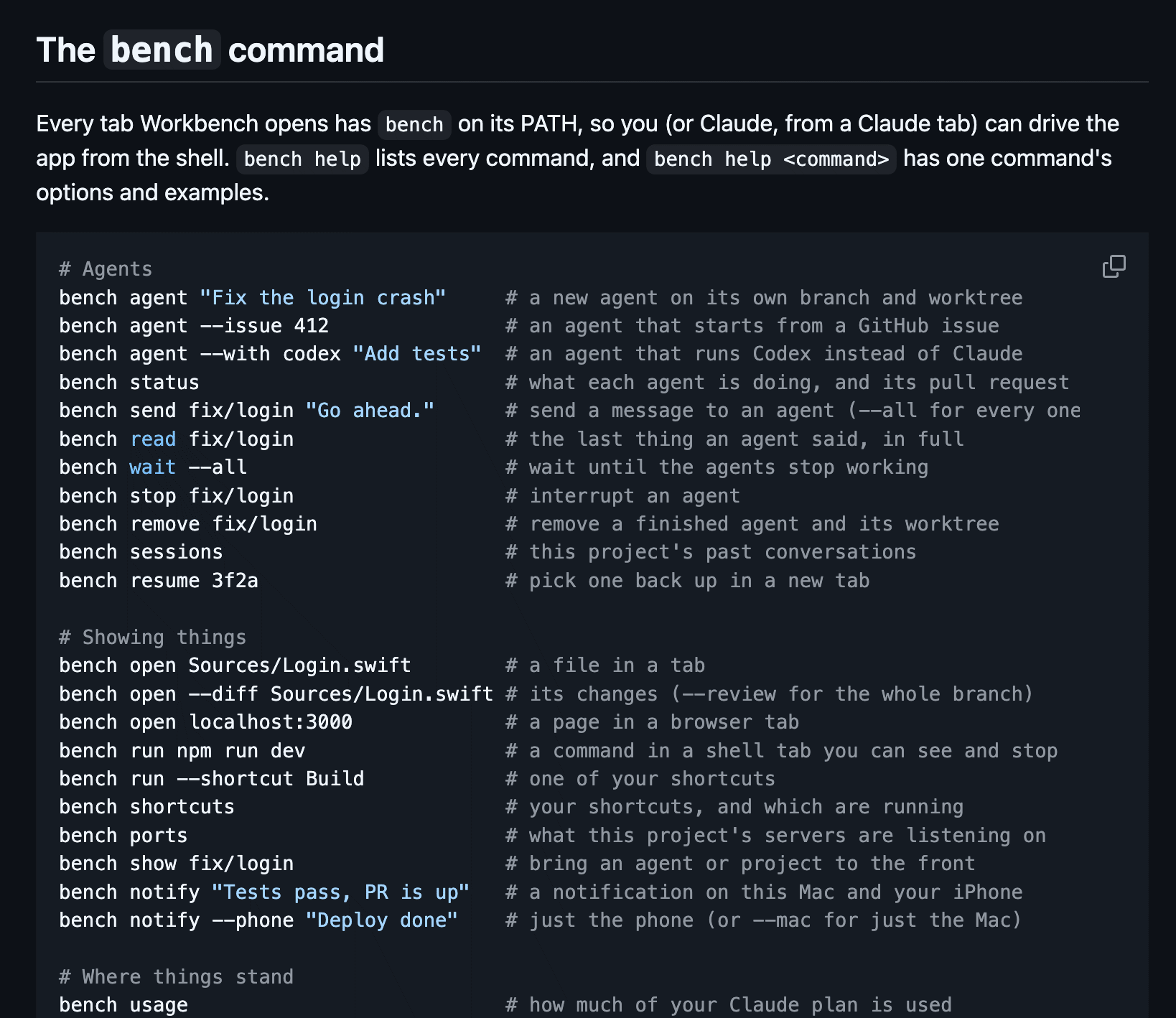
A superpower unlock when using Workbench is asking Claude (or Codex, now) to do things in the app for you. Open a new Claude tab and ask. Here are some things you can say now:
- "Start three agents, one for each of these bugs."
- "Tell the login agent to add tests, and show me what it says when it's done."
- "Remove the agents that are finished."
- "Open the diff for the settings screen."
- "Start the dev server in a tab I can see."
- "Run the tests and tell me on my phone when they pass."
- "Pin this project, rename it Recipes, and set the icon for me."
Oh, and these are all done via terminal commands, so you can do it yourself as well, but they were built with the intent of your agent doing it.
Workbench is a great app for managing your agents across several (or many, in some people's cases 👀), and now that it's open source and works with Codex, it's better for more people than ever.